Wix Search Engine Optimization: 10 Steps to Rank No. 1

Complete Guide to Wix Search Engine Optimization
For years, a persistent myth circulated throughout the digital marketing world: “Wix is bad for SEO.” In the early days of web development, Flash-based architectures and messy code structures gave many website builders a bad reputation among search engine crawlers. However, the landscape of web development has shifted dramatically. Today, Wix has completely overhauled its infrastructure, transforming into an SEO powerhouse equipped with advanced, enterprise-grade features that rival any other content management system on the market.
Modern search engine optimization is not about the platform you choose; it is about how you configure that platform to meet the needs of your audience and the algorithms of search engines. Wix now includes built-in SEO tools that can help small businesses rank competitively on Google, provided they are configured correctly. Whether you are a local service provider, an e-commerce retailer, or a passionate blogger, achieving a top position on search engine results pages requires a strategic, deliberate approach.
If you want to maximize your Wix website SEO, increase your visibility, and outrank your competitors, you need a comprehensive blueprint. This extensive guide breaks down the exact methodology required to transform your site into an organic traffic generator. By mastering Wix search engine optimization, you will learn how to align your site content with user intent, optimize your technical backend, and build the topical authority necessary to secure and sustain high rankings on Google.
Choose the Right Keywords Before Building Pages
The foundation of any successful Wix SEO campaign begins long before you write a single line of text or design a webpage layout. It starts with comprehensive keyword research. Keyword research is the process of identifying the exact phrases, questions, and terms your target audience types into search engines when looking for products, services, or information related to your niche. Without this data, your Wix search engine optimization efforts are guided by guesswork, which rarely leads to sustainable visibility.
When conducting keyword research, you must look at three core metrics: search volume (how many times a phrase is searched per month), keyword difficulty (how competitive the term is), and search intent (the underlying motivation of the searcher). Search intent generally falls into four categories: informational, navigational, commercial, and transactional. For small business owners and service providers, focusing on transactional and long-tail keywords often yields the highest return on investment. Long-tail keywords are longer, more specific phrases that have lower search volume but significantly higher conversion rates because the user is further along in the buying cycle.
Consider how search behavior shifts based on location and intent:
| Industry / Niche | Broad Keyword (High Competition) | Long-Tail Keyword (Targeted & Actionable) |
| Food & Beverage | Bakery | Best bakery in Mumbai |
| Photography | Photographer | Wedding photographer in Delhi |
| Professional Services | Accountant | Tax consultant for small businesses in Bangalore |
| Fitness | Gym | Personal trainer for rehabilitation in Toronto |
To discover these valuable search terms, you do not need an enterprise budget. You can begin by using free tools such as Google Autocomplete. Simply type your primary business offering into the Google search bar and note the automated suggestions that appear; these represent real queries that users frequently type. For deeper metric analysis, tools like Google Keyword Planner, Ahrefs, Semrush, and Ubersuggest provide granular data regarding search volume and competitiveness.
As you compile your list, assign one primary keyword to each specific page on your Wix site. This primary keyword represents the core focus of the page. You should also identify three to five supporting keywords, which are synonyms or conceptually related phrases that help add context to your content. Avoid the temptation to target the same primary keyword across multiple pages on your website. This creates a technical problem known as keyword cannibalization, where your own pages compete against one another, ultimately diluting your Wix search rankings and confusing Google as to which page is the most authoritative answer.
Optimize Wix Page Titles and Meta Descriptions
Once you have identified your target keywords, you must place them where search engine crawlers expect to find them. The most critical on-page real estate consists of your page titles (or title tags) and meta descriptions. These elements form the digital billboard for your website on search engine results pages. They serve a dual purpose: providing a direct ranking signal to Google’s algorithm regarding the topic of your page, and serving as persuasive copy that entices human searchers to click through to your site.
A title tag is an HTML element that specifies the title of a web page. It appears as the blue, clickable headline in organic search results and also sits at the top of web browser tabs. For optimal Wix SEO, your title tags should ideally remain under 60 characters. Anything longer risks being truncated by Google’s display limits, which can obscure your branding or cut off vital context. Your primary keyword should be placed naturally toward the beginning of the title tag, as search engine crawlers accord more weight to early terms, and human eyes scan left-to-right.
Meta descriptions, while not a direct ranking factor in Google’s mathematical algorithm, exert a massive indirect influence on your rankings via your Click-Through Rate (CTR). A meta description is the short summary paragraph displayed beneath the title tag in search results. It should remain under 160 characters to avoid truncation and should act as a compelling advertisement that communicates exactly what value the user will receive by visiting your page.
Let us evaluate the difference between poorly optimized and highly optimized metadata configurations:
-
Poor Metadata Configuration:
-
Title: Home | ABC Company
-
Meta Description: Welcome to our website. We offer various services to our clients. Contact us today for more information about what we do.
-
-
Optimized Metadata Configuration:
-
Title: Affordable Interior Design Services in Mumbai | ABC Interiors
-
Meta Description: Transform your space with top-rated interior design services in Mumbai. View our portfolio of modern apartments and book a free design consultation today.
-
To update these elements within your Wix platform, navigate to your Wix SEO settings. Open your Pages menu, click the three dots next to the specific page you wish to optimize, and select the SEO Basics tab. Here, Wix provides clear input fields for your page title and meta description, complete with a visual preview of how your snippet will appear on both desktop and mobile screens.
Avoid the dangerous practice of keyword stuffing, which involves packing your titles and descriptions with repetitive lists of cities or services. Google easily recognizes this behavior and may penalize your site or rewrite your titles entirely, reducing your click-through rates and harming your overall Wix website ranking.
Create SEO-Friendly URLs
A clean, logical URL structure is another essential component of a successful Wix search engine optimization strategy. URLs provide both users and search engines with an immediate understanding of a page’s location within your website hierarchy and the specific topic covered on that page. A messy, auto-generated URL filled with random strings of numbers, symbols, and dates appears unprofessional, discourages users from clicking, and deprives you of a valuable on-page optimization opportunity.
When constructing URLs for your Wix pages, always aim for simplicity, clarity, and descriptive power. Use your primary keyword directly within the URL slug to reinforce the topical relevance of the page to search engine bots.
Consider the stark contrast between an unoptimized URL and an SEO-friendly URL:
-
Unoptimized URL:
[yoursite.com/page-1?id=98734_prod-info](https://yoursite.com/page-1?id=98734_prod-info) -
SEO-Friendly URL:
[yoursite.com/wix-seo-guide](https://yoursite.com/wix-seo-guide)
When formatting your URL slugs, use hyphens to separate individual words. Never use underscores, spaces, or special characters, as web browsers translate spaces into disruptive characters like %20, making your links look suspicious and untrustworthy. Keep your URLs as short as possible by removing unnecessary filler words like “and,” “the,” “for,” and “in,” unless they are absolutely vital to the clarity of the keyword phrase.
Modifying URL slugs within Wix is straightforward. Open the SEO Basics panel for any individual page or blog post. Under the URL Slug section, you can edit the text that appears after your main domain name. If you decide to modify the URL of an existing page that has already been indexed by Google or linked to from external sites, ensure that you implement a 301 redirect. A 301 redirect informs search engine crawlers that a page has permanently moved to a new location, preserving the accrued link equity and ensuring that users do not encounter a frustrating 404 error page. Fortunately, the Wix SEO dashboard automatically suggests setting up a 301 redirect whenever you alter a page’s URL slug, making it easy to protect your hard-earned rankings.
Optimize Headings and Page Structure
Once a user or search engine bot arrives on your website, they encounter your on-page content. To process your content efficiently, search engine crawlers rely heavily on the hidden heading tags embedded within your text code. Headings range from H1 down to H6, establishing a clear semantic hierarchy that organizes your content, much like chapters and subchapters organize a non-fiction book.
The H1 tag serves as the absolute title of your page’s content and should only be used once per page. It represents the primary theme of the document. For instance, on a page dedicated to Wix SEO tips, the H1 should clearly state that topic. Subheadings such as H2 tags should be utilized to break your main topic down into core sections, while H3 tags further subdivide those sections into specific points or actionable steps.
An optimized heading hierarchy looks like this:
-
H1: Master Guide to Search Engine Optimization for Wix Websites
-
H2: On-Page Optimization Strategies
-
H3: Crafting Title Tags
-
H3: Writing Meta Descriptions
-
-
H2: Technical Infrastructure Considerations
-
H3: Optimizing Core Web Vitals
-
H3: Configuring Robots.txt Files
-
-
Using keywords naturally within your H1, H2, and H3 headings confirms to search engines that your content provides comprehensive depth on the searched topic. However, do not force keywords into headings where they do not fit contextually. Prioritize readability above all else.
Proper page structure also increases your chances of earning featured snippets. Featured snippets are selected search results that appear at the very top of Google’s organic results, enclosed in a distinct box, often referred to as “position zero.” Google frequently extracts information from well-organized H2 and H3 structures, converting bulleted lists, numbered instructions, or concise paragraph summaries directly into these coveted snippets. By formatting your Wix pages with clear headings and direct, fluff-free answers to common queries, you position your content to bypass standard organic listings and capture maximum search engine visibility.
Improve Website Speed and Core Web Vitals
Technical optimization is just as critical as on-page content optimization. Google places tremendous emphasis on the user experience of a website, and one of the most prominent pillars of user experience is page load performance. A website that takes too long to load frustrates visitors, driving up bounce rates and signaling to search engines that your site provides a substandard user experience. To measure page performance objectively, search engines look at a standardized set of metrics known as Core Web Vitals.
Core Web Vitals quantify key user experience metrics:
-
Largest Contentful Paint (LCP): Measures loading performance. It tracks how long it takes for the main content of a webpage to fully render on the screen. An ideal LCP score is 2.5 seconds or faster.
-
Cumulative Layout Shift (CLS): Measures visual stability. It calculates whether elements on the page shift unexpectedly while the page is still loading, which can cause users to accidentally click the wrong buttons. An ideal CLS score is 0.1 or lower.
-
Interaction to Next Paint (INP): Measures page responsiveness. It quantifies how quickly a page responds when a user interacts with it, such as clicking a link, tapping a button, or expanding a menu. An ideal INP measurement is 200 milliseconds or less.
Historically, complex web builders struggled with these performance metrics due to code bloat. Today, Wix operates on a highly optimized infrastructure with global Content Delivery Networks (CDNs), server-side rendering, and advanced caching protocols. However, the choices you make as a site owner heavily impact your page speed.
To ensure your Wix site loads quickly, start by optimizing your media assets. Never upload raw, high-resolution photographs directly from a DSLR camera or smartphone. Compress your images using free optimization tools before uploading them, or allow Wix’s automated media system to convert your images into modern, lightweight formats like WebP, which retain high visual clarity at a fraction of the file size.
Additionally, avoid overcomplicating your homepage design with heavy decorative elements, such as full-screen video backgrounds, complex animations, or custom third-party scripts. Limit the number of unnecessary applications installed from the Wix App Market, as each app can inject additional JavaScript into your site’s header, slowing down overall execution.
To benchmark your performance, run your URL through tools like Google PageSpeed Insights or the built-in Lighthouse tool in Google Chrome. These platforms provide an accurate breakdown of your Core Web Vitals performance across both desktop and mobile layouts, offering tailored recommendations on what specific elements require adjustments to ensure maximum speed.
Make Your Wix Website Mobile Friendly
More than half of global web traffic originates from mobile devices, a trend that continues to expand. Consequently, search engines use mobile-first indexing. This means that Google predominantly crawls, indexes, and evaluates the mobile version of your website to determine its ranking position across all devices, including desktop computers. If your Wix site looks immaculate on a computer screen but functions poorly on a mobile phone, your overall visibility will suffer severely.
Wix uses an adaptive design model that generates a distinct desktop version and a corresponding mobile version of your site. While layout changes made on the desktop editor automatically flow down to the mobile view, the mobile version requires manual adjustments within the specialized Wix Mobile Editor to ensure a seamless experience.
When tuning your mobile layout, review these key design elements:
-
Font Legibility: Ensure text sizes do not drop below 16 pixels. If text is too small, mobile users will be forced to pinch-to-zoom, a behavior that Google flags as a usability failure.
-
Tap Target Spacing: Place clickable buttons, links, and navigation items far enough apart so they can be easily tapped with a thumb. Elements packed too closely together cause accidental clicks and lead to a poor user experience.
-
Interactive Element Testing: Verify that all embedded elements, including contact forms, slide-out hamburger menus, drop-down selections, and checkout paths, function flawlessly on touchscreens.
-
Layout Streamlining: Conceal non-essential decorative images, large filler shapes, or redundant blocks of text that clutter the smaller screen workspace. Hiding these elements simplifies the interface and boosts your mobile loading speeds.
A common mistake in mobile SEO for Wix websites is failing to audit how elements wrap or stack vertically on smaller viewports. Text boxes can sometimes overlap or drop beneath images unexpectedly, creating a broken visual experience. Make it a habit to preview your pages on several actual smartphones alongside the built-in emulator inside the Wix dashboard to guarantee your mobile design functions flawlessly across all screen sizes.
Optimize Images for Search Engines
Images bring your content to life, enhance user engagement, and reduce bounce rates. However, search engine crawlers cannot “see” images the same way humans do. Bots rely on textual clues attached to media files to interpret what an image depicts and how it relates to the surrounding content. Failing to optimize your images misses a massive opportunity to capture additional traffic through Google Image Search, which accounts for a substantial percentage of all web searches.
Image optimization consists of three main elements: file naming, image compression, and ALT text. The optimization process begins on your computer before you ever upload a file to the Wix Media Manager. You must replace generic camera file names with descriptive, keyword-rich alternatives.
Take a look at the clear difference between unoptimized and optimized image data:
| Attribute | Unoptimized Implementation | Optimized Implementation |
| File Name | IMG123.jpg |
wix-seo-dashboard.jpg |
| Alt Text | (Left completely blank) | Screenshot of the Wix SEO settings dashboard showing title tag customization fields. |
ALT text, or alternative text, is an HTML attribute added to an image tag. It serves as a text alternative for search engine crawlers and screen readers used by visually impaired individuals. When writing ALT text, explain clearly and objectively what is happening within the image. Avoid stuffing keywords into your image descriptions; instead, focus on creating natural, accurate, and accessible descriptions.
For instance, if you run an e-commerce store selling handmade leather boots, your ALT text should say something like “Hand-stitched brown leather hiking boots with brass eyelets placed on a rustic wooden background.” This descriptive clarity helps search engines index your images accurately, opening up a reliable channel of targeted traffic while keeping your site compliant with global web accessibility guidelines.
Set Up Wix SEO Tools Properly
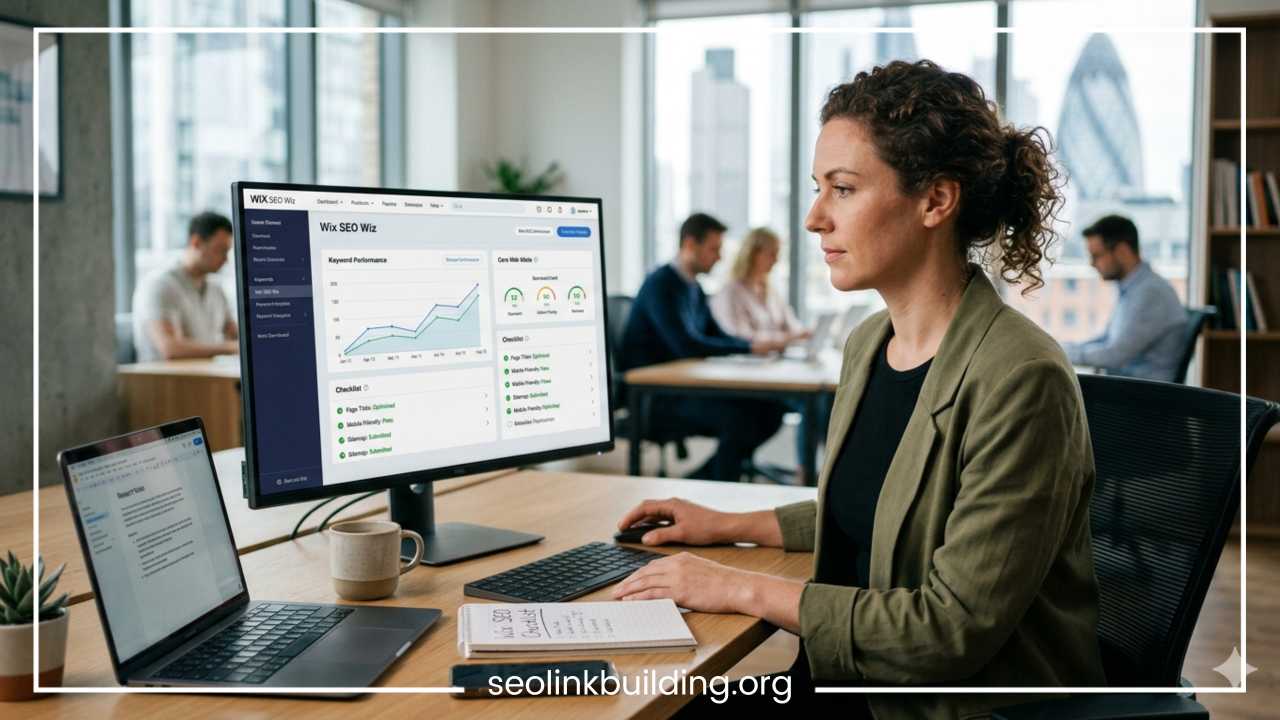
One of the greatest benefits of utilizing modern Wix for search engine optimization is the Wix SEO Setup Checklist (formerly known as Wix SEO Wiz). This guided system serves as an excellent starting point for beginners, walking you through the mandatory baseline configurations required to connect your website with search engine networks.
Wix SEO Setup Checklist
├── 1. Connect a Custom Domain Name
├── 2. Verify Your Site with Google Search Console
├── 3. Generate and Submit an XML Sitemap
└── 4. Customize Robots.txt and Indexing Rules
The checklist begins by ensuring you have connected a premium, custom domain name to your site, which is essential since free Wix subdomains rarely rank for competitive commercial keywords. Once your domain is configured, the setup wizard guides you through a secure API integration to verify your ownership with Google Search Console.
Google Search Console is an indispensable tool that allows you to monitor your site’s performance, view the exact search terms driving traffic to your business, identify crawling errors, and check which of your pages have been successfully indexed.
When this integration is complete, Wix automatically generates an XML sitemap for your website and submits it directly to Google. An XML sitemap acts as a roadmap of your website, listing every single URL that you want search engines to crawl and index. This automation removes the need to manually extract code or upload complex XML files into webmaster portals.
For advanced users, Wix provides direct access to modify your robots.txt file. A robots.txt file contains instructions for search engine bots telling them which directories or sections of your website they are permitted to explore and which areas they should ignore. For example, you may want to prevent search engines from crawling internal private account areas, duplicate checkout confirmation loops, or temporary staging pages, saving your site’s crawl budget for high-value landing pages and blog posts.
Build High-Quality Content Consistently
No amount of technical optimization or keyword configuration can compensate for thin, low-quality content. Content remains the single most important factor when looking at how to rank a Wix website. To build long-term organic traffic, you must consistently produce content that satisfies user intent, solves your audience’s problems, and establishes your brand as an undisputed authority within your industry.
Launching a dedicated blog on your Wix site is one of the most effective ways to accomplish this. Blogging allows you to create comprehensive topical clusters around your core offerings. For example, if you offer financial planning services, your primary service page might target “financial planner in Chicago.”
To build authority around that commercial page, you can create a cluster of highly detailed blog posts addressing informational queries:
-
How to build an investment portfolio in your twenties
-
A step-by-step checklist for retirement planning
-
The differences between traditional and Roth IRAs
Linking these helpful informational blog posts back to your primary commercial service page forms an internal link ecosystem. This structure passes link equity throughout your site and signals to Google that you possess deep expertise in your field.
When writing content, ensure you align your work with Google’s E-E-A-T principles, which stand for Experience, Expertise, Authoritativeness, and Trustworthiness. Demonstrate your first-hand experience by sharing original case studies, real-world examples, unique data insights, and high-quality original photography. Break up long, intimidating blocks of text into readable paragraphs, and include clear FAQ sections at the bottom of your guides to target voice search queries and long-tail questions.
Remember, consistency is far more valuable than sheer volume. Publishing one incredibly detailed, well-researched, 2,500-word article per month will yield much better rankings and user engagement than publishing five rushed, low-quality, 400-word posts per week that offer no unique value over what already exists online.
Build Backlinks and Local SEO Signals
The first nine steps of this guide focus entirely on on-page and technical optimization, which are elements you control entirely within your Wix dashboard. The final step requires looking outward to build authority through off-page optimization. Off-page optimization is primarily centered around acquiring backlinks. A backlink is a hyperlink from an external website that points back to your site. In the eyes of search engines, each high-quality backlink acts as a vote of confidence, verifying that your content is trustworthy and valuable.
However, all backlinks are not created equal. A single link from an authoritative, trusted news outlet or an established industry publication carries far more ranking weight than hundreds of low-quality links from spammy forums, link networks, or unrelated blogs. Focus on safe, sustainable link-building methodologies:
-
Guest Posting: Write high-value educational articles for respected blogs within your niche, including a natural link back to your Wix site in your author bio or content body.
-
Partnerships and Collaborations: Reach out to vendors, suppliers, or business partners you work with regularly and ask them to list your business on their partners or resources page.
-
PR and Resource Outreach: Create highly informative resource guides, infographics, or proprietary data studies that bloggers and journalists will naturally want to cite as sources in their own articles.
If your business serves a specific geographic area, you must pair your backlink outreach with a robust local SEO strategy. Start by setting up and optimizing a free Google Business Profile. Ensure that your business Name, Address, and Phone number (often referred to as NAP data) are formatted identically across your Google profile, your Wix website footer, and external local business directories like Yelp or YellowPages.
Inconsistencies in your NAP data—such as writing “Suite 100” on one site and “#100” on another—can confuse search engine algorithms and lower your local visibility. Finally, actively encourage your satisfied clients to leave detailed, keyword-rich reviews on your Google profile. High volumes of positive reviews coupled with consistent local citations tell search engine networks that your business is legitimate and highly valued by the local community.
Common Wix SEO Mistakes to Avoid
Even with the right strategies in place, simple missteps can stall your progress and prevent your site from reaching the top spots on Google. To keep your Wix search engine optimization campaign on track, make sure to watch out for these common pitfalls:
-
Ignoring Internal Linking Opportunities: Many site owners write great blog posts but forget to link them together. Internal links guide users to relevant pages and make it easy for search engine crawlers to discover and index your content.
-
Allowing Thin Content to Remain Public: Pages with only a few sentences of text offer little value to visitors. Google often flags thin pages as low-quality, which can drag down your entire Wix website ranking. Combine short, thin pages into larger, more comprehensive guides.
-
Leaving Duplicate Content Unresolved: Copying text across multiple pages or having identical product descriptions confuses search engines trying to find the best page to rank. Always write original content for every page on your site.
-
Failing to Fix Broken Links: Over time, deleting pages or changing URLs without setting up proper 301 redirects creates broken 404 links. This disrupts the user experience and hurts your site’s credibility with search engines.
-
Neglecting On-Going Analytics Reviews: SEO is not a one-time project. Forgetting to review your Google Search Console data means you could miss emerging search trends, drop-offs in keyword positions, or crawl errors that need your attention.
Final Thoughts
The debate over whether Wix can perform at the highest levels of organic search is officially over. The platform provides a rock-solid technical framework, automated indexing tools, and intuitive schema customization options capable of competing for the most profitable keywords in any industry.
However, it is important to remember that search engine optimization is an ongoing journey, not a one-time setup project. Algorithms change, competitor tactics evolve, and user search behavior naturally shifts over time.
To secure and maintain a top position on Google, you must approach your Wix SEO optimization with consistency and patience. Do not expect your traffic to double overnight; organic search rankings take time to build momentum as search engine crawlers gradually discover, evaluate, and learn to trust your newly optimized platform.
Commit to a systematic workflow: start by auditing your current Wix website layout, correct your metadata, structure your pages cleanly, and focus heavily on creating valuable, comprehensive content. By addressing each phase of this optimization process one step at a time, you will build a highly visible, highly authoritative website that turns search traffic into long-term business growth.
Frequently Asked Questions About Wix Search Engine Optimization
How long does it take to see SEO results with a Wix website?
Seeing tangible organic traffic results with a Wix website typically takes anywhere from three to six months. This timeline depends heavily on the competitiveness of your industry, the keyword difficulty of your target terms, and how consistently you publish high-quality content.
Search engines need time to crawl your optimized pages, index your changes, and evaluate your site against established competitors. While technical fixes like updating your page titles or connecting to Google Search Console can show minor index updates within a few weeks, sustainable ranking growth requires patience, ongoing content updates, and steady backlink acquisition.
Can a Wix website rank on the first page of Google without buying ads?
Yes, a Wix website can absolutely rank on the first page of Google organically without spending money on Google Ads. Google’s ranking algorithm evaluates whether a page satisfies user intent, loads quickly, offers authoritative content, and has high-quality backlinks—regardless of the website builder used to create it.
By systematically applying the 10 on-page and technical optimization steps outlined in this guide, you can outrank competitors who rely solely on paid advertising, allowing you to secure highly valuable, recurring organic traffic for free.
Why is my Wix website not showing up on Google search results?
If your Wix website is not showing up in search results, it is usually due to a few common configuration issues:
-
Missing Custom Domain: Your site is still using a free Wix URL (
[username.wixsite.com/site](https://username.wixsite.com/site)). Google rarely indexes free subdomains for competitive business searches. -
Disabled Search Indexing: Your privacy settings are blocking search engines. Navigate to your Wix SEO settings and ensure the toggle labeled “Let search engines index this page” is turned on.
-
Brand New Site: Google’s bots may not have crawled your web pages yet. Make sure your site is fully connected to Google Search Console and submit your XML sitemap manually to speed up the indexation process.
How do I change the SEO settings for a single page on Wix?
To modify the SEO settings for an individual page on your Wix site, follow these steps:
-
Open your Wix Site Editor and click on the Pages & Menu icon on the left sidebar.
-
Scroll to the specific page you want to update and click the Three Dots icon next to its name.
-
Select SEO Basics from the dropdown menu.
-
From here, you can customize the URL slug, write a unique page title under 60 characters, and input a compelling meta description under 160 characters.
Does Wix automatically generate an XML sitemap for Google?
Yes, Wix automatically generates a dynamic XML sitemap for your website. Your sitemap updates itself instantly whenever you add a new page, publish a fresh blog post, or delete an old URL.
You can view your live sitemap at any time by adding /sitemap.xml to the very end of your primary domain name. Because Wix links directly to Google Search Console via an API, it submits this sitemap automatically, saving you the trouble of manual files uploads.
Is the built-in Wix SEO setup checklist enough to rank number one?
The built-in Wix SEO setup checklist is an excellent tool for completing baseline technical configurations, but it is not enough on its own to secure a number one ranking for competitive search terms.
The checklist ensures your site is verified by Google, connected to a custom domain, and properly indexed. However, achieving top rankings requires going beyond the basics. You must engage in deep keyword research, format a clear H1-H3 heading structure, optimize mobile usability, improve your Core Web Vitals, and consistently write in-depth, authoritative blog posts that answer your audience’s questions.