How to Start an Online Store

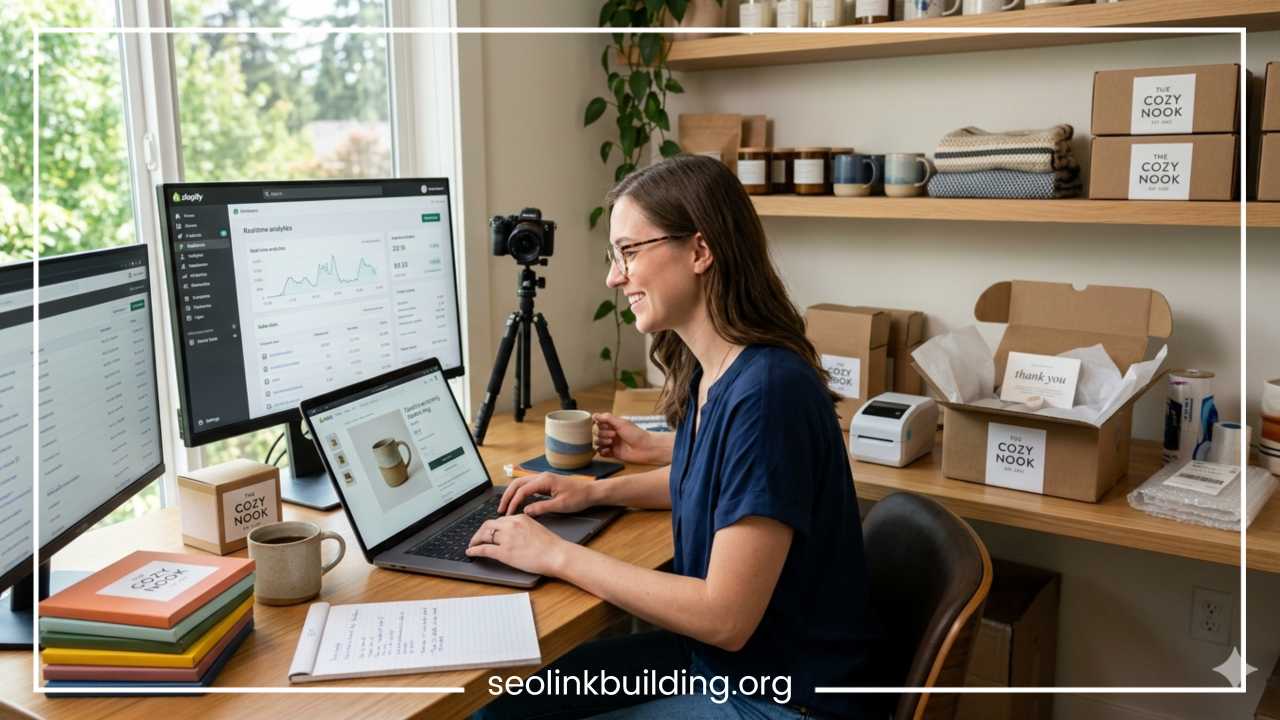
How to Start an Online Store: Step-by-Step Guide
The digital landscape has fundamentally transformed the way commerce operates. Starting an online store is no longer a privilege reserved for large corporations with massive capital; today, it is an accessible path for anyone with a viable product and a solid internet connection. The barriers to entry have dropped significantly, allowing entrepreneurs to reach a global audience from the comfort of their homes. This democratization of retail means that a small artisan in a rural village can sell to a customer in a major metropolis just as easily as a multinational brand.
The appeal of e-commerce lies in its scalability and efficiency. Traditional brick-and-mortar stores are limited by geography, high overhead costs like rent and utilities, and rigid operating hours. An online store, by contrast, is open twenty-four hours a day, seven days a week, and can be managed from anywhere in the world.
There are various ways to enter the e-commerce space, depending on your resources and goals. You might choose to hold physical inventory, utilize the dropshipping model to minimize risk, or sell digital assets like software and courses. Regardless of the path you choose, the core principles of business remain the same: providing value, establishing trust, and reaching the right people. This guide is designed to take you through the entire lifecycle of building an e-commerce business, from the initial spark of an idea to the first sale and beyond. By following these structured steps, you will be equipped to navigate the technical, financial, and marketing challenges of the modern marketplace.
Choose Your Business Model
Before you purchase a domain or design a logo, you must decide how your business will operate behind the scenes. Your business model dictates your startup costs, your level of control over the customer experience, and your potential profit margins. Choosing the right model is a balancing act between risk and reward.
Physical Products with Own Inventory
This is the traditional retail model. You buy or manufacture products, store them in a warehouse or your home, and ship them when an order arrives.
-
Pros: Total control over quality, packaging, and shipping speed. You can add personal touches like handwritten notes, which build brand loyalty. Higher profit margins per unit because you are buying in bulk.
-
Cons: High upfront costs for inventory and storage risks. If a product doesn’t sell, you are left with “dead stock” that ties up your capital.
Dropshipping
In this model, you act as a storefront. When a customer buys from you, the order is sent to a third-party supplier who ships the product directly to the customer. You never touch the product yourself.
-
Pros: Extremely low startup costs and no inventory risk. You can test dozens of different products without spending a dime on manufacturing.
-
Cons: Lower profit margins because the supplier takes a larger cut. You also have less control over shipping times and packaging quality. If a supplier makes a mistake, your brand takes the blame.
Print-on-Demand
A subset of dropshipping focused on custom designs. You sell items like t-shirts, posters, or mugs with your artwork. The product is only printed once an order is placed.
-
Pros: Creative freedom without inventory waste. It is an excellent way for artists and designers to monetize their work.
-
Cons: Higher base costs from suppliers, meaning you must price items higher to see a profit. You are also limited to the types of products the supplier offers.
Digital Products
Selling ebooks, software templates, music, or online courses is a rapidly growing sector.
-
Pros: No shipping costs, no physical storage, and extremely high margins. Once the product is created, it can be sold infinitely without restocking.
-
Cons: Susceptible to piracy and requires high expertise to create valuable content. Competition is fierce because the “cost of entry” is low.
Subscription-Based Stores
This involves sending products (physical or digital) to customers on a recurring basis. Think of monthly snack boxes or software-as-a-service (SaaS).
-
Pros: Predictable recurring revenue and high customer lifetime value. It allows for better financial planning.
-
Cons: Requires constant novelty to prevent “subscriber churn.” If the customer gets bored, they cancel, and your revenue drops.
Find a Profitable Niche
One of the biggest mistakes new entrepreneurs make is trying to be “the next Amazon.” General stores are incredibly difficult to market because they lack focus. To succeed, you must find a niche—a specific segment of a larger market with its own unique needs and preferences.
Importance of Niche Selection
A niche allows you to become an authority. Instead of selling “shoes,” sell “ergonomic shoes for healthcare workers.” This specificity makes your SEO efforts more effective and your ad targeting much sharper. When you speak to everyone, you speak to no one. When you speak to a specific group, they feel understood and are more likely to buy.
How to Identify Demand
You can use several tools and methods to see what people are searching for:
-
Market Trends: Use tools like Google Trends to see if interest in a topic is rising or falling. You want to enter a market that is either stable or growing. Avoid “fad” products that might disappear in six months.
-
Marketplace Research: Browse Amazon’s “Best Sellers” or “Movers and Shakers” lists. Look at Etsy for handmade or unique categories that are gaining traction. These platforms show you exactly what people are already spending money on.
-
Keyword Research: Use SEO tools to find specific search terms with high volume but moderate competition. If people are searching for “extra-wide yoga mats” but can’t find many results, you’ve found a gap.
Evaluation Criteria
Once you have an idea, evaluate it based on:
-
Competition: Is the market saturated with big players? If so, can you offer something they can’t, like better service or a more specialized version of the product?
-
Target Audience: Is there a passionate community around this product? (e.g., hobbyists, collectors, or professionals). Passionate audiences are more likely to engage with content and share your brand.
-
Profit Potential: Can you sell this at a price point that covers your costs and leaves a healthy margin? Consider the “Value to Weight” ratio. Small, lightweight, but expensive items (like jewelry or high-end electronics) are ideal because they are cheaper to ship.
Conduct Market Research
Once you have your niche, you need to validate it through deep research. You aren’t just selling a product; you are solving a problem or fulfilling a desire for a specific group of people. Market research minimizes the risk of launching a product that nobody wants.
Understand Your Ideal Customer
Create a “customer persona.” This is a fictional representation of your perfect buyer. Ask yourself:
-
How old are they and where do they live?
-
What are their primary pain points? For example, if you sell organic baby clothes, their pain point might be the fear of harsh chemicals on their child’s skin.
-
Where do they spend their time online (Instagram, LinkedIn, Reddit, or specific forums)?
-
What motivates their buying behavior? Is it sustainability, price, luxury status, or pure convenience?
Competitor Analysis
Look at your top 3–5 competitors and dissect their strategy. Don’t just look at what they do well; look for where they are failing.
-
Pricing: Are they positioning themselves as a budget option or a premium brand?
-
Branding: What kind of “voice” do they use? Is it formal, humorous, or highly technical?
-
Customer Reviews: This is a goldmine. Read their one-star and three-star reviews. What are customers complaining about? Is it slow shipping? Poor packaging? If you can solve those specific complaints, you have an immediate competitive advantage.
Define Your Unique Selling Proposition (USP)
Your USP is the reason a customer chooses you over someone else. It shouldn’t just be “we have good quality.” It needs to be specific. It could be “The only 100% plastic-free kitchen store” or “The fastest delivery for gaming accessories in the region.” Without a clear USP, you are just another face in the crowd, and you’ll be forced to compete on price alone, which is a losing battle for small businesses.
Create a Business Plan
A business plan doesn’t need to be a hundred-page document for a bank, but it must serve as a roadmap for you. It keeps you focused when the initial excitement wears off and the hard work begins.
Store Concept and Goals
Define what success looks like. Is this a side hustle meant to generate an extra few hundred dollars a month, or are you building a full-time brand that you eventually want to sell? State your mission clearly. Why does this store exist?
Revenue Model and Cost Estimation
Be brutally honest with your finances. Many stores fail because they run out of cash. You will face two types of costs:
-
Fixed Costs: Platform subscriptions (like Shopify), domain renewals, business registration fees, and software for accounting or email marketing.
-
Variable Costs: Marketing and advertising (this will likely be your biggest expense), shipping, packaging, and the cost of goods sold (COGS).
A common trap is underestimating the marketing budget. In e-commerce, “build it and they will come” is a myth. You must pay to get eyes on your site initially through ads or content creation.
Pricing Strategy
Decide on your approach early:
-
Cost-Plus Pricing: Adding a standard markup to your cost (e.g., it costs $10 to make, you sell for $20).
-
Value-Based Pricing: Pricing based on how much the customer perceives the product is worth. This is common for luxury goods or items that solve a major problem.
-
Psychological Pricing: Using strategies like charm pricing ($19.99 instead of $20.00) to make the price seem lower.
Choose the Right eCommerce Platform
Your platform is the foundation of your store. Choosing the wrong one can lead to technical headaches, security risks, and migration costs later on.
Shopify
Shopify is the industry leader for a reason. It is an “all-in-one” hosted solution, meaning they handle the technical stuff.
-
Pros: Extremely easy to set up, excellent 24/7 customer support, and a massive app store for extra features like loyalty programs or advanced analytics. It handles security and hosting for you.
-
Cons: Monthly subscription fees can add up, and they charge transaction fees if you don’t use their own payment gateway (Shopify Payments).
WooCommerce
This is a plugin for WordPress. It is self-hosted, meaning you are responsible for finding a hosting provider and keeping the site secure.
-
Pros: Completely customizable. If you can dream it, you can build it. There are no monthly “platform” fees, though you pay for hosting and premium plugins. It is generally better for SEO.
-
Cons: Steeper learning curve. You are responsible for updates, backups, and site maintenance. If the site breaks after a plugin update, it’s on you to fix it.
Marketplaces (Amazon, Etsy, eBay)
Instead of building your own site, you can sell on an existing marketplace.
-
Pros: Built-in traffic. Millions of people go to Amazon specifically to buy. It’s much easier to get your first sale here.
-
Cons: High fees (often 15% or more). You don’t “own” the customer relationship. You cannot easily collect emails for future marketing, and you are subject to the marketplace’s strict and sometimes arbitrary rules.
Scalability
Consider where you want to be in two years. Shopify and WooCommerce both scale well, but Shopify is generally easier for those who don’t want to deal with the technical backend as they grow. If you plan to sell globally, ensure your platform supports multiple currencies and languages.
Register Your Business and Domain Name
Professionalism starts with your name. It needs to be memorable, easy to spell, and available.
Choosing a Brand Name and Domain
Check if the .com domain is available for your business name. Avoid hyphens or numbers, as they are hard for people to remember and look less professional. Use domain registration sites to secure your URL as soon as you decide on a name. Simultaneously, check social media handles (Instagram, TikTok, Twitter) to ensure brand consistency across all platforms. You don’t want to be “https://www.google.com/search?q=GreatCoffee.com” on the web but “@CoffeeGuy123” on Instagram.
Basic Legal Steps
Depending on your location, you may need to register as a specific legal entity.
-
Business Structure: Will you be a Sole Proprietorship, an LLC, or a Corporation? An LLC is often preferred as it protects your personal assets from business liabilities.
-
Taxes: Research local tax laws. For example, in India, you will likely need a GST registration to sell online. In the US, you need to understand “Sales Tax Nexus” to know which states you need to collect tax for.
-
Bank Account: Open a dedicated business bank account. Never mix personal and business finances; it makes accounting a nightmare and can have serious legal implications if you are ever audited.
Design Your Online Store
First impressions are everything in e-commerce. A cluttered, confusing, or slow website will drive customers away instantly. Users decide within seconds whether they trust a site enough to give it their credit card information.
Choosing a Theme
Most platforms offer themes (templates). Look for one that is mobile-responsive. More than half of all e-commerce traffic now comes from smartphones. A clean, minimalist design usually performs better than a flashy, complex one because it keeps the focus on the products.
Essential Pages
Every professional store needs these core pages:
-
Homepage: This is your storefront window. Clearly state what you sell and include a prominent “Call to Action” (CTA) like “Shop the Collection.”
-
Product Pages: These are your sales pitches. Include detailed information, clear pricing, and obvious “Add to Cart” buttons.
-
About Us: Tell your story. Why did you start this? What are your values? People buy from people they trust and like.
-
Contact Us: Provide an email, a physical address (if possible), or a live chat option. Accessibility builds trust.
-
Policy Pages: Shipping policy, Return/Refund policy, and Privacy policy. These are essential for legal reasons and to reduce “buyer’s remorse” or hesitation.
User Experience (UX) Tips
-
Fast Loading Speed: Compress your images. A high-resolution photo that takes five seconds to load is a sales killer.
-
Easy Navigation: Use clear categories (e.g., Men, Women, Accessories). Don’t make people click more than three times to find a product.
-
Trust Signals: Display security badges, payment icons, and customer reviews prominently. Seeing a “Verified Purchase” review can be the final nudge a customer needs.
Add Products and Set Pricing
This is where you showcase your value. Your product page is your “salesperson.” It has to answer every question a customer might have.
Compelling Product Descriptions
Avoid boring lists of features. Focus on benefits. Instead of saying “This jacket has a fleece lining,” say “Stay warm in sub-zero temperatures with our ultra-soft fleece lining that feels like a second skin.” Use bullet points for readability and include relevant keywords for search engines.
High-Quality Images
Since customers can’t touch or feel your products, they rely entirely on photos. Use high-resolution images with a clean white background for your primary shot. Include “lifestyle” photos showing the product in use—for example, if you sell coffee mugs, show someone holding a steaming cup in a cozy kitchen. This helps customers visualize the product in their own lives.
Pricing Strategies
Pricing is as much about psychology as it is about math.
-
Anchoring: Showing a “strike-through” price (e.g., ~~$50~~ $35) makes the customer feel like they are winning.
-
Bundling: Offering a “Buy 2, Get 1 Free” or a curated bundle at a slight discount increases your Average Order Value (AOV).
-
Tiered Pricing: Offering a “Basic,” “Pro,” and “Deluxe” version of a product or service to appeal to different budget levels.
Set Up Payments and Shipping
You need a seamless way to collect money and a reliable way to get the product to the buyer. Any friction in this stage leads to “abandoned carts.”
Payment Gateways
Integrate gateways that your audience knows and trusts.
-
International: Stripe and PayPal are the gold standard for credit and debit cards.
-
Local Preferences: In many markets, you must offer alternatives like UPI, digital wallets, or even “Cash on Delivery” if that is the local norm.
Make sure your checkout process is encrypted (SSL certificate). Most modern platforms like Shopify include this by default.
Shipping Logistics
Shipping can be a major headache, but it’s also a competitive tool.
-
Free Shipping: This is the most effective marketing tool in e-commerce. You can offer free shipping on all orders, or only on orders over a certain amount (e.g., “Free shipping on orders over $50”).
-
Flat Rate: Simple for the customer to understand, but you must ensure it covers your average costs.
-
Real-Time Rates: The system calculates the exact shipping cost based on the weight of the package and the customer’s location.
Partner with reliable delivery services and consider using a shipping aggregator software. This allows you to compare rates from different carriers and print labels in bulk, saving you hours of manual work.
Launch Your Store
The launch is a milestone, but it should be handled carefully. It’s better to launch quietly and fix issues than to have a massive launch that breaks.
Pre-Launch Checklist
Before going live, go through this list:
-
Test Orders: Place a real order on your site using your own credit card. Ensure the payment goes through, the inventory count updates, and the confirmation email arrives in your inbox.
-
Check Links: Click every single button on your site. Ensure the social media icons lead to your pages and not the platform’s default templates.
-
Mobile View: Open your site on various phones and tablets. Ensure the “Add to Cart” button isn’t hidden or cut off.
Soft Launch vs. Full Launch
Consider a “soft launch” where you invite friends, family, and your existing email list first. This allows you to catch minor bugs and get initial feedback in a low-pressure environment. Once you are confident, move to a full launch by announcing it on social media and starting your paid advertising campaigns.
Marketing Your Online Store
Without marketing, your store is an island in the middle of the ocean. You need to build bridges to your customers. E-commerce marketing is an ongoing process of testing and refining.
Social Media Marketing
Focus on the platforms where your audience actually lives.
-
Instagram and TikTok: These are visual-first platforms. They are perfect for fashion, beauty, home decor, and lifestyle products. Use “Reels” and “TikToks” to show behind-the-scenes content or product demos.
-
Pinterest: This is more of a search engine than a social network. It is excellent for driving long-term traffic to blog posts and product pages, especially in niches like weddings, travel, and DIY.
Search Engine Optimization (SEO)
SEO is a long-term play. It involves optimizing your site so that search engines like Google show your store when people search for relevant terms.
-
On-page SEO: Use keywords in your product titles, meta descriptions, and image alt-text.
-
Content Marketing: Start a blog. If you sell camping gear, write articles about “The 10 Best Hiking Trails in the Rockies.” This brings in people who are interested in your niche but might not be looking to buy right now.
Paid Advertising
If you want sales quickly, paid ads are the most effective way.
-
Google Ads: Targets people with “high intent”—those who are actively searching for “buy waterproof boots.”
-
Meta Ads (Facebook/Instagram): Targets people based on their interests and demographics. This is great for “discovery” marketing where the customer didn’t know they wanted your product until they saw the ad.
Email Marketing
This is often the most profitable channel. Unlike social media followers, you “own” your email list.
-
Lead Magnets: Offer a 10% discount or a free guide in exchange for an email address.
-
Automated Flows: Set up “Abandoned Cart” emails to remind people who left items in their cart to finish their purchase. Send “Welcome” emails to introduce new subscribers to your brand.
Manage and Scale Your Business
Once the orders start coming in, your job shifts from “builder” to “operator.” Scaling is about doing more of what works and automating what doesn’t need your personal touch.
Track Performance
You cannot improve what you do not measure. Use Google Analytics and your platform’s built-in dashboard to monitor:
-
Conversion Rate: What percentage of visitors actually buy? A typical rate is 1-3%. If yours is lower, your site might be confusing or slow.
-
Customer Acquisition Cost (CAC): How much do you spend on marketing to get one new customer? If your CAC is higher than your profit per customer, your business model is unsustainable.
-
Customer Lifetime Value (CLV): How much does a customer spend with you over their entire relationship with your brand? Increasing this is the key to long-term wealth.
Inventory and Customer Service
As you grow, manual inventory tracking will lead to errors and overselling. Use inventory management software to sync your stock levels across your site and any marketplaces you sell on.
Customer service is your secret weapon. A single bad review can hurt a small store, but a single “wow” moment can create a customer for life. Respond to queries within 24 hours and handle returns with grace.
Scaling Strategies
When you find a “winning” product or ad, scale up:
-
New Products: Look at what your customers are already buying and offer complementary items. If they buy cameras, offer tripods and bags.
-
New Channels: If you started on Shopify, consider expanding to Amazon to reach their massive audience.
-
Automation: Hire a virtual assistant for customer support or use automated fulfillment centers so you can focus on high-level strategy rather than packing boxes.
Common Mistakes to Avoid
Success in e-commerce often comes down to avoiding the pitfalls that sink others.
-
Ignoring Marketing: Many people spend 90% of their time on site design and 10% on marketing. It should be the other way around. A “good enough” site with great marketing will beat a “perfect” site with no marketing every time.
-
Poor Website Speed: In the age of instant gratification, a slow site is a death sentence. Optimize your code and compress your images.
-
Underpricing: Don’t get into a “race to the bottom” on price. There will always be someone willing to go cheaper. Compete on value, brand, and service instead.
-
Not Validating Demand: Don’t order thousands of dollars of inventory before you’ve made a single sale. Use the “Minimum Viable Product” (MVP) approach to test the waters first.
-
Neglecting Mobile Users: If your checkout process is difficult to navigate on a small screen, you are likely losing more than half of your potential sales.
Final Thoughts
Starting an online store is a journey of continuous learning and iteration. It requires a blend of creativity, technical skill, and analytical thinking. While the process involves many steps—from niche selection and market research to setting up logistics and mastering digital marketing—the most important step is simply to begin.
The e-commerce world moves fast. Trends change, algorithms update, and new competitors emerge daily. However, the core of a successful business remains unchanged: identify a group of people with a need, provide a high-quality solution, and communicate the value of that solution clearly.
Don’t wait for the “perfect” product or until you feel like an expert. Launch your store, listen to your customers, analyze your data, and be willing to pivot when something isn’t working. With persistence, a focus on the customer experience, and a commitment to providing real value, you can build a thriving digital business that stands the test of time. Your first sale is just the beginning; the real growth happens in the days, months, and years of consistent effort that follow.
Frequently Asked Questions about Starting an Online Store
How can I start an online store with no money or low investment?
Starting an e-commerce business on a budget is most effectively done through the dropshipping or print-on-demand models. These methods allow you to list products on your website without purchasing inventory upfront. You only pay for the product after a customer has paid you. Additionally, using a self-hosted platform like WordPress with the free WooCommerce plugin can help keep monthly overhead costs lower than many “all-in-one” subscription services.
Which is the best e-commerce platform for beginners to sell products?
For most beginners, Shopify is considered the best platform due to its user-friendly interface, built-in hosting, and security features. If you are already familiar with WordPress, WooCommerce is an excellent alternative that offers more customization. If you are an artist or crafter, starting on a marketplace like Etsy can provide immediate access to an established audience without needing to build a website from scratch.
How do I find the most profitable products to sell online?
To find high-demand products, use tools like Google Trends to see what consumers are searching for in real-time. Additionally, analyzing the “Best Sellers” sections on Amazon and looking for high-growth, low-competition categories on social media platforms like TikTok can reveal emerging trends. Focus on products that solve a specific problem or cater to a passionate hobbyist niche to ensure higher profit margins.
What are the legal requirements for starting an e-commerce business?
Legal requirements vary by location, but generally, you need to register your business name, obtain a federal tax ID (such as an EIN in the United States or GST in India), and check if you need a general business license. It is also crucial to have clear Terms and Conditions and a Privacy Policy on your website to comply with data protection laws like GDPR or CCPA.
How do I get traffic to my new online store without spending a lot on ads?
The most sustainable way to get free traffic is through Search Engine Optimization (SEO) and content marketing. By writing blog posts that answer your target audience’s questions, you can rank on Google and attract organic visitors. Additionally, leveraging social media marketing on platforms like Instagram and Pinterest allows you to build a community and drive traffic through visual content and direct engagement with potential customers.
What is the average cost to start an online store for a small business?
The cost can range from as little as **$50 to $500** for a basic setup. This typically covers a domain name ($15/year), a monthly platform subscription ($30–$40/month), and an initial marketing budget. If you choose to hold your own inventory, your initial costs will be significantly higher depending on the manufacturing or wholesale price of your goods.
How do I choose a domain name for my e-commerce brand?
A strong domain name should be short, memorable, and end in .com. Avoid using hyphens, numbers, or slang that might confuse customers when they type it into a browser. Use a domain name generator to see what is available and try to include a keyword related to your niche (e.g., “https://www.google.com/search?q=TheGreenKitchen.com” for a sustainable cookware store) to help with brand recognition and SEO.
How can I increase my online store’s conversion rate?
To turn more visitors into buyers, focus on site speed, mobile optimization, and social proof. Ensure your checkout process is as short as possible—ideally one or two steps. Displaying customer reviews, high-quality product videos, and trust badges (like secure payment icons) can significantly reduce customer hesitation and increase sales.