Wix SEO Guide: Step-by-Step to Rank #1 on Google

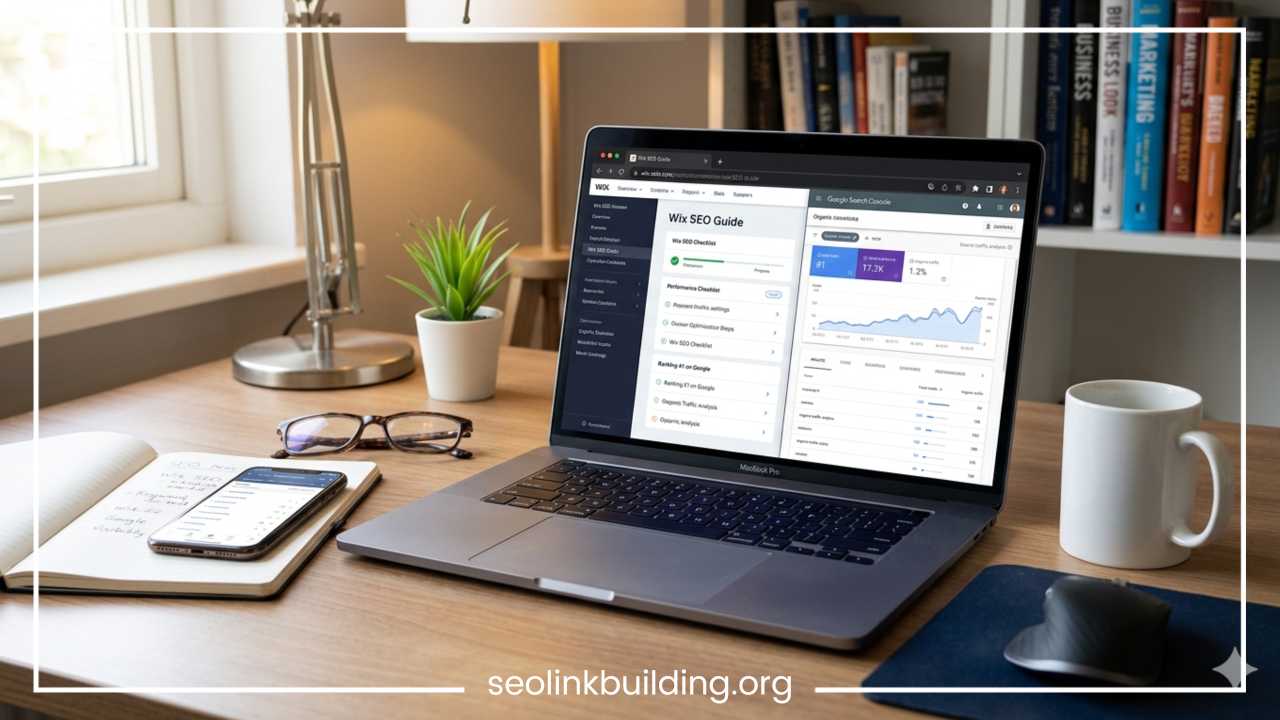
Wix SEO Tutorial: Ultimate Website Ranking Guide
For years, the digital marketing community held a persistent belief that certain drag-and-drop website builders were inherently limited when it came to search engine visibility. If you wanted to rank at the top of search engine results pages, the conventional wisdom suggested you had to use complex, open-source content management systems that required extensive coding knowledge.
Times have changed completely. Search engine optimization is no longer determined by the brand name of the platform you build on, but by the strategic actions you take to optimize your content, structure, and technical foundation.
Understanding how to rank a Wix website on Google requires a shift in perspective. The platform has undergone a massive evolution, transforming into an SEO-friendly powerhouse capable of competing for the highest-volume search terms in any industry. This comprehensive Wix SEO guide will dispel old myths, lay out a foundational setup checklist, and provide detailed tutorials for on-page, technical, local, and off-page optimization. By following this blueprint, you will possess all the knowledge necessary to turn your website into an organic traffic engine.
Is Wix Good for SEO?
To understand the true potential of Wix SEO optimization, we must first look objectively at what the platform offers. The old reputation that the platform was bad for search visibility stemmed from its early reliance on Flash technology and complex, unreadable URL strings. Those days are long gone. Today, the underlying architecture supports the exact same standards required by modern search algorithms.
When conducting a comprehensive Wix SEO review, it becomes clear that the system handles the heavy lifting of technical configuration automatically. The platform includes server-side rendering, which helps search engine bots easily crawl and parse your source code. It also includes an integrated infrastructure that speeds up visual asset delivery through global content delivery networks.
Pros
-
Streamlined Initial Setup: The built-in assistant analyzes your business type and location to generate an immediate, personalized path toward search engine indexation.
-
Automated Essential Files: You do not need to manually write code for your XML sitemaps or struggle to configure a default robots.txt file, as these are generated dynamically as you add or remove pages.
-
Robust Structured Data Integration: The system provides intuitive fields for adding schema markup, giving you the ability to earn rich snippets without touching complex code blocks.
-
Responsive Infrastructure: The templates are built to adapt automatically to various screen sizes, aligning directly with mobile-first indexing policies.
Cons
-
Code Bloat Repercussions: Because the drag-and-drop visual editor gives users complete design freedom, it can naturally generate more background script lines than a hand-coded website, which can require careful management to protect loading speeds.
-
Ecosystem Reliance: You must operate within the boundaries of the official app market and platform capabilities, meaning you cannot easily migrate your entire infrastructure to a different hosting environment down the line.
-
Limited Deep File Access: While you can customize meta tags, redirects, and schema, you cannot alter the core server configurations or access database roots directly, which advanced technical specialists occasionally prefer.
When exploring the classic debate of Wix versus WordPress SEO, the gap has narrowed significantly. WordPress provides absolute, unrestricted access to every single file and database entry, making it highly customizable for large enterprises with dedicated development teams. However, that freedom comes with the burden of managing security plugins, hosting speed drops, and broken database updates. Wix provides a highly secure, managed environment where the vast majority of critical ranking features are built straight into the dashboard, making it an exceptional choice for small to medium businesses, creators, and corporate sites aiming for maximum visibility with lower maintenance overhead.
Wix SEO Setup Checklist
Before writing content or building backlinks, you must establish a rock-solid technical and architectural foundation. Skipping these foundational steps will severely limit your visibility, regardless of how high your content quality is. Treat this checklist as your absolute starting point before launching any digital marketing campaign.
Connect a Custom Domain
A generic, free subdomain looks unprofessional to human visitors and signals a lack of brand authority to search engines. A dedicated, custom domain name acts as your primary digital identity. When you invest in a branded domain, you signal to search algorithms that your business is permanent, credible, and trustworthy. Ensure your domain name is concise, memorable, and includes your primary brand name or a defining industry keyword if natural.
Enable SSL
Secure Sockets Layer encryption is a mandatory ranking signal across the modern internet landscape. Websites running without an active certificate display an alarming warning to visitors, damaging user trust and increasing bounce rates. The platform automatically applies an active HTTPS prefix to your custom domain upon connection. This encrypts the data flowing between your user and your server, satisfying a critical trust requirement.
Set Up Google Search Console
This service serves as the primary direct communication channel between your website and the search index. To complete your setup, navigate to the marketing and SEO section of your dashboard and select the integration panel. Through the built-in system verification protocol, you can instantly connect your site to your account without manually adding verification codes to your header code. Once verified, you must submit your primary sitemap URL, which typically follows the format of your domain name followed by sitemap.xml. This prompts search bots to crawl your entire layout systematically.
Connect Google Analytics
You cannot improve what you do not measure. Integrating an analytics account allows you to monitor how organic traffic behaves once it lands on your pages. You can track which search queries bring users to your business, how long they stay, and whether they convert into paying customers. Copy your measurement identification tag from your analytics panel and paste it directly into the designated tracking tools tab within your dashboard settings.
Create SEO-Friendly URL Structure
Clean, descriptive URLs help both users and search crawlers identify the subject matter of a page before clicking it. Avoid automated or disorganized strings filled with random numbers, dates, or symbols.
Instead of allowing a page to exist at a disorganized address:
/profile-page-version-2
Manually modify the URL slug within the settings panel to read cleanly:
/wix-seo-guide
Keep your URLs short, lowercase, and use clear hyphens to separate individual words.
Set Website Language and Region
Search engines aim to deliver the most localized, relevant results possible. If your target audience is based in a specific country, you must explicitly declare this information. Within your regional settings, define your primary operating language and geographical target. This simple step prevents your site from competing in irrelevant international markets while solidifying your presence in your true geographic region.
Enable Mobile Optimization
With the vast majority of web traffic originating from handheld devices, search engines judge your desktop layout based on how well it renders on a phone screen. Switch over to the mobile editor layout within the dashboard to review your design. Ensure your fonts remain legible without zooming, that interactive buttons are easily clickable with a thumb, and that overlapping elements are completely eliminated.
Create XML Sitemap
An XML sitemap is a structural directory that maps out every single indexable page on your website, allowing search crawlers to navigate your content efficiently. You do not need to download third-party software or write code to build this document. The platform automatically generates and updates your sitemap every time you publish a new page, write a blog post, or update a product category, ensuring search engines always possess an updated blueprint of your site layout.
Keyword Research for Wix Websites
Keyword research forms the core strategy behind every successful search engine campaign. Without a data-backed understanding of what your potential clients are typing into search inputs, you risk writing content that no one is looking for. Effective research balances the volume of searches against competition levels while matching consumer intent perfectly.
Search intent defines the hidden motivation behind a query. Users look for information across four distinct phases: informational (seeking answers to a question), navigational (looking for a specific brand or site), commercial (investigating options before buying), and transactional (ready to make an immediate purchase). Your chosen search terms must align with the specific purpose of the page you are building.
To achieve fast traction, focus heavily on long-tail keywords. These are longer, highly specific phrases that carry lower monthly search volumes but boast incredibly high conversion rates and minimal competition.
For example, a new business will find it incredibly difficult to rank for a broad, highly competitive term like:
Bakery
Instead, your strategy should focus on targeted, descriptive phrases such as:
Best artisan sourdough bakery in Mumbai
This refined phrase attracts an audience that is actively seeking your specific offering, resulting in immediate visibility and much higher engagement rates.
Best Keyword Research Tools
-
Google Keyword Planner: An exceptional, free tool that provides direct search volume insights and historical trends straight from the search engine source database.
-
Ahrefs: A premium, comprehensive suite perfect for uncovering competitor keyword gaps, identifying keyword difficulty scores, and discovering valuable search terms.
-
Semrush: A versatile platform that excels at breaking down organic search trends, analyzing search intent indicators, and tracking daily keyword ranking fluctuations.
-
Ubersuggest: A highly accessible tool that provides clear keyword suggestions, cost-per-click estimates, and actionable competitive intelligence without a steep learning curve.
How to Find Keywords
Discovering profitable phrases requires looking closely at real-world user habits. Start by conducting an in-depth competitor analysis. Enter the domain names of established businesses in your niche into your preferred keyword tool to see exactly which terms are driving their highest traffic volumes.
Next, utilize the built-in features of search engines. Type your core business terms into the main search box and observe the automated autocomplete suggestions that appear beneath your typing; these represent real, high-volume searches happening right now.
Finally, look directly at the People Also Ask boxes that appear in search results. These drop-down lists reveal the precise questions your target demographic is asking, giving you a ready-made list of topics for your blog posts and resource guides.
On-Page SEO for Wix
On-page SEO optimization refers to the process of structuring individual elements on a web page so search crawlers can accurately interpret its context, value, and relevance. The platform provides full, granular control over these elements on every single page you build.
Optimize Page Titles
Your page title, known technically as the title tag, is the single most influential on-page asset. It acts as the primary clickable headline in search engine listings and displays at the top of web browser tabs. To maximize your ranking potential, keep your title length under 60 characters to prevent truncation in search displays. Place your primary target keyword as close to the beginning of the title as possible, and append your brand name to the end using a clean vertical pipe divider.
Write Meta Descriptions
While meta descriptions do not act as a direct factor within search algorithm calculations, they are absolutely vital for increasing your click-through rate. A compelling description summarizes the exact benefits a user will gain by clicking your link. Keep this summary under 155 characters, include your primary phrase naturally so it bolds in search results, and close with a distinct, persuasive call to action that encourages the user to read more.
Use Proper Heading Structure
Think of your page content like an academic paper or a textbook chapter. You must establish a logical visual hierarchy using heading tags. Every single page requires exactly one H1 tag, which serves as the main title of that page and should feature your primary keyword. Use H2 tags to divide your body text into major structural topics, and deploy H3 tags for specific subtopics within those sections. Never jump haphazardly from an H1 to an H3 tag, as a broken order confuses the search bots trying to map your layout.
Optimize Images
Large, unoptimized image files are the primary cause of slow page loading times on drag-and-drop website builders. Before uploading any photograph, compress the file using a dedicated asset reducer to strip out unnecessary metadata without sacrificing visual crispness. Rename the file using descriptive, hyphen-separated words rather than generic scanner numbers. Once uploaded, open the image settings panel and populate the alternative text field. This alt text allows visually impaired users to understand your media via screen readers while giving search engines the context they need to index your graphics in image search.
Internal Linking
An effective internal linking structure distributes ranking authority across your entire ecosystem while keeping users engaged for longer periods. When you write a new paragraph, look for natural opportunities to link back to older, relevant service pages or detailed blog articles. Avoid generic anchor text expressions such as clicking a here link. Instead, embed your links within descriptive phrases that explain exactly what the target destination contains.
Add Schema Markup
Schema markup provides explicit, structured clues about the meaning of your content directly to search engines. The dashboard features dedicated advanced SEO tabs where you can insert custom schema scripts. If you manage a service firm, apply local business schema to display your location, hours, and contact details clearly. If your page answers common client questions, configure FAQ schema to help your page earn rich, expansive drop-down results in search results.
Improve Content Quality
Modern search engines place immense emphasis on content quality, using evaluation guidelines known as experience, expertise, authoritativeness, and trustworthiness. To satisfy these criteria, avoid publishing generic summaries that merely repeat what your competitors say. Write comprehensive, deep-dive pieces that draw upon real-world industry case studies, original perspectives, and verified data points, which clearly proves your personal expertise to both human readers and search quality raters.
Add Keywords Naturally
Your primary and secondary keywords must integrate seamlessly into your copy. Aim to include your target keyword within the opening hundred words of your introduction, within at least one major H2 subheading, and scattered naturally throughout the body text. Avoid keyword stuffing, which is the practice of repeatedly forcing phrases into sentences where they do not belong. This looks incredibly unprofessional to readers and triggers automated spam filters that penalize your visibility.
Wix Technical SEO Tips
Technical optimization involves refining the backend elements of your website to guarantee that search engine bots can access, crawl, and index your pages without running into structural walls or speed errors.
Improve Site Speed
A fast website directly improves user retention and search visibility. To keep your site running smoothly, eliminate large video backgrounds on your homepage and remove heavy animations that delay initial rendering. Go through your site settings and audit your third-party applications, deleting any unused extensions or widgets. These add extraneous background scripts that slow down processing times.
Fix Core Web Vitals
Core Web Vitals are user-experience measurements monitored by search engines to evaluate real-world loading speeds, visual stability, and interactive responsiveness. You can monitor these metrics directly within your analytics dashboard or via your search console interface. If your site triggers notices for visual elements shifting unexpectedly during loading, use the built-in editor layout tools to lock your structural container dimensions, ensuring all design elements load smoothly in their designated spaces.
Mobile SEO
Verify that your site behaves flawlessly on mobile screens by testing your live layout across multiple real smartphones and tablets. Keep an eye out for accidental horizontal scrolling issues, which happen when an image or text block is accidentally stretched past the main screen boundaries. Use clean, spacious whitespace between elements to prevent users from accidentally clicking the wrong button or link.
Canonical Tags
Duplicate content issues happen when identical or highly similar content can be accessed through multiple different web addresses. This confuses search engines because they cannot determine which version deserves to rank. The platform applies automated canonical tags to your pages by default. These tags are hidden code strings that point search engines to the definitive master version of a URL, ensuring your ranking authority remains focused on a single page.
Redirects
If you decide to delete an old page or completely redesign your URL structure, you must guide users and search crawlers to the new destination. If you fail to do this, visitors will run into broken error pages, which can damage your authority. Navigate to your dashboard manager and utilize the built-in 301 redirect tool. Enter the old, inactive URL path in the first field and link it directly to your new, active page to transfer your earned ranking power seamlessly.
Old URL: /old-services-page
New URL: /our-services
Type: 301 Redirect (Permanent)
Indexing Issues
Regularly check your indexing status by entering your full domain address into your search console account. Inspect the page indexation report carefully to identify any pages flagged as crawled but not currently indexed. This often indicates issues with thin content or poor internal linking. Address these by expanding the copy on those pages and linking to them from your main navigation menus.
Robots.txt
The robots.txt file provides explicit instructions to automated search bots regarding which sections of your website they are permitted to explore and which folders they should completely ignore. The platform generates an optimized file for you by default, blocking search bots from crawling backend areas like secure member login areas or checkout scripts. If you need to make specific adjustments for an advanced campaign, you can modify these directives using the advanced settings tab.
Local SEO for Wix Websites
For brick-and-mortar storefronts or regional service providers, local optimization is the fastest way to attract nearby clients who are searching for immediate solutions in your specific area.
Start by creating and fully optimizing a Google Business Profile. This free profile feeds directly into map results and local map packs. Ensure that your corporate name, physical address, and contact telephone numbers match identically across your business profile, your website footer, and your contact page. This consistent data profile helps search algorithms confirm your physical location.
When optimizing your website copy, focus heavily on localized search terms that combine your core services with specific geographic identifiers.
Instead of writing a generic headline such as:
Professional Dental Care
Optimize the primary heading to target your exact location:
Experienced Family Dentist in Delhi
Incorporate your exact neighborhood names, nearby landmarks, and regional service zones into your about page to build a strong local search profile.
Embed an interactive Google Maps element straight onto your primary contact page. This provides clear proof of your physical location to search engines while helping visitors get directions directly to your door.
Encourage your satisfied customers to leave detailed, authentic reviews on your business profile. Respond to every review professionally, using your local keywords naturally within your replies to boost local relevance.
Finally, implement local business schema markup within your page settings to help search engines easily read your operating hours, address details, and service categories.
Wix Blogging Strategy for SEO
Maintaining an active, high-quality blog is one of the most effective ways to scale your organic search traffic, target informational search terms, and build industry authority.
Publish Consistent Content
Search engines favor websites that regularly share fresh, helpful information. Establish a consistent publishing schedule that aligns with your resource levels, whether that means sharing one deep-dive post every week or two extensive guides every month. Focus your content strategy on answering the real-world questions, problems, and pain points your target clients experience daily.
Topic Clusters
Instead of writing random, disconnected blog posts, organize your articles into distinct topic clusters. Create a comprehensive, broad pillar page that covers an industry topic from a high level. Then, write a series of detailed sub-articles that dive deep into specific aspects of that topic. Link all of these sub-articles back to your main pillar page to build an interconnected web of content that signals deep topical expertise to search engines.
                       [ Pillar Page: Digital Marketing ]
                                  /         \
                                 /           \
  [ Sub-Page: Email Strategy ] <---> [ Sub-Page: Wix SEO Guide ]
Use SEO-Friendly Blog URLs
The blogging system automatically generates default web addresses based on the titles of your articles. Before hitting the publish button, open the post settings menu and manually clean up the URL slug. Keep these slugs concise, use lowercase letters, remove filler words like and or the, and ensure your primary target keyword is placed clearly within the path.
Add FAQ Sections
Integrating short frequently asked questions sections at the bottom of your blog posts is an excellent way to capture additional search traffic. Look through the People Also Ask boxes in search results to identify common questions related to your topic. Answer these questions concisely within your posts, and apply FAQ schema to help your content earn expanded, eye-catching visibility in search results.
Optimize Featured Images
Every blog post should feature an engaging, relevant cover image to capture reader attention. Compress these images before uploading them to keep your blog pages loading quickly. Give the file a descriptive name and fill out the alternative text field with a clear summary of what the image displays, ensuring your media can be found in image search results.
Update Old Content
Search traffic can naturally decline over time as competitor sites publish newer information. Review your older blog posts every year to refresh outdated statistics, add new insights, fix broken links, and update your keyword targeting. Keeping your existing content accurate and fresh is an incredibly efficient way to protect and improve your hard-earned search rankings.
Link Building Strategies for Wix Sites
Link building is the strategic process of getting reputable external websites to link back to your pages. Search engines view these backlinks as digital votes of confidence, using them to gauge your overall website authority and trustworthiness.
Focus your efforts on securing high-quality guest posting opportunities on respected blogs within your industry. Reach out to complementary, non-competing businesses and offer to write detailed, educational articles for their readers. In exchange, embed a natural link within the body of your guest post that points back to a helpful resource or guide on your own website.
You can also leverage digital PR strategies by tracking source requests from journalists who need expert insights for upcoming stories. Providing helpful, detailed answers can earn your business high-authority media mentions and powerful editorial backlinks from major news platforms.
Additionally, build a clean profile of local citations by listing your business in reputable regional directories, ensuring your contact details are perfectly consistent across every single listing.
Create high-value resource pages or unique tools on your own site that naturally encourage sharing. When you publish deep-dive industry research, original data studies, or highly practical templates, other creators in your space will naturally link to your pages as a reference source.
Always focus your energy on quality rather than quantity. Avoid spammy link directories or black-hat schemes that offer to sell cheap packages of links, as these manipulative tactics violate search engine guidelines and can lead to severe ranking penalties.
Common Wix SEO Mistakes to Avoid
Even experienced website owners can make simple optimization mistakes that quietly limit their search engine visibility. Being aware of these common pitfalls will save you time and help protect your hard-earned rankings.
-
Allowing Duplicate Content: This happens when identical versions of your pages can be accessed across multiple different URLs, which splits your overall ranking power. Ensure you use the platform’s default canonical tags to point search engines clearly to your primary page versions.
-
Leaving Meta Tags Blank: Leaving your title tags and meta descriptions to generate automatically often results in cut-off, uninviting headlines in search results. Manually customize every single meta tag to maximize your click-through rates.
-
Uploading Massive, Uncompressed Images: High-resolution photographs straight from your phone can slow down your loading speeds. Always run your images through a file compressor before uploading them to your media gallery.
-
Publishing Thin Content: Pages with only a few sentences of generic text rarely offer enough value to rank well. Aim to write thorough, helpful copy that completely answers your user’s search query.
-
Neglecting Internal Links: Creating pages that aren’t linked to from anywhere else makes it incredibly difficult for search bots and human visitors to find them. Build a clear, interconnected internal linking system across all your posts and pages.
-
Ignoring the Mobile User Experience: Never design your website solely on a desktop monitor. Always check the mobile preview mode to ensure your layout is perfectly clean, legible, and easy to navigate on smaller phone screens.
-
Writing Without Keyword Research: Publishing articles based purely on guesswork often means creating content that no one is searching for. Always use data-driven keyword tools to verify real search demand before writing.
Best Wix SEO Tools
Building a successful search campaign is significantly easier when you leverage the right tools to monitor your progress, discover keyword opportunities, and audit your technical health.
| Tool Name | Primary Purpose | Ideal User Level |
| Wix SEO Assistant | Initial setup plans and basic tag configuration | Complete Beginner |
| Google Search Console | Monitoring indexation health and organic search queries | All Levels |
| Google Analytics | Tracking real user behavior and conversion goals | All Levels |
| Ahrefs | Deep competitor backlink audits and keyword research | Intermediate to Advanced |
| Semrush | Strategic search visibility analysis and rank tracking | Intermediate to Advanced |
| Screaming Frog | Comprehensive technical crawling and broken link checks | Advanced Specialist |
The integrated assistant inside your dashboard serves as an excellent starting point for beginners, walking you through the core essentials of title configuration and sitemap connection. As your traffic grows, relying on advanced external suites like Ahrefs or Semrush becomes vital for uncovering deep competitor insights and identifying valuable keyword gaps. Combining these tools gives you a complete, clear view of your overall search performance.
Final Thoughts
The idea that a Wix website cannot rank effectively on major search engines is an outdated myth that has been completely disproven by modern web standards. Search algorithms do not reward or penalize a business based on the brand of website builder it chooses. Instead, they reward comprehensive keyword research, clean technical structures, optimized on-page elements, and high-quality content that genuinely satisfies user search intent.
Success in search engine optimization does not happen overnight. It requires a commitment to consistent optimization, regular content updates, and steady link-building efforts. Now that you have a complete blueprint, take a close look at your website layout, run through the foundational configuration steps, and begin optimizing your pages today to build long-term, sustainable organic traffic.
Wix SEO Frequently Asked Questions
How long does it take to rank a Wix website on Google
The timeline for seeing your website appear on the first page of search results depends heavily on keyword competition, industry niche, and the age of your domain name. For a brand new domain name, it typically takes between three to six months of consistent optimization and content publishing to see significant organic traffic growth. If you are targeting low-competition, highly specific local search terms, you can sometimes see your pages index and rank within a matter of weeks. Conversely, highly competitive national keywords can take up to a year of sustained on-page optimization and active link building to reach the top positions.
Why is my Wix site not showing up on Google search results
If your web pages are completely invisible in search listings, the issue usually stems from a hidden configuration setting or a lack of initial indexation. First, open your main dashboard and navigate to your advanced SEO settings to ensure that the search engines are permitted to index your site toggle is turned on. If this toggle is disabled, it injects a noindex command into your header code, which instructs search bots to completely ignore your platform. If your settings are correct but you still do not see your site, open your Google Search Console dashboard to check for explicit crawl errors or manual penalties, and manually request indexation for your primary home page URL.
Is Wix or WordPress better for search engine optimization
Neither platform possesses an inherent algorithmic advantage over the other, as search engine crawlers evaluate the quality of your content and the speed of your layout rather than the software builder you use. WordPress provides unrestricted access to core server databases and file directories, making it highly scalable for enterprise operations that require complex, custom code edits. However, it places the entire burden of security patches, plugin compatibility, and speed optimization directly on your shoulders. The alternative provides a fully managed, secure ecosystem where essential assets like sitemaps, canonical tags, and structured data are handled automatically, allowing business owners to focus entirely on building high-quality content without needing technical programming skills.
How do I fix slow page loading speed on a Wix website
To accelerate your page loading times and satisfy modern Core Web Vitals performance metrics, you must actively reduce code bloat and asset sizes within the visual editor. Start by auditing your third-party application dashboard and deleting any unused tracking codes, widgets, or pop-up extensions, as these add heavy background scripts that delay processing. Avoid placing large, uncompressed video backgrounds or massive image carousels at the very top of your homepage, because these assets delay the initial visual rendering process for your visitors. Finally, stick to a maximum of three clean font styles across your entire layout to prevent web browsers from making excessive font requests during the loading sequence.
Can I do advanced technical SEO configurations on the Wix platform
Yes, the system has evolved to provide comprehensive control over advanced technical settings that were once restricted on drag-and-drop website builders. Within the dedicated marketing and SEO dashboard, specialists can write custom structured data scripts to implement complex schema variations for local businesses, events, and reviews. You also possess the ability to modify your default robots.txt file to block crawlers from private directories, manage automated site-wide canonical tag settings to prevent duplicate content flags, and set up rapid 301 redirect patterns to preserve hard-earned backlink authority when updating page URLs.