What is Crawlability in SEO & How to Optimize It


What Is Crawlability in SEO & How to Optimize It
In the world of search engine optimization, businesses spend an immense amount of time, creative energy, and capital creating high-quality content. They write comprehensive guides, design beautiful landing pages, and optimize for target keywords with the expectation that organic traffic will follow. However, many websites face a silent, invisible barrier that keeps their content hidden from the search results. That barrier is poor website crawlability.
Search engines do not rank websites the moment they are published. Instead, they must follow a strict, multi-step pipeline: discovery, crawling, rendering, indexing, and ultimately ranking. If a search engine cannot complete the very first technical step—crawling—your content is essentially non-existent to the search index. It does not matter if your article is the best resource on the internet; if a search spider cannot access the page, it will never generate organic traffic.
Crawlability in SEO forms the absolute foundation of your digital visibility. When a website suffers from crawl issues, it loses valuable organic traffic, experiences delayed indexing for new product launches, and wastes marketing resources. Ensuring your site structure is fully accessible to search bots is a critical component of technical SEO that directly impacts your bottom line.
What Is Crawlability in SEO?
To build a technically sound website, you must first understand what crawlability actually means and how it functions within the larger technical framework. Website crawlability refers to a search engine’s ability to access, navigate, and discover the content across your web pages without encountering technical roadblocks.
When search engines want to populate their results, they deploy automated software programs commonly referred to as bots, spiders, or web crawlers. The most famous of these is Googlebot, which is the primary crawler utilized by Google to discover and evaluate the web. Googlebot moves through the internet by following hyperlinks, traveling from one website to another and from one webpage to another.
To understand crawlability, it helps to distinguish it from two other closely related technical SEO terms that are frequently confused: discoverability and indexability.
-
Discoverability: This is the initial phase where a search engine becomes aware that a URL exists. A bot might discover a URL because it was submitted via an XML sitemap, found in a server log file, or linked from an external website.
-
Crawlability: This dictates whether the search bot can successfully download, read, and navigate the content of that discovered URL. If a bot knows a page exists but is blocked by a security firewall or a structural error, the page has discoverability but lacks crawlability.
-
Indexability: This refers to whether a search engine is allowed or willing to add the crawled page to its permanent database (the search index). A page can be perfectly crawlable, but if it contains a tag instructing the bot not to index it, the page will not appear in search results.
As a basic rule of technical SEO: A page may be crawlable but not indexable, but a page can never be indexable if it is not crawlable.
To ensure high crawlability, search bots rely heavily on a well-maintained network of internal links, pristine XML sitemaps, and clear crawl paths. When these elements are optimized, Googlebot can seamlessly navigate your entire domain, understanding the contextual relationship between your different pieces of content.
How Search Engine Crawling Works
The process that search engines use to analyze the web is mechanical, systematic, and highly automated. For an organic marketer or technical webmaster, understanding this lifecycle allows you to build systems that work in harmony with the search engines rather than against them.
The standard search engine processing cycle consists of five distinct, sequential phases:
URL Discovery
The process begins with the compilation of URLs. Search engines maintain a massive, continuously updated list of web addresses called the crawl queue. Googlebot discovers new URLs by parsing XML sitemaps that webmasters submit, or by discovering new links embedded within pages it has already crawled in the past.
Crawling
Once a URL rises to the top of the crawl queue, the bot sends a request to the host server. This request is identical to a human user clicking a link within a web browser. The bot downloads the HTML source code, tracking code, text, and asset references associated with that specific web page.
Rendering
Modern web design relies heavily on complex client-side languages like JavaScript to build interactive features. Because plain HTML often fails to reveal the true visual and structural layout of a modern site, Googlebot passes pages through a rendering engine. This engine processes the JavaScript and Cascading Style Sheets (CSS) to generate a fully realized layout of the page, seeing exactly what a human user would see on their screen.
Indexing
After the page is fully rendered, search engine algorithms parse the text, images, headings, and schema markup. The system evaluates the quality, unique value, and context of the content. If the page meets the required standards and does not contain directives prohibiting indexing, the page is filed away into the global search index.
Ranking
When an end-user inputs a search query into Google, the engine evaluates thousands of signals across the indexed pages to surface the most relevant answers. This is the stage where traditional SEO elements like keyword alignment, user experience metrics, and backlink authority determine the exact positioning of the URL.
Throughout this entire process, search engine bots must carefully manage server resources. Bots do not possess infinite computing power or infinite time, which introduces the concept of a crawl budget.
Crawl budget is the specific number of pages a search engine crawler can and wants to crawl on your website within a given timeframe. It is determined by two main forces: the crawl capacity limit (how much traffic your website server can handle without crashing) and the crawl demand (how popular your site is and how often your content updates). If your website forces a bot to struggle through broken links, slow servers, or endless loops, you exhaust your crawl budget before the search engine can discover your most profitable landing pages.
Why Crawlability Is Important for SEO
Optimizing your website for crawlability yields immediate, compounding dividends for your overall organic performance. It serves as the physical pipeline through which all your other SEO efforts flow.
First, excellent crawlability leads directly to better and more accurate indexing. When search spiders can traverse your site without friction, your pages are accurately categorized. This prevents search engines from missing critical updates you make to your existing service offerings or product lines.
Second, it guarantees faster content discovery. For news websites, active blogs, or fast-growing e-commerce stores, speed is everything. When you publish a new article or launch a seasonal product line, you want those pages visible in the search results within minutes or hours, not weeks. A site designed for high crawl efficiency signals to Googlebot that its resources will not be wasted, prompting more frequent and deeper site visits.
Third, a clean crawl path maximizes your crawl budget usage. By ensuring every automated request from Googlebot hits a live, high-value page, you avoid wasting server bandwidth on junk URLs, administrative folders, or tracking metrics. This efficiency keeps your technical technical SEO profile clean and signals to search algorithms that your site is professionally managed.
The real-world impacts of ignoring crawlability can be devastating to an organization’s search presence:
-
Orphan Pages: These are pages that exist on your server but have zero internal links pointing to them. Because search bots rely on links to travel, orphan pages remain invisible to the crawl queue and are never indexed.
-
Duplicate URLs: When identical product listings or blog posts are accessible through multiple variations of a URL, search spiders waste their crawl budget visiting the same content repeatedly, reducing the visibility of unique pages.
-
Broken Links: Dead links stop a search spider in its tracks. A high concentration of broken links forces bots to drop out of your crawl loop, indicating to search engines that the user experience is neglected.
Common Crawlability Issues
To successfully optimize your website, you must identify the primary architectural errors that prevent search bots from properly reading your domain. Below are the most common crawlability roadblocks found on corporate websites and e-commerce stores.
Blocked Pages in robots.txt
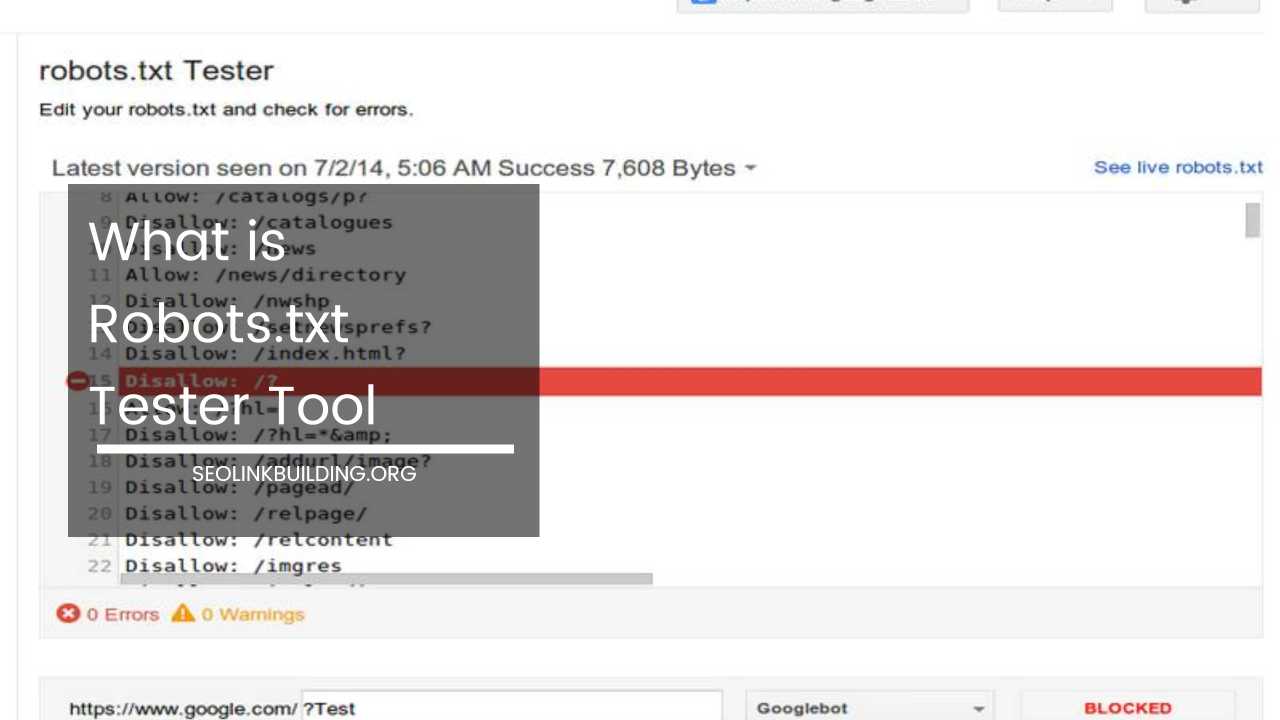
The robots.txt file is a plain text document stored in your website’s root directory that serves as an instruction manual for visiting search bots. It dictates which sections of the site crawlers are allowed to visit and which sections are off-limits via “Disallow” rules.
A common structural mistake occurs when webmasters accidentally implement overly restrictive Disallow parameters during a staging site migration or a website redesign. For example, consider this snippet:
Plaintext
User-agent: *
Disallow: /
The simple forward slash following the Disallow directive tells every automated spider on the internet that they are completely barred from crawling any page on the entire domain. If this rule is left active on a live production environment, your organic traffic will completely collapse as search engines drop your pages from their index due to an inability to recrawl them.
Broken Internal Links
Internal links act as the pathways connecting the individual rooms of your website’s digital house. Over time, as pages are deleted, URLs are edited, or content is moved, these pathways can degrade.
When a search engine spider encounters a broken internal link that throws a 404 error, the journey along that specific pathway ends abruptly. Similarly, when a bot enters a redirect chain (where URL A points to URL B, which points to URL C, which eventually points to URL D), the crawl process slows to a crawl. Each hop in a redirect chain requires an independent server request, consuming valuable crawl budget and increasing the likelihood that the bot will abandon the path before reaching the final destination.
Poor Site Architecture
Site architecture refers to the hierarchical organization of your website pages. A poorly designed site structure uses a deep, linear layout where pages are stacked many layers below the homepage.
If a critical product page or informational article requires a user or a bot to click through seven or eight consecutive links from the home page, it is buried too deep. Search engines assume that pages tucked deep within a site’s architecture are of low importance, meaning they crawl them far less frequently.
Furthermore, a lack of cohesive internal linking leads directly to the creation of orphan pages, which remain hidden from organic search because there is no link path leading to their location.
Slow Website Speed
Website performance and page speed are not merely user experience concerns; they are critical components of crawl efficiency. Every time Googlebot attempts to crawl a page, it opens a connection to your host server. If your server suffers from high latency, slow Time to First Byte (TTFB), or unoptimized infrastructure, each page load takes multiple seconds.
Because search engines intentionally limit their crawl activity to prevent their bots from crashing your website server, a slow-responding site forces the bot to scale back its operations. The crawler will intentionally reduce its crawl frequency, leaving a substantial portion of your site unvisited.
Duplicate Content & URL Parameters
E-commerce websites that leverage faceted navigation (allowing users to filter products by size, color, price, or brand) often generate millions of unique URL combinations. These combinations are typically handled via URL parameters, such as tracking metrics or session IDs appended to the end of a link.
If these parameters are not managed carefully, a single product page can generate hundreds of unique tracking links that display the exact same content. Search spiders will spend days crawling every minor variation of a filtered page, wasting your crawl budget on duplicate content while missing your unique, high-value collection pages.
JavaScript Rendering Issues
Many modern web frameworks rely entirely on client-side rendering (CSR), where JavaScript builds the content dynamically inside the user’s browser. When a search bot encounters a JavaScript-heavy website, it cannot always read the text or follow the links in the initial raw HTML download.
Instead, the bot must place the page into a secondary processing queue to render the JavaScript. This two-phase process can cause severe delays. If your site’s links are embedded deep within complex JavaScript elements that fail to execute correctly, search spiders will never see those links, leaving your structural content unvisited.
Noindex & Canonical Errors
Directives embedded within the HTML header can create conflicting signals that confuse search engine crawlers. A classic error occurs when a webpage contains a canonical tag pointing to an entirely different URL, while simultaneously hosting a conflicting robots metadata tag.
If a page features a “noindex” tag alongside structural internal links, or if canonical tags are pointing to broken URLs, search engines struggle to determine your true preference. These logic conflicts force bots to waste time trying to resolve the true target page, reducing the overall predictability of your indexing pattern.
XML Sitemap Problems
An XML sitemap should serve as an immaculate, highly curated list of the exact URLs you want search engines to show to users. Unfortunately, sitemaps are frequently neglected.
Common sitemap errors include:
-
Including pages that return a 404 status code or redirect to other locations.
-
Listing non-canonical versions of URLs.
-
Accidentally including pages that contain a “noindex” directive.
-
Failing to update the sitemap automatically when new pages are published or old ones are archived.
When Googlebot encounters an XML sitemap filled with errors, it loses trust in the file and begins relying strictly on standard web links, making it much harder for your new pages to be discovered quickly.
How to Optimize Crawlability
Fixing your website’s technical structural flaws requires a structured approach. By systematically optimizing each layer of your domain, you can clear the path for search engine spiders to access and index your entire catalog of content.
Improve Internal Linking
A robust, highly interconnected internal linking strategy is the most efficient way to maximize crawlability. You should design your site using a structured model often referred to as a silo or hub-and-spoke architecture. In this framework, high-level category pages link down to specific sub-pages, and those sub-pages link back up to the parent hub.
| Internal Linking Element | Practical Implementation Rule |
| Contextual Body Links | Embed descriptive hyperlinks directly within text paragraphs to pass crawl equity. |
| Breadcrumb Navigation | Implement clean breadcrumbs on every page to create logical pathways back to the homepage. |
| Hub Pages | Design dedicated landing pages that consolidate links to all related topic sub-pages. |
Always ensure your most important business-critical pages are accessible within a maximum of three clicks from the root home page.
Optimize robots.txt Correctly
Your robots.txt file should be structured with precision, keeping your public content open while cleanly blocking search bots from crawling administrative waste.
You should explicitly use Disallow rules to block access to internal search result pages, staging environments, login paths, and shopping cart checkout sequences. Here is an example snippet of a well-optimized, clean robots.txt file:
Plaintext
User-agent: *
Disallow: /wp-admin/
Disallow: /checkout/
Disallow: /search/
Sitemap: https://www.yourdomain.com/sitemap_index.xml
By explicitly adding your XML sitemap URL to the bottom of the robots.txt file, you provide every visiting spider with a direct roadmap to your high-value content the moment they land on your server.
Create & Maintain XML Sitemaps
Ensure your CMS dynamically generates and updates your XML sitemap files in real time. Whenever a new page is published or an outdated URL is updated, the sitemap should reflect that change instantaneously.
Divide exceptionally large sitemaps into smaller, logically organized sub-sitemaps (e.g., separating your posts, pages, categories, and products) and nesting them within a parent sitemap index file. Once your sitemaps are pristine, manually submit the sitemap index URL directly inside the Google Search Console dashboard.
Fix Crawl Errors Regularly
Technical infrastructure naturally degrades over time as content shifts. Establish a recurring operational routine to audit your domain for crawl blocks and dead ends.
Use Google Search Console’s indexing reports to pinpoint URLs that are returning server errors (5xx codes) or missing errors (4xx codes). Supplement this with dedicated technical desktop auditing tools to identify orphan pages that lack any internal link pathways. When you locate a broken URL that is still receiving internal links, immediately update those internal links to point to an active, live equivalent page.
Improve Site Speed & Performance
To maximize the number of URLs a search bot can analyze during a single visit, invest heavily in optimizing your underlying web infrastructure.
Start by optimizing your server’s hardware configuration or transitioning to a premium, dedicated hosting provider to lower your initial Time to First Byte. Implement global Content Delivery Networks (CDNs) to cache your static files closer to where the search engine data centers operate. Compress every image on your server using efficient, next-generation image file formats, and enable browser caching to minimize raw asset load times across your site architecture.
Reduce Duplicate URLs
Eliminate the crawl waste generated by URL parameters and tracking metrics. Implement self-referential canonical tags across your primary content pages to explicitly declare the authoritative version of every URL to search bots.
Configure your e-commerce platform to append parameters using standardized formats, and leverage advanced URL parameter settings within search engine webmaster platforms to instruct bots to ignore tracking tokens. For redundant pages that no longer serve a distinct business purpose, implement permanent 301 redirects to consolidate all incoming crawl equity onto a single destination URL.
Use a Clean Site Structure
A flat site architecture is significantly easier for an automated bot to parse than a deep, convoluted corporate hierarchy. Organize your URLs logically using clean, readable subfolders that match your human-facing site navigation.
Avoid building long, winding URL strings filled with redundant categories or tracking strings. For example, transition your URL structures from complex multi-layered setups to streamlined, flat hierarchies:
-
Unoptimized Deep Structure:
[yourdomain.com/category/subcategory/archive/product-id-9912.html](https://yourdomain.com/category/subcategory/archive/product-id-9912.html) -
Optimized Flat Structure:
[yourdomain.com/category/product-name/](https://yourdomain.com/category/product-name/)
Optimize for Mobile Crawling
Because search engines utilize mobile-first indexing, the primary spider evaluating your domain is a mobile device emulator. If your website hides critical internal navigation links, breadcrumbs, or informational content on mobile layouts to save screen space, search spiders will never see them.
Ensure your domain relies on fully responsive design frameworks that serve identical HTML source code and identical internal link pathways to both desktop users and mobile crawlers alike.
Best Tools to Audit Crawlability
To maintain a healthy technical SEO profile, you need specialized software capable of emulating search engine spiders. These tools allow you to spot errors before they impact your visibility in search results.
| Tool | Purpose | Primary Strategic Use Case |
| Google Search Console | Crawl stats & indexing | Directly tracking real-world Googlebot crawl frequency and hard server errors. |
| Screaming Frog | Site crawling audit | Locally crawling your domain to find broken internal links, redirect chains, and missing tags. |
| Sitebulb | Visual technical SEO | Generating intuitive data visualizations of your site architecture and internal link depth. |
| Ahrefs Webmaster Tools | Technical health | Automatically monitoring structural issues and orphan pages on a recurring weekly schedule. |
| Semrush Site Audit | Crawlability reports | Quickly scanning thematic technical scores and identifying structural duplicate content blocks. |
By utilizing these tools in tandem, you can generate an exhaustive diagnostic overview of your domain. For instance, you can use Screaming Frog to identify a collection of 404 errors, check Google Search Console to see how those errors are impacting your live crawl frequency, and use Sitebulb to visually map out how to reroute your internal links to keep bots moving efficiently through your ecosystem.
Crawlability vs Indexability
To execute technical SEO strategies effectively, you must understand that crawlability and indexability operate as two distinct phases of a webpage’s lifecycle. A failure to recognize the line between them frequently leads to self-inflicted indexing penalties.
Consider the following scenario: A webmaster wants to remove a duplicate page from Google’s search results. To do this, they add a noindex tag to the page header, but they also block the page’s URL within their robots.txt file to save crawl budget.
This creates an unresolvable technical paradox. Because the robots.txt file completely blocks Googlebot from crawling the page, the bot can never read the newly added noindex tag in the HTML header. Consequently, the page remains trapped in the Google search index indefinitely, because the bot is barred from crawling it to discover the removal instruction.
Here is how different technical directive combinations alter search engine behavior:
-
Crawlable but Non-Indexable: A URL that Googlebot can access freely, but because it contains a
noindextag or a canonical tag pointing elsewhere, the engine will never display it to search users. -
Indexable but Non-Crawlable: A URL that was discovered via an external backlink and placed in the index as a bare link, but because it is blocked in robots.txt, Googlebot can never read the actual content, descriptions, or images on the page.
-
Crawlable and Indexable: The ideal technical state where search spiders can seamlessly crawl the content and display the fully realized page to organic search traffic.
Advanced Crawlability Tips
For enterprise platforms, vast e-commerce ecosystems, and global multi-language websites, standard optimization rules are often not enough. Large-scale setups require advanced technical strategies to keep search bots operating at peak efficiency.
Log File Analysis
Log files are the raw server documents that record every single request made to your website, detailing exactly when a human visitor or an automated search bot accesses a URL. By analyzing your server logs using specialized processing tools, you can move beyond estimates and view the exact footprints left by Googlebot. Log analysis allows you to see precisely which folders are consuming the majority of your crawl budget, how frequently old articles are recrawled, and exactly where bots are encountering hidden server bottlenecks.
Pagination Handling
Websites hosting thousands of products or articles rely on pagination elements to break up their listings across sequential pages. If your pagination links are poorly structured, search bots will struggle to discover older products buried on deep paginated URLs. Ensure your site uses standard anchor links (<a href="...">) for pagination pathways, and avoid masking these links behind infinite scroll mechanisms that require human scrolling actions to trigger the HTML rendering.
Faceted Navigation Management
Large e-commerce platforms featuring millions of filtering combinations must implement strict controls to prevent severe crawl budget waste. Use advanced server-side parameters or execute edge SEO techniques via global CDNs to block search bots from crawling redundant parameter configurations (such as sorting items by ascending vs. descending price) while keeping primary category filters open to organic search discovery.
Hreflang Crawl Efficiency
International websites use hreflang tags to indicate which language versions of a page correspond to different geographic regions. When you have dozens of global localized sites, the sheer volume of cross-linking can overwhelm a search engine’s crawl queue. To optimize crawl efficiency, ensure all your cross-border alternate URLs are mirrored perfectly in your XML sitemaps, and maintain pristine, error-free bi-directional code tags across every regional variation.
Final Thoughts
Crawlability is the absolute bedrock upon which all organic search engine visibility is built. It does not matter how compelling your copywriting is, how optimized your keywords are, or how many high-authority backlinks you secure—if search engine spiders cannot seamlessly access, read, and navigate your website architecture, your content will remain invisible to your target audience.
Maximizing your domain’s crawl efficiency requires constant vigilance and a structured technical framework. By maintaining a clean, flat site architecture, eliminating broken internal links, optimizing your robots.txt file with precision, and ensuring your servers deliver exceptional performance, you remove the roadblocks that hold back your organic visibility.
Technical SEO is not a one-time setup task; it is an ongoing process of operational health management. By auditing your crawl paths regularly and prioritizing accessibility for search engine spiders, you protect your digital asset pipeline and ensure that every new piece of content you publish has an unhindered path straight to the top of the search engine results pages. If search engines can’t crawl your pages, they can’t rank them.
Frequently Asked Questions
What is the difference between crawling and indexing in SEO?
While they are often used interchangeably, crawling and indexing represent two completely different steps in the Google search pipeline. Crawling is the discovery phase where search engine spiders, like Googlebot, navigate your website, download your HTML source code, and follow internal links to find new pages. Indexing is the storage phase that occurs after a page is crawled. During indexing, Google analyzes the text, images, and layout of the page to determine its quality and meaning. If the page meets Google’s quality standards and does not contain a “noindex” tag, it is added to the global search engine database so it can officially appear in organic search results.
How to check if Google is crawling your website?
The most accurate way to verify Google’s crawl activity is by using the “Crawl Stats” report inside Google Search Console. You can access this by navigating to Settings and clicking on Crawl Stats. This dashboard provides a detailed breakdown of how many requests Googlebot makes to your server daily, the average response time of your host, and the exact file types (HTML, JS, CSS, Images) it downloads. Additionally, you can use the URL Inspection Tool at the top of Google Search Console to paste an individual link and instantly see the exact date, time, and bot type that last crawled that specific URL.
Why is Googlebot not crawling my new pages?
If you publish new content and it remains unvisited by Googlebot, it is usually caused by one of three technical roadblocks:
-
Severe Crawl Budget Issues: If your website has thousands of low-quality, automated, or duplicate parameter URLs, Googlebot may exhaust your server’s crawl allowance before it ever discovers your newly published URLs.
-
Flawed Internal Link Architecture: If your new page is buried deep within your site architecture—requiring more than three or four clicks from the homepage—or functions as an orphan page with zero internal links pointing to it, search engines will have a difficult time finding it.
-
Robots.txt or Server Blocks: Your server firewall or an accidental, broad “Disallow” rule in your robots.txt file could be actively blocking Googlebot from accessing the folder where your new pages live.
How to increase Google crawl budget for large sites?
To optimize and expand your website’s crawl budget, you must ruthlessly eliminate technical waste. First, minimize duplicate content by setting up self-referential canonical tags and blocking non-essential URL tracking parameters. Second, fix all internal 404 errors and break up long redirect chains so bots do not waste time on dead ends. Third, significantly improve your page load speed and Time to First Byte (TTFB); when your server responds rapidly, search bots can process more URLs per second without overwhelming your system. Finally, continuously prune low-value, thin, or outdated pages from your index to keep the bot focused entirely on your high-converting assets.
Does robots.txt disallow stop indexing completely?
No, utilizing a “Disallow” directive in your robots.txt file does not guarantee a page will be completely removed or kept out of Google’s search index. The robots.txt file only blocks the crawling of a page, not the indexing. If an external website or a social media profile links to your blocked URL, Google can still discover that link and choose to index it as a bare URL snippet in the search results, even though its spiders are barred from reading the page’s actual on-page text. To completely prevent a webpage from indexing, you must leave it open to crawling in your robots.txt file and place a specific meta name="robots" content="noindex" tag directly inside the page’s HTML header.
How do internal links improve website crawlability?
Internal links serve as the primary pathways that automated spiders use to travel from page to page across your website domain. When you build a highly interconnected web of internal links using relevant anchor text, you ensure that every page on your server is physically tied to your broader site ecosystem. This continuous flow prevents search spiders from hitting dead ends or dropping out of your crawl path. It also allows search engines to smoothly transfer structural authority (PageRank) from your highly authoritative landing pages down to your deep, long-tail blog posts and product listings.
Can JavaScript cause website crawling and indexing issues?
Yes, heavy reliance on client-side JavaScript frameworks can cause severe delays and errors in website crawling and indexing. When Googlebot encounters a JavaScript-reliant page, it often indexes the raw, unrendered HTML first, pushing the complex JavaScript rendering process into a secondary queue that can take days or weeks to execute. If your critical text content, navigation menus, or structural internal links are dynamically generated via client-side scripts that fail to fire properly during this rendering window, search spiders will never see those elements, leaving your content undiscovered and unranked. To fix this, always opt for Server-Side Rendering (SSR) or Hydration techniques.