A Beginner’s Guide to Keyword Difficulty


A Beginner’s Guide to Keyword Difficulty
Keyword research sits at the very foundation of search engine optimization (SEO). Every piece of content you publish on your website begins with a fundamental question: what are people actually typing into search engines when they need help, information, or a product? Finding those search terms is only the first step. One of the biggest mistakes newcomers make is looking strictly at search volume—the number of times a phrase is searched each month—and immediately chasing the biggest numbers. High search volume is tempting, yet targeting popular terms right away often leads to months of hard work with zero visibility on the first page of Google.
This is where Keyword Difficulty becomes your most reliable compass. Keyword Difficulty is an SEO metric that estimates how challenging it will be to rank on the first page of organic search results for a specific search query. Instead of guessing whether your website can outrank established industry giants, this metric gives you a realistic preview of the competitive landscape. In this comprehensive guide, you will learn exactly what Keyword Difficulty means, how SEO platforms calculate it, how to interpret different difficulty scores, and how to combine this data with other crucial ranking signals to build a smart, sustainable SEO strategy from the ground up.
What Is Keyword Difficulty?
At its core, Keyword Difficulty (often abbreviated as KD) is a predictive score used in SEO to measure how hard it is to earn a spot in the top ten organic search results on Google for a particular keyword or phrase. Think of it like entering a race: before you step onto the track, you want to know whether you are running against casual local joggers or Olympic sprinters. Keyword Difficulty tells you the caliber of the competitors currently holding the top positions on the search engine results page (SERP).
When someone enters a query into a search engine, automated algorithms sift through billions of web pages to display the most authoritative, relevant, and trustworthy answers. If the top spots for a search term are occupied by massive, household-name websites with thousands of links pointing to their pages, breaking into that top ten will require immense time, authority, and resources. Conversely, if the top results consist of smaller blogs, forum discussions, or outdated articles with very few external links, a newer website has a much stronger chance of claiming a top ranking.
Beginners frequently confuse Keyword Difficulty with keyword competition, as the two phrases sound nearly identical. However, in the SEO industry, they measure completely different things:
-
Keyword Difficulty refers strictly to organic search competition—the effort required to rank naturally in unpaid search results through content quality, website authority, and backlinks.
-
Keyword Competition (most famously seen inside Google Ads and Google Keyword Planner) refers to paid advertising competition—how many advertisers are bidding to display paid ads at the top of the search results for that term.
For anyone just starting out with SEO, understanding Keyword Difficulty is essential because time and budget are almost always limited. Publishing dozens of articles targeting impossibly difficult keywords will leave your site buried on page five or beyond, where virtually nobody clicks. By focusing on Keyword Difficulty early, you can identify winnable battles, gain early search traffic, and steadily build your website’s reputation over time.
Most major SEO software platforms represent Keyword Difficulty on a standardized logarithmic scale from 0 to 100, where 0 indicates almost no competition and 100 represents the fiercest, most heavily contested search terms on the internet. Because the scale is usually logarithmic, moving from a score of 10 to 20 requires far less effort than moving from 70 to 80.
How Does Keyword Difficulty Work?
To understand how to use Keyword Difficulty effectively, it helps to look under the hood at how SEO tools generate these numbers. First, it is crucial to clarify a common misconception: Google does not publish an official Keyword Difficulty score. Search engines keep their exact ranking algorithms closely guarded. Instead, third-party SEO software providers build their own proprietary formulas to estimate ranking difficulty by analyzing the websites currently ranking on the first page of Google for a given keyword.
While every SEO platform uses its own unique algorithm, nearly all of them evaluate a core set of competitive signals across the top ten organic results:
-
Number and quality of backlinks: Backlinks—links from other websites pointing to a specific web page—act like votes of confidence in the eyes of search engines. SEO tools examine how many unique websites link to the top-ranking pages. If the current top results each have hundreds of backlinks from reputable sources, the Keyword Difficulty score will be high.
-
Authority and strength of competing websites: Beyond individual page links, tools evaluate the overall strength of the entire domain. Outranking an established national news outlet, a government portal, or a global brand is significantly harder than outranking a hobbyist website, even if the specific article on that big site has few direct backlinks.
-
Quality and relevance of existing content: Advanced tools look at how thoroughly the top-ranking pages cover the topic. If existing articles are comprehensive, well-structured, up-to-date, and directly answer the user’s question, it takes much greater effort to create something noticeably better.
-
Search intent alignment: Search engines prioritize pages that match what the user actually wants to accomplish. When the top ten results all serve the exact same type of content—such as product category pages or step-by-step tutorials—it signals strong intent alignment that new competitors must match to stand a chance.
-
SERP competition and stability: Some search results rarely change over time because Google is completely satisfied with the current winners, while other results fluctuate frequently. High stability among top-ranking pages often correlates with higher difficulty.
Because each SEO platform weighs these variables differently and maintains its own database of web pages and backlinks, different SEO tools will almost always show different KD scores for the same keyword. One tool might rely heavily on backlink counts to the exact ranking URL, resulting in a score of 22, while another tool factors in overall domain strength and content depth, assigning the very same keyword a score of 41. Neither tool is wrong; they are simply using different mathematical models to estimate the same challenge. Always treat Keyword Difficulty as an educated estimate rather than an absolute rule or a direct Google ranking factor.
Understanding Keyword Difficulty Scores
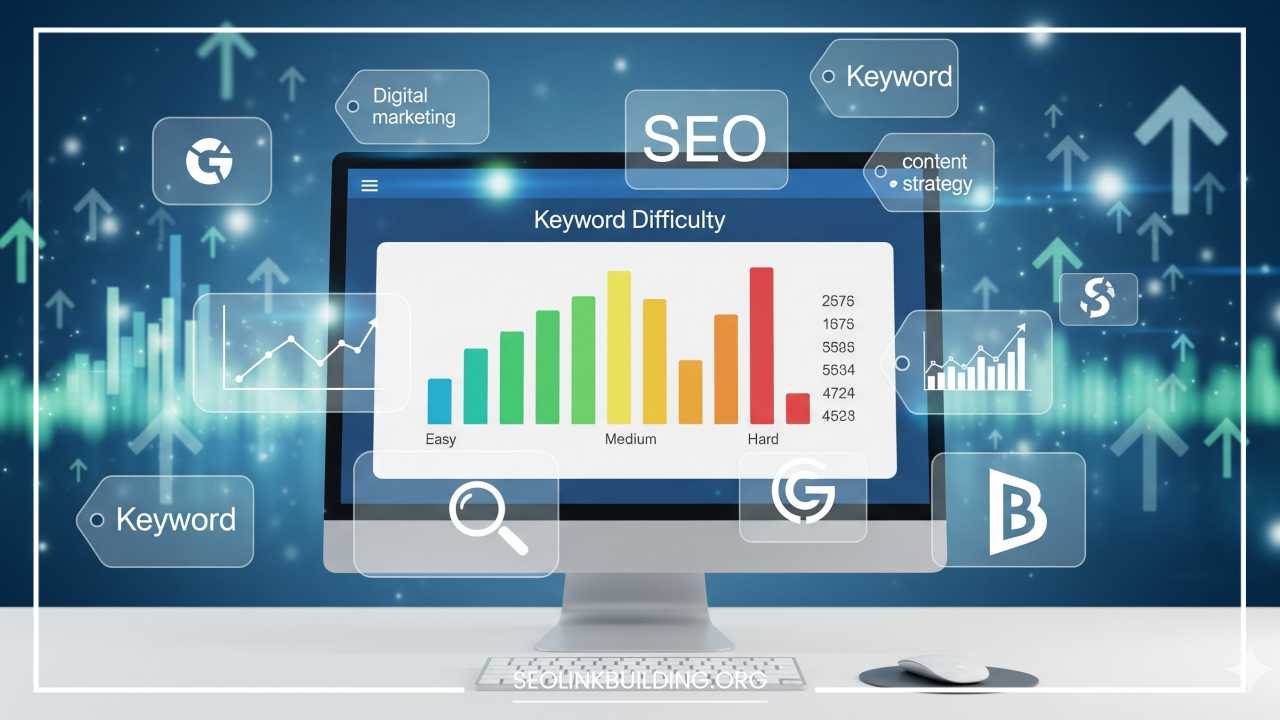
When you run a search in an SEO tool, you will typically see a numerical score between 0 and 100 accompanied by a color-coded label ranging from green (easy) to red (very hard). While exact thresholds vary slightly depending on the software you choose, the industry generally interprets the 0–100 scale using five standard tiers.
| KD Score | Difficulty Level | General Interpretation |
| 0–14 | Very easy | Potentially easier opportunities with minimal backlinks required; ideal for brand-new websites. |
| 15–29 | Easy | Relatively low competition; achievable with well-written, helpful content and a modest link profile. |
| 30–49 | Medium | Moderate competition; requires strong content depth, topical relevance, and a steady effort to earn quality backlinks. |
| 50–69 | Hard | Stronger competitors dominate the page; typically requires established website authority and targeted link-building campaigns. |
| 70–100 | Very hard | Highly competitive SERPs controlled by industry giants; extremely difficult for newer or smaller sites to crack. |
As a beginner, it is vital to remember that these ranges are practical guidelines rather than universal laws. A score of 35 in a specialized B2B software niche might feel vastly different from a score of 35 in a broad lifestyle niche like home gardening or fitness. Furthermore, you should always calibrate these ranges against your own website’s current stage of growth. If your website is brand new with zero backlinks and only five published articles, you should focus almost exclusively on keywords in the 0–14 and 15–29 brackets. As your site gains traffic, publishes more content across your niche, and naturally attracts links over time, you can gradually graduate to the 30–49 range.
Most importantly, a low Keyword Difficulty score never guarantees top rankings. A keyword might show a KD score of 5 simply because nobody has written a good article about it yet—or because the search term is so obscure that search engines struggle to understand what the user wants. Even on an “easy” keyword, you still have to satisfy the reader’s query better than anyone else, ensure your website is technically sound and easy to navigate, and demonstrate genuine expertise on the subject. Think of a low KD score as an open door: it tells you that nobody is blocking the entrance, but you still have to walk through and deliver real value once inside.
Why Is Keyword Difficulty Important for SEO?
Without an understanding of Keyword Difficulty, doing SEO feels like throwing darts in the dark. You might spend twenty hours researching, writing, and formatting an exhaustive guide, only to watch it sit invisibly on page eight of Google for a year. Incorporating Keyword Difficulty into your workflow brings structure, realism, and efficiency to your entire content strategy.
Here are the primary practical benefits of evaluating Keyword Difficulty:
-
Identifies realistic ranking opportunities: For newer websites, early momentum is everything. By filtering for low-difficulty keywords, you uncover untapped niches and specific questions where big brands haven’t bothered to create dedicated pages. Ranking for ten smaller keywords brings far more traffic than failing to rank for one massive keyword.
-
Prevents wasted effort on overly competitive terms: Big brands spend tens of thousands of dollars every month on content production and public relations to hold top rankings for broad industry terms. Keyword Difficulty acts as an early warning system, stopping beginners from pouring their limited energy into battles they cannot currently win.
-
Simplifies keyword prioritization: During keyword research, it is common to end up with a spreadsheet containing hundreds of potential topics. Sorting and grouping those ideas by Keyword Difficulty allows you to immediately organize your editorial calendar, tackling the easiest wins first while saving tougher topics for later.
-
Optimizes content and link-building resources: Knowing how hard a keyword is helps you budget your effort appropriately. If a keyword has a KD of 12, a clean, thorough blog post might be enough to rank. If a target keyword has a KD of 45, you know ahead of time that you will also need to promote the piece, build internal links from other pages on your site, and outreach for external backlinks.
-
Supports sustainable, long-term SEO growth: SEO works best as a compounding asset. When you rank for easy keywords first, those pages begin attracting visitors, earning natural links, and signaling to Google that your website is a trustworthy source. That newfound authority then makes it easier to rank for medium-difficulty keywords later on.
-
Balances volume, competition, and ranking potential: Smart SEO is never about picking the highest volume or the lowest difficulty in isolation—it is about finding the sweet spot where meaningful search demand meets achievable competition.
How to Check Keyword Difficulty
Checking Keyword Difficulty does not require advanced technical skills, though it does require a systematic approach. Rather than blindly trusting a single number in a tool, you should combine software metrics with a quick manual inspection of the actual search results. Follow these eight steps to evaluate any keyword accurately:
-
Start with a relevant seed keyword: Begin with a broad term that describes your core product, service, or topic area. For example, if you run a website about indoor gardening, your seed keyword might be “houseplants” or “indoor plant care.”
-
Generate keyword variations in a research tool: Enter your seed keyword into a dedicated keyword research tool to uncover hundreds of related phrases, questions, and long-tail variations that real users search for.
-
Check the Keyword Difficulty score: Look at the KD column for each variation. Apply a filter—such as setting maximum KD to 25 or 30—to narrow the list down to terms within reach for a growing website.
-
Review the monthly search volume: Check how many times per month each filtered keyword is searched. Eliminate terms with zero search demand unless you have strong business reasons to cover them, and look for steady, consistent interest.
-
Analyze the live Google search results: Open an incognito browser window, search for your shortlisted keyword on Google, and inspect the top ten organic results. Look closely at who is ranking. Are the top spots filled with massive authority sites like Wikipedia, Forbes, or Amazon, or do you see smaller niche blogs, Reddit threads, and Quora answers? Seeing forums or small blogs on page one is a strong sign that the keyword is genuinely approachable.
-
Examine the backlink profiles of competing pages: Use your SEO tool’s SERP overview feature to check how many referring domains (unique websites linking to a page) each of the top ten results possesses. If the top results have fewer than 10 referring domains, you have a realistic shot at competing.
-
Compare against your website’s current strength: Honestly assess your own site’s authority, existing content library, and ability to create an authoritative resource on the topic. A keyword that is easy for a two-year-old niche blog might still be tough for a site launched last week.
-
Shortlist your best opportunities: Select the keywords that offer a low-to-moderate KD score, proven search volume, and weak or outdated competitors on the first page.
To run through this process, beginners commonly rely on a few well-known platforms:
-
Ahrefs: Known for one of the largest backlink databases in the industry, Ahrefs calculates its 0–100 KD score primarily based on the number of referring domains linking to the top ten pages, even estimating roughly how many backlinks you will need to reach page one.
-
Semrush: Offers a comprehensive Keyword Magic Tool that calculates Keyword Difficulty (0–100%) using a blend of referring domains, domain authority, and SERP features, alongside helpful intent labels.
-
Moz Keyword Explorer: Evaluates ranking difficulty by analyzing the Page Authority and Domain Authority of top-ranking pages, presenting clear Priority scores to help beginners weigh volume against difficulty.
-
Google Keyword Planner: While free and sourced directly from Google, it does not show organic Keyword Difficulty. Instead, it displays paid ad competition (“Low,” “Medium,” “High”), which is useful for checking commercial value alongside another organic KD tool.
Factors to Consider Beyond Keyword Difficulty
One of the quickest ways to stall your SEO progress is to treat Keyword Difficulty as the only metric that matters. A spreadsheet full of KD 5 keywords will do nothing for your website if nobody searches for those phrases, if the visitors bounce immediately, or if the topics have zero connection to what your website offers. Always weigh Keyword Difficulty alongside seven essential factors:
-
Search volume: This tells you the average number of monthly searches a keyword receives. A keyword with a KD of 2 and a monthly search volume of 10 will rarely move the needle on its own, whereas a keyword with a KD of 18 and 1,200 monthly searches can become a steady source of organic traffic.
-
Search intent: Search intent is the underlying goal behind a user’s query. Broadly, intent falls into four categories: informational (wanting to learn something), navigational (looking for a specific site), commercial investigation (comparing products before buying), and transactional (ready to make a purchase). If Google only ranks product pages for a keyword and you write an informational blog post, you will struggle to rank regardless of how low the KD score is.
-
Keyword relevance: Every keyword you target should align naturally with your website’s core niche and audience. Ranking for an unrelated, low-difficulty topic might bring temporary clicks, but those visitors will not trust your brand, subscribe to your newsletter, or buy your products.
-
Traffic potential: Individual web pages rarely rank for just one keyword; a well-written page often ranks for dozens or hundreds of closely related phrasing variations. Look at the total organic traffic the current top-ranking page receives across all its keywords, not just the search volume of the single target phrase.
-
Business potential: Ask yourself how easily you can connect the topic to your product, service, or monetization model. High business potential means the searcher has a problem that your offering directly solves. Sometimes a keyword with a KD of 32 and high business potential is far more valuable than a KD 8 keyword with zero commercial relevance.
-
SERP features: Modern search results are packed with visual elements like Featured Snippets, video carousels, “People Also Ask” boxes, local map packs, and shopping ads. If the top of the screen is dominated by ads, videos, and instant answers, fewer users will scroll down to click traditional organic links, reducing the real value of ranking.
-
Content quality and angle: Look at the existing top results and ask: Can I create something genuinely more helpful, clearer, or better researched than what is currently ranking? If the top results are thin, poorly formatted, or outdated, your ability to deliver superior content gives you a massive competitive edge.
How to Choose Keywords Based on Difficulty
Knowing how to read Keyword Difficulty scores is one thing; turning that data into a winning keyword list is another. When building your keyword strategy from scratch, your goal is to match your targets to your website’s current competitive strength while laying groundwork for future growth.
Start by hunting for low-difficulty, highly relevant keywords—specifically long-tail keywords. Long-tail keywords are longer, more specific search phrases, usually consisting of four or more words. While individual long-tail keywords have lower search volumes than broad, one- or two-word terms, they come with two major advantages for beginners: significantly lower Keyword Difficulty and much clearer search intent. Someone searching a specific phrase knows exactly what they want, making it easier for you to write an article that hits the bullseye.
As you filter your options, avoid the trap of sorting solely by highest search volume. Instead, look for the intersection of reasonable monthly search demand, low-to-moderate difficulty, and strong alignment with your website’s subject-matter expertise. Over time, organize your list into a balanced mix: allocate roughly 70 to 80 percent of your immediate effort toward low-difficulty quick wins to build traffic and authority now, and 20 to 30 percent toward medium-difficulty pillar topics that will pay off as your site matures.
Consider how dramatically the competitive landscape shifts as a keyword becomes more specific:
-
“SEO” — This single-word head term has massive search volume, yet its Keyword Difficulty sits near 95 to 100. The top results are dominated by encyclopedias, billion-dollar software companies, and official Google documentation. A beginner website has virtually zero chance of ranking here.
-
“SEO tips for small businesses” — Narrowing the topic drops the Keyword Difficulty considerably, likely into the 45 to 60 range. While much more focused, the first page is still contested by established marketing agencies, major business publications, and well-known SEO blogs.
-
“SEO tips for new small business websites” — Adding just two more qualifying words transforms the phrase into a specific long-tail keyword. The search volume is smaller, yet the Keyword Difficulty often drops into the 10 to 25 range. Fewer big competitors have written guides tailored specifically to brand-new small business sites, giving a newer website a realistic path to page one—and attracting readers who are looking for the exact advice you provide.
Keyword Difficulty vs. Other SEO Metrics
When working inside any SEO platform, Keyword Difficulty sits alongside half a dozen other numbers and acronyms. Understanding how each metric differs—and how they complement one another—prevents misreading the data and making poor content decisions.
| Metric | What It Measures | Primary Role in Keyword Selection |
| Keyword Difficulty | Estimated organic ranking competition on a 0–100 scale | Tells you how hard it will be to reach the first page of unpaid search results |
| Search Volume | Average number of monthly searches for a specific keyword | Indicates overall audience demand and how often people look up the exact phrase |
| Keyword Competition | Advertiser competition in paid search ads (typically Low, Medium, or High) | Reveals how fiercely businesses bid to show paid ads, not organic ranking difficulty |
| CPC (Cost Per Click) | Average price advertisers pay each time someone clicks their paid ad | Signals commercial value; higher CPC usually means searchers are ready to spend money |
| Traffic Potential | Estimated total monthly organic traffic the top-ranking page receives from all keywords | Shows the true traffic reward of ranking number one, beyond single-keyword volume |
| Domain Authority | A third-party score (0–100) estimating a website’s overall backlink strength | Helps you compare your site’s overall authority against the sites currently ranking |
Each of these metrics answers a different question. Keyword Difficulty tells you the cost of entry in terms of SEO effort, while Search Volume and Traffic Potential tell you the potential reward. Meanwhile, Keyword Competition and CPC act as indirect clues about commercial intent: if advertisers willingly pay high prices per click for a keyword, those visitors likely convert into paying customers. Finally, comparing your own Domain Authority (or Domain Rating, depending on the tool) against the authority of the websites ranking on page one gives you a reality check on whether a given KD score is realistic for your specific site right now. Always evaluate these metrics together rather than relying on any single column.
Common Keyword Difficulty Mistakes Beginners Should Avoid
Even after learning what Keyword Difficulty represents, beginners frequently stumble into predictable traps that cost months of wasted effort. Keep an eye out for these eight common mistakes:
-
Chasing high search volume while ignoring difficulty: Picking keywords solely because they have 50,000 monthly searches almost always leads to competing against global brands you cannot yet outrank.
-
Assuming a low KD score guarantees automatic rankings: A low score only means weak backlink competition. If your article is poorly written, slow to load, or misses the point of the search query, it still will not rank.
-
Ignoring search intent: Writing a comprehensive how-to guide for a keyword where Google exclusively ranks e-commerce product pages or interactive calculators will result in zero visibility, even if the KD is 5.
-
Relying blindly on a single SEO tool’s score: Because every tool calculates KD differently, taking one platform’s score as absolute truth without checking the actual search results can lead you into hidden traps—or cause you to skip great opportunities.
-
Skipping manual SERP inspection: Numbers never tell the whole story. Always look at the actual Google search results to see whether real competitors are vulnerable or if giant brands hold every spot.
-
Overlooking topical relevance: Publishing random low-difficulty articles outside your core niche dilutes your website’s focus and confuses both readers and search engines about what your site actually specializes in.
-
Choosing keywords disconnected from business goals: High rankings mean very little if the visitors never engage with your brand, sign up for your list, or consider your products and services.
-
Neglecting content quality and link building: Even for moderate-difficulty keywords, hitting publish is only half the battle. You still need to craft genuinely useful content, link to it internally from related pages on your site, and build credibility over time.
Practical Example: Evaluating a Keyword
To see how all these pieces fit together in practice, imagine you run a growing blog dedicated to freelance productivity and want to evaluate the keyword “best project management software for freelancers.”
First, you enter the phrase into your keyword research tool and find a Keyword Difficulty score of 38 (Medium) alongside a monthly search volume of 1,600. A KD of 38 tells you this is not an effortless quick win for a brand-new site, so you dig deeper. Looking at the search intent, the word “best” clearly signals commercial investigation—readers are comparing tools before signing up. Next, you inspect the live Google search results. You notice that while two major software review giants hold the top two positions, spots four through eight are occupied by independent productivity blogs and freelance community sites with modest domain authority and under 25 referring domains each. Furthermore, several of those ranking articles look generic and barely address freelancer-specific needs like client billing or solo pricing tiers.
Weighing everything together, you decide not to abandon the keyword just because it isn’t under KD 20. Instead, because your site already has solid topical relevance in freelancing and you can create a far more practical, freelancer-focused comparison backed by internal links from your existing articles, you mark it as a realistic medium-term target.
Final Thoughts
Keyword Difficulty is one of the most practical guides you can use when building an SEO strategy from scratch. By estimating how fierce the organic competition is on the first page of Google, it saves you from chasing impossible search terms and points you toward opportunities where your hard work can actually earn visibility.
Still, remember that Keyword Difficulty is always an informed estimate—never a guarantee of rankings and never a standalone decision-maker. The smartest SEO beginners look past the single 0–100 score to inspect the real search results, verify search intent, evaluate traffic and business potential, and honestly assess whether they can deliver the best answer on the web. When you build your content strategy around strong topical relevance, realistic competition levels, and genuinely helpful writing, every piece you publish becomes a steady building block for sustainable, long-term organic growth.
Frequently Asked Questions About Keyword Difficulty
What is a good keyword difficulty score for a new website?
For a brand-new website with minimal backlinks and low domain authority, a good Keyword Difficulty (KD) score is typically between 0 and 20 (and up to 29 if the search results show weak or outdated competitors). Targeting low-difficulty keywords allows newer sites to gain early organic traffic and build topical authority before competing for harder search terms.
How do I check keyword difficulty for free?
You can check Keyword Difficulty for free using free keyword research tools such as Ahrefs’ Free Keyword Difficulty Checker, Moz Keyword Explorer (which offers limited free monthly queries), and Ubersuggest. While Google Keyword Planner is also free, it measures paid ad competition rather than organic Keyword Difficulty, so it works best when paired with an organic SERP check.
Why is keyword difficulty different across SEO tools like Ahrefs and Semrush?
Every SEO platform uses its own proprietary formula and backlink index to calculate Keyword Difficulty. For example, Ahrefs relies heavily on the number of referring domains pointing to the top ten pages, while Semrush blends backlink data with overall domain authority and SERP features. Because their data sources and weighting systems differ, the exact score for the same keyword will vary from tool to tool.
Does Google use keyword difficulty as a ranking factor?
No, Google does not use Keyword Difficulty as a ranking factor, nor does it publish an official KD score. Keyword Difficulty is strictly a third-party estimation metric created by SEO software companies to help marketers predict how hard it will be to outrank existing pages on the first page of search results.
How do you rank for high difficulty keywords in SEO?
To rank for high-difficulty keywords, you need a combination of comprehensive, best-in-class content, strong topical authority, and high-quality backlinks from reputable websites. Most websites achieve this gradually by first ranking for clusters of related low-difficulty, long-tail keywords, linking those pages to a central pillar guide, and running targeted outreach to earn external links over time.
Is keyword difficulty the same as keyword competition in Google Ads?
No, they measure two different types of search visibility. Keyword Difficulty estimates how hard it is to rank naturally in organic (unpaid) search results, whereas Keyword Competition in Google Ads measures how many advertisers are bidding to place paid ads on that search term.
Can a keyword have low difficulty and high search volume?
Yes, though they are relatively rare and highly valuable. These opportunities—often called “low-hanging fruit” keywords—usually appear in emerging topics, newly released products, or specific long-tail questions that major websites have not yet covered thoroughly. When you find a keyword with high search volume and low difficulty, always inspect the live Google results to verify that the search intent matches what your page can deliver.
How many backlinks do I need based on keyword difficulty?
While there is no exact universal formula, higher Keyword Difficulty scores generally correlate with a higher number of referring domains needed to reach the top ten. Tools like Ahrefs provide an estimate right below the KD score—for instance, a KD of 10 might require links from roughly 10 websites, whereas a KD of 50 could require links from 80 or more quality domains, depending on your site’s existing authority and content quality.