How to Create Blog on WordPress

How to Create Blog on WordPress: Step-by-Step Guide
Blogging remains one of the most powerful and valuable ways to share ideas, build a personal brand, and generate income online. While social media platforms offer temporary visibility, a dedicated blog gives you full ownership of your content and your audience. Millions of creators use blogging to establish authority in their industries, document their journeys, and transition from side hustles to full-time digital careers.
If you want to start this journey, your best option is to use WordPress. WordPress powers over forty percent of all websites on the internet because it offers unmatched flexibility, robust security, and deep customization. For anyone planning to start a WordPress blog, the platform provides an accessible entry point that accommodates both absolute beginners and advanced developers.
In this comprehensive WordPress blogging guide, you will learn how to create blog on WordPress from scratch. We will walk you through every critical phase, including choosing a domain, securing web hosting, configuring essential settings, and publishing your very first post. The best part is that no coding knowledge or technical experience is required. By following this step-by-step tutorial, you can launch a functional, professional website and begin your journey toward online success.
Why Choose WordPress for Blogging?
When you decide to create blog website archives, your choice of platform determines your long-term success. WordPress stands out as the industry standard for content management systems. Its massive market share means it has an extensive ecosystem of developers, designers, and fellow creators who build tools to make your site better.
The platform is inherently beginner-friendly. Its modern interface utilizes visual builders and intuitive menus, meaning you do not need to write a single line of code to design a stunning homepage. Beyond ease of use, WordPress possesses immense built-in SEO value. Its clean underlying code makes it easy for search engine crawlers to read, index, and rank your content, which is vital for winning competitive featured snippets and driving organic traffic. Furthermore, with thousands of available themes and plugins, you can transform your layout or add complex features with a few clicks. WordPress also imposes zero restrictions on how you monetize your content, giving you total freedom to run ads, sell products, or host membership programs.
WordPress.org vs WordPress.com
A common point of confusion for beginners is the difference between WordPress.org and WordPress.com.
-
WordPress.org: This is the self-hosted version of the platform. You download the free software and install it on your own paid web hosting server. It gives you absolute ownership, total control over your code, and the ability to install any plugin or theme you want.
-
WordPress.com: This is a fully hosted service run by a parent company. While it offers a free basic plan, it severely restricts your customization options, limits your monetization strategies, and forces external branding on your site unless you pay for expensive premium tiers.
For anyone serious about building an online brand, self-hosted WordPress.org is the superior choice. The advantages of self-hosted WordPress include complete control over your digital asset, full access to monetization options, and the ability to scale your site as your audience grows. When you choose self-hosted WordPress, you own your data entirely, ensuring no third party can suddenly delete your platform or change the terms of your business.
What You Need Before Starting a Blog
Before diving into the technical installation process, you need to prepare a few fundamental components. Launching a blog requires a combination of an identity, a digital location, and a focused strategy.
First, you need a domain name, which acts as your digital street address. Second, you need a web hosting account, which serves as the physical engine that stores your website files and serves them to visitors around the globe. Third, you must complete the actual WordPress installation to load the software onto your server. Finally, you must select a clear blogging niche.
Choosing a specific blogging niche with long-term potential is critical for maintaining high engagement and establishing authority. Instead of writing about every topic under the sun, focus on a subject where your passion intersects with reader demand. Evaluate your niche by researching if people are actively asking questions about it on forums and search engines. A well-chosen niche makes it much easier to optimize for search engine algorithms, achieve easy readability, and design a cohesive user experience that turns first-time visitors into loyal subscribers.
Step 1: Choose a Domain Name
Your domain name is the official address of your blog on the internet. It is what users type into their browser address bar to find your content, making it a critical piece of your overall branding and marketing.
When selecting a domain name, aim for simplicity and clarity. Keep it short, memorable, and easy to spell. Avoid using hyphens, symbols, or numbers, as these characters confuse users and make your address difficult to share via word of mouth. Try to incorporate relevant keywords naturally to signal your topic to search engines immediately, but avoid stuffing keywords to the point where the name sounds robotic or unnatural.
Whenever possible, always choose a .com extension. While there are many new extensions available like .net, .org, or .xyz, the .com extension remains the most trusted, familiar, and deeply ingrained extension in human memory.
Consider these examples of effective domain names:
-
travelwithalex.com: This domain is personal, easy to remember, uses the .com extension, and clearly states that the blog focuses on travel experiences.
-
techdailyhub.com: This name uses clear industry keywords, sounds authoritative, avoids awkward characters, and defines a specific tech niche.
Once you have brainstormed your ideal name, you can purchase it through dedicated domain registrars like Namecheap, Hover, or directly through your chosen web hosting provider during the signup process.
Step 2: Buy Web Hosting
Web hosting is the service that rents space on a physical server to store your blog assets, including your text, images, databases, and design files. Your hosting provider ensures that your blog remains accessible online twenty-four hours a day, seven days a week. Investing in quality web hosting matters significantly because it directly impacts your website loading speed, security protocols, and overall search engine visibility.
There are several types of hosting environments available for new website owners:
-
Shared Hosting: The most cost-effective solution for beginners. Your website shares resources with other sites on a single server, making it highly affordable while providing enough power to handle early traffic levels.
-
Managed WordPress Hosting: A premium service where the host optimizes the server environment specifically for WordPress. They handle updates, automated backups, and advanced security, allowing you to focus purely on content creation.
-
VPS (Virtual Private Server): An intermediate option where your site sits on an isolated partition of a server with dedicated resources, offering more stability and power for rapidly growing blogs.
For beginners, affordable and highly reliable hosting companies like Bluehost, Hostinger, or SiteGround offer excellent introductory packages that include automated tools to simplify your setup.
| Hosting Type | Best For | Cost |
| Shared Hosting | Absolute Beginners and Budget Projects | Very Low |
| Managed WordPress Hosting | Growing Blogs and Business Sites | Medium to High |
| VPS Hosting | High-Traffic Blogs and Developers | Medium |
Step 3: Install WordPress
Once you have purchased your domain name and hosting plan, the next step is to install the WordPress software onto your server. In the past, this required manual database configuration, but modern hosting platforms have simplified this task into a quick process.
Most beginner-friendly hosting providers offer a seamless one-click installation feature within their account management dashboard. After logging into your hosting provider account, you will typically see a prominent button labeled Install WordPress or Create Site. Clicking this option prompts you to enter your blog name, choose an admin email address, and generate a secure password. The automated system then configures the database and installs the file structure behind the scenes in just a couple of minutes.
Once the installation finishes, you can access your main administration area, known as the wp-admin dashboard. The standard login URL structure for any self-hosted WordPress site is:
[http://yourdomain.com/wp-admin](http://yourdomain.com/wp-admin)
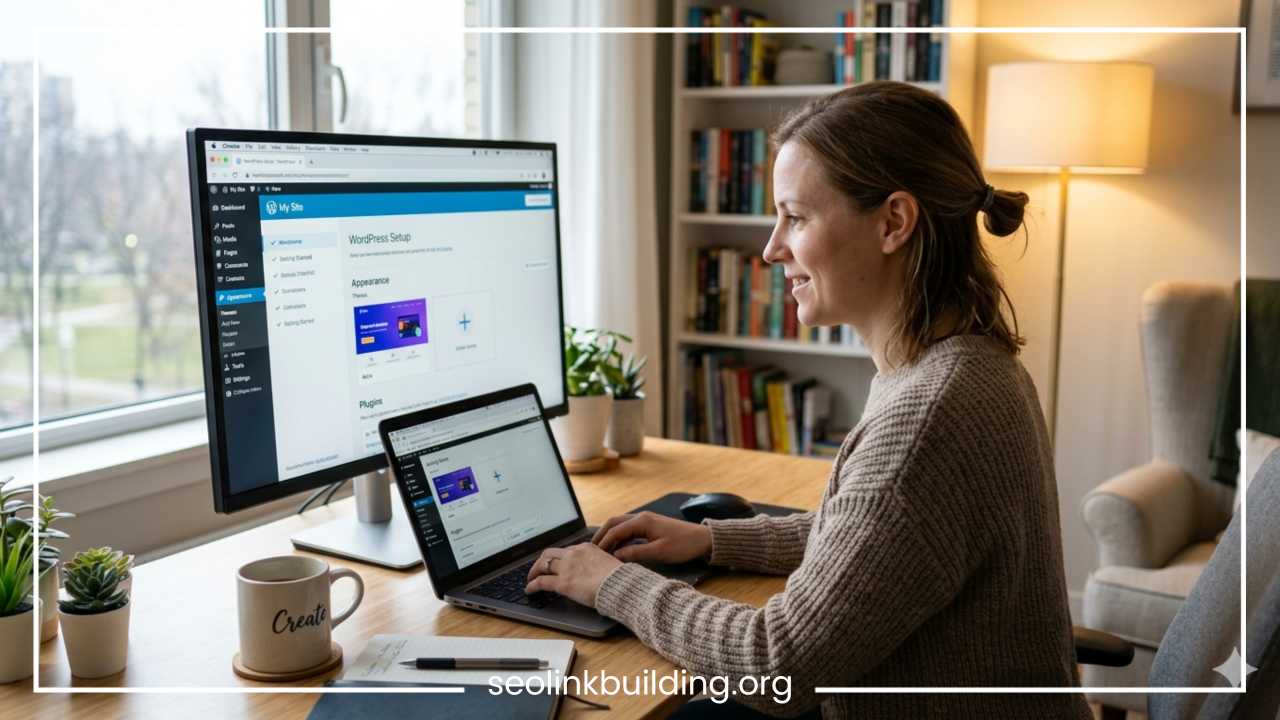
When you visit this address and enter your credentials, you are greeted by the official WordPress dashboard. This administrative interface contains a left-hand navigation sidebar that allows you to control every aspect of your site, from writing posts and managing comments to installing design templates and adjustments.
Step 4: Choose and Install a WordPress Theme
The visual design and layout of your blog are governed by your WordPress theme. Your theme dictates how your content is presented, your default typography, color palettes, and structural navigation menus.
When looking through the ecosystem, you will encounter both free and premium themes. Free themes are excellent for testing ideas and keeping upfront costs low, and thousands are available directly in the official WordPress repository. Premium themes, usually costing a one-time fee, offer advanced design options, dedicated developer support, and cleaner code.
Regardless of cost, you must ensure your theme utilizes responsive design, meaning it automatically adjusts its layout to look beautiful on smartphones, tablets, and desktop monitors. Additionally, prioritize fast-loading themes, as bloated code can slow down your site and harm your user experience. Popular, highly optimized options include Astra, GeneratePress, and Kadence, all of which balance lightweight performance with extensive customization options.
To install a theme on your site, follow these instructions:
-
Navigate to the Appearance section in your dashboard sidebar and click on Themes.
-
Click the Add New Theme button located at the top of the interface.
-
Browse the directory or use the search bar to find a specific layout like Astra.
-
Hover over the theme preview card and click the Install button.
-
Once the installation completes, click Activate to make the design live on your site.
-
To modify your colors, headers, and layouts safely, click the Customize submenu under Appearance to adjust your live preview.
Step 5: Install Essential Plugins
Plugins are optional add-on applications that extend the functionality of your WordPress site. Think of them like applications on a smartphone; they allow you to introduce entirely new capabilities without modifying any underlying source code.
To keep your site running safely and efficiently, you should deploy a core set of essential plugins right after setup:
-
SEO Plugin: Helps you optimize your text, control meta data, and generate XML sitemaps. Top recommendations include Rank Math or Yoast SEO.
-
Security Plugin: Protects your login page from malicious brute-force entries and scans files for vulnerabilities. Wordfence is a trusted solution here.
-
Cache and Speed Plugin: Optimizes your database, compresses file deliveries, and caches pages to ensure incredibly fast load times. WP Rocket or LiteSpeed Cache work wonders.
-
Backup Plugin: Automatically saves copies of your entire website to secure cloud storage, ensuring you can restore everything if something goes wrong. UpdraftPlus is widely recommended.
-
Contact Form Plugin: Allows readers and potential business partners to send emails directly through your site via a safe form. WPForms is perfect for this.
To install any of these tools, navigate to Plugins in your sidebar and select Add New Plugin. Type your desired function into the search bar, click Install Now on the appropriate plugin card, and click Activate once it finishes loading. Remember to avoid installing too many plugins simultaneously, as excessive active scripts can clutter your database, cause software conflicts, and slow down your site performance.
Step 6: Create Important Pages
Before you begin publishing individual articles, you need to establish the structural pages that give your website legitimacy, protect you legally, and provide pathways for user interaction. Unlike blog posts, pages are static elements meant to remain permanently accessible through your navigation menus.
Every professional blog requires these foundational pages:
-
About Page: This is your space to introduce yourself, share your story, outline your expertise, and explain exactly how your content helps your reader. It builds immense trust and humanizes your digital brand.
-
Contact Page: A dedicated area featuring a contact form, social media links, or email addresses, allowing readers, brands, and advertisers to reach out to you directly.
-
Privacy Policy: A legally required page that discloses to visitors exactly how your site collects, stores, and uses consumer data, especially when deploying analytics or cookies.
-
Disclaimer Page: Necessary if you engage in affiliate marketing or provide specialized advice, clarifying that your content is informational and that you earn commissions from specific links.
-
Blog Page: The central feed area where your chronological posts automatically appear as you publish them over time.
Step 7: Write Your First Blog Post
With your structure firmly in place, you are ready to create your very first blog post. Understanding the distinction between posts and pages is essential: pages are static informational assets, while posts are timely, dynamic articles displayed in reverse chronological order on your main feed.
WordPress uses a default content editing tool called the Gutenberg block editor. This system treats every paragraph, heading, image, and list item as an independent block that you can drag, drop, and style separately. This block-based system provides easy readability by allowing you to break up long blocks of text with headers, media files, and quote blocks seamlessly.
When drafting your first post, prioritizing clear formatting and smart keyword placement helps optimize for SEO from day one. Your title should be compelling, accurate, and contain your main target keyword. As you write, integrate secondary keywords naturally within your content, ensuring you do not sacrifice reading flow for search algorithms.
To help you launch successfully, follow this recommended writing workflow:
-
Add Title: Open a new post under Posts > Add New Post and place your primary keyword-rich title at the top.
-
Write Introduction: Draft a compelling opening paragraph that hooks the reader, addresses their problem, and states what they will learn.
-
Use H2 and H3 Headings: Organize your main arguments using descriptive subheadings to split your thoughts logically and allow users to skim efficiently.
-
Add Images: Upload relevant, compressed images with accurate descriptive alt-text to provide visual breaks and enhance accessibility.
-
Publish: Review your final layout draft, set your featured cover image, select an appropriate category, and click the blue Publish button to make your article live to the world.
Step 8: Optimize Your Blog for SEO
Search Engine Optimization (SEO) is the intentional practice of formatting your website to rank higher on search engines like Google. Implementing smart blog SEO tips ensures that your content receives a steady stream of passive, high-quality organic traffic without relying purely on paid advertising.
An effective optimization strategy begins with keyword research basics. Use free or paid tools to discover exactly what terms your target audience types into search engines, focusing on specific queries with reasonable search volume and lower competition. Once you choose your keywords, write unique meta titles and meta descriptions for every post to convince search users to click on your link.
Additionally, use internal linking to connect new posts to relevant older articles across your domain, which distributes page authority and encourages visitors to browse your site longer. Always focus on image optimization by compressing massive file sizes before uploading them and filling out descriptive alt-text fields to assist search crawlers. Finally, verify that your site operates with fast speed and displays correctly on mobile devices, as search engines penalize sites that load slowly or look broken on phones.
To track your progress and understand user behavior, integrate free foundational monitoring tools:
-
Google Search Console: This official utility monitors how your site performs in search results, reveals which keywords bring you traffic, and alerts you to any indexing errors.
-
Google Analytics: A platform that tracks user behavior on your site, showing you exactly how many people visit your blog, which pages they stay on longest, and where they live geographically.
Step 9: Promote Your Blog
Simply publishing excellent content does not guarantee readers will find it. To grow your audience, you must actively distribute and promote your blog posts across various marketing channels. Consistency in your promotion efforts is just as important as consistency in your writing schedule.
Explore these diverse, high-traffic promotion methods to amplify your reach:
-
Pinterest: A highly visual search engine that works exceptionally well for lifestyle, travel, food, and instructional blogs. Creating eye-catching vertical pins linked to your posts can drive massive traffic waves.
-
Facebook Groups: Join established communities within your niche. Participate in discussions genuinely, answer user questions, and share your links only when they provide a direct, helpful solution to someone’s query.
-
SEO: The gold standard of promotion. By optimizing your headings and satisfying user intent, you build sustainable search traffic that arrives automatically every single day.
-
Email Marketing: Start building an email subscriber list from day one. Offer a free digital resource like an ebook or checklist to encourage sign-ups, then email your list whenever you publish a new article.
-
Quora and Reddit: Search for threads where users are actively asking questions about your niche. Write thorough, helpful answers and drop your blog link at the end for readers who want deeper information.
-
Medium: Re-publish variations of your articles on this platform while using canonical tags pointing back to your main self-hosted WordPress site to capture their built-in reading audience.
How to Make Money from a WordPress Blog
Monetizing your content is one of the most exciting aspects of running a WordPress blog. While building an audience requires patience, there are several proven monetization frameworks you can integrate into your site as your traffic grows.
Review these primary monetization channels utilized by top digital creators:
-
Display Advertisements: You can join ad networks like Google AdSense, Ezoic, or Mediavine. These networks automatically place targeted advertisements throughout your layout, paying you based on page views and ad impressions.
-
Affiliate Marketing: This involves recommending third-party products or services within your articles. When a reader clicks your custom tracking link and purchases the item, you earn a percentage commission at no extra cost to them.
-
Sponsored Posts: Brands pay you flat fees to write comprehensive reviews, tutorials, or features showcasing their products directly to your dedicated audience base.
-
Selling Digital Products: Create and distribute your own value-packed assets like downloadable eBooks, printables, online courses, or premium resource templates.
-
Freelance Services: Use your blog as a living portfolio to showcase your expertise, attracting high-paying clients who want to hire you for consulting, copywriting, design, or coaching services.
It is vital to maintain realistic expectations when embarking on this process. Blogging is a long-term business model rather than a get-rich-quick scheme. Most successful bloggers spend months creating high-quality content, optimizing for search engines, and building trust with their readers before seeing significant financial returns.
Common Mistakes to Avoid
As you set up your site, being aware of frequent pitfalls can save you hours of frustration and protect your business from unnecessary setbacks. Many new bloggers make preventable mistakes that stall their growth early on.
Ensure you avoid these common missteps:
-
Choosing the Wrong Niche: Selecting a topic that is far too broad makes it impossible to build authority, while choosing an overly restrictive niche can leave you with nothing to write about after ten posts.
-
Ignoring SEO: Failing to use proper header structures, omitting meta summaries, or ignoring target keywords ensures your articles remain buried deep in search result pages.
-
Publishing Inconsistently: Writing five posts in one week and then disappearing for three months confuses your readers and signals to search engines that your site is inactive.
-
Using Too Many Plugins: Overloading your backend with dozens of unverified add-ons compromises your site speed, creates software compatibility bugs, and opens up dangerous security loopholes.
-
Slow Hosting: Choosing cheap, low-tier web hosting that leaves your site down or loading slowly destroys your user experience and tanks your search rankings instantly.
Final Thoughts
Learning how to create blog on WordPress is one of the most rewarding digital skills you can acquire. By following this WordPress blogging guide, you have moved from a blank slate to owning a fully functional, self-hosted digital property capable of reaching a global audience.
Remember that every single successful digital creator started exactly where you are right now. The secret to building a popular, profitable blog does not lie in possessing advanced technical secrets; it depends on your willingness to learn by doing, publish helpful content consistently, and treat your platform like a real business. Do not let perfectionism stall your progress or keep your ideas locked away. Start your WordPress blog today, embrace the learning process, and enjoy the journey of building your personal corner of the internet.
Frequently Asked Questions
What is the difference between WordPress org and WordPress com for beginners?
The main difference comes down to hosting and control. WordPress.org is self-hosted, meaning you purchase your own hosting plan and have one hundred percent ownership over your site, files, and monetization strategies. WordPress.com is a fully hosted service managed by a parent company that places severe restrictions on your ability to run ads, install custom plugins, and modify code unless you pay for their highest-priced premium tiers. For long-term business growth, self-hosted WordPress.org is always the recommended option.
How much does it cost to start a self hosted WordPress blog?
Starting a self-hosted blog is incredibly affordable for beginners. Your primary upfront costs consist of a domain name (which typically runs ten to fifteen dollars per year) and a reliable shared hosting plan (which costs roughly three to seven dollars per month). Many beginner-friendly hosting companies even bundle a free domain name into your first year of hosting, meaning you can get your entire website live on the internet for less than fifty dollars total.
Can I change my WordPress theme later without losing my content?
Yes, you can absolutely change your WordPress theme at any time without losing your written articles, pages, or media uploads. Your text and images are safely stored in your website’s database, which remains completely separate from your visual layout template. However, when you activate a brand new theme, you may need to reconfigure your navigation menus, sidebar widgets, and custom homepage settings to match the new design system.
How many WordPress plugins should a beginner install on a new blog?
There is no magic number, but absolute beginners should aim to keep their active plugin count under fifteen to twenty tools. Instead of focusing on the quantity, focus heavily on quality and utility. You only need one high-quality plugin for each core function: one for search engine optimization, one for caching and site speed, one for security scans, one for automated cloud backups, and one for a simple contact form.
How long does it take to get traffic to a new WordPress blog?
For most brand new websites, it generally takes three to six months of consistent publishing to start seeing consistent organic traffic from search engines like Google. Search engine crawlers need time to index your pages, understand your niche authority, and test your placement against existing content. You can accelerate this timeline significantly by promoting your articles on high-traffic social platforms like Pinterest and participating genuinely in relevant community forums.