Shopify SEO Optimization: Boost Your Store’s Google Rankings & Traffic

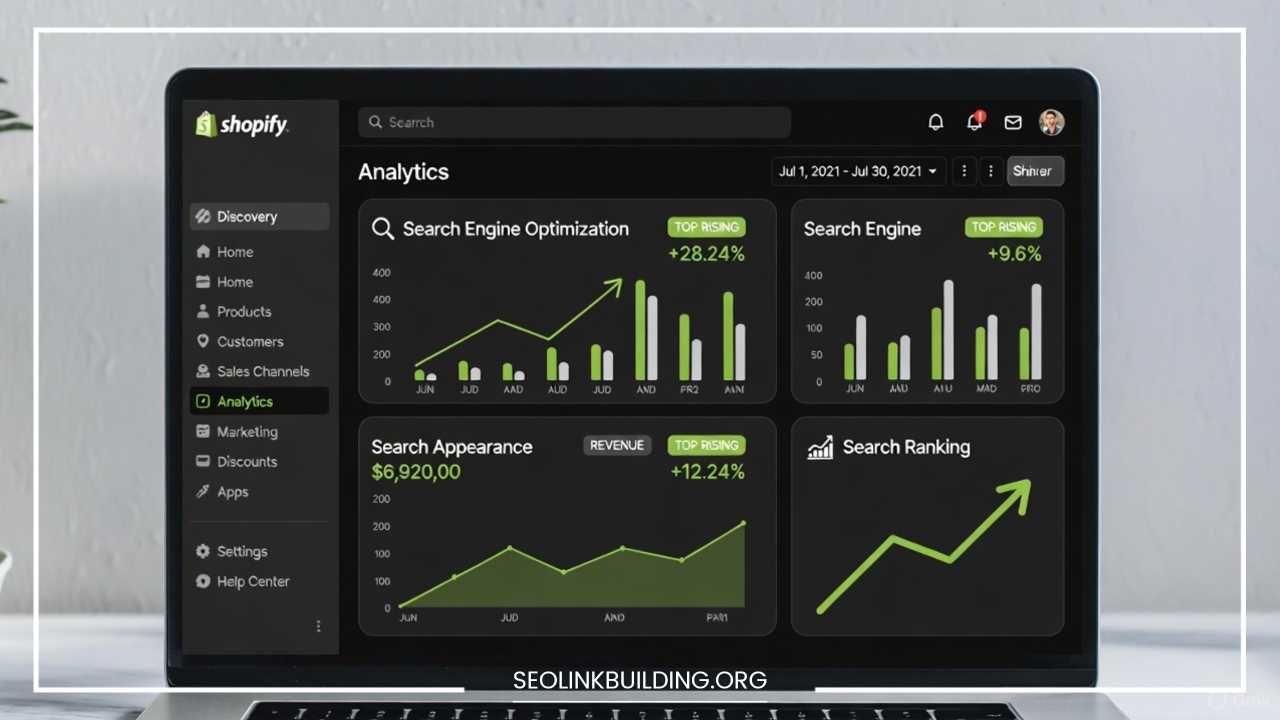
Shopify SEO Optimization: Boost Your Store’s Google Rankings & Traffic
Shopify has established itself as the leading platform for entrepreneurs worldwide, powering millions of eCommerce businesses. It offers an intuitive interface, robust features, and a thriving app ecosystem, making it easy for anyone to launch an online store. However, simply setting up a beautiful Shopify store is only the first step. The truth of the eCommerce world is simple: even with amazing products, your store won’t sell if it isn’t visible on Google.
This is where Search Engine Optimization (SEO) becomes the single most critical factor for sustainable, long-term growth. SEO is the process of optimizing your online store so that search engines like Google understand it, rank it higher, and show it to people searching for your products. Unlike paid advertising, which stops generating traffic the moment your budget runs out, a strong SEO strategy delivers free, organic, and highly-qualified traffic day after day.
A successful Shopify SEO strategy translates directly into higher visibility, a significant increase in targeted traffic, and, most importantly, a surge in sales and revenue. This comprehensive guide will walk you through every aspect of optimizing your Shopify store, from foundational keyword research to advanced technical fixes, ensuring you have the knowledge to climb Google’s rankings and dominate your niche.
Understanding Shopify SEO
To master SEO for your Shopify store, you must first understand its core components. SEO is the practice of increasing the quantity and quality of traffic to your website through organic search engine results.
In the context of Shopify, it involves specific actions tailored to the platform’s structure to make it more appealing to search engine crawlers. SEO is generally broken down into three main pillars:
-
On-Page SEO: This refers to all the optimization efforts you apply directly on your website pages—the content, images, titles, and meta descriptions.
-
Off-Page SEO: This covers actions taken outside of your website to impact your rankings, primarily building high-quality backlinks from other reputable websites.
-
Technical SEO: This relates to the backend structure and foundation of your store, ensuring search engines can easily crawl and index your site (e.g., site speed, sitemaps, and structured data).
A common misconception among new Shopify store owners is that the platform automatically handles all SEO. While Shopify is SEO-friendly, providing great tools and structures, it does not do the optimization for you. You must actively optimize every page.
Shopify stores face unique SEO challenges, primarily due to:
-
URL Structure Limitations: Shopify uses a fixed URL structure (e.g.,
/products/,/collections/), which, while generally clean, offers less flexibility than self-hosted platforms. -
Duplicate Content Risk: It’s easy to accidentally create duplicate content through product variants or using the same descriptions for similar products, which can confuse search engines.
-
Theme Dependence: Technical SEO elements like site speed and mobile-friendliness are heavily dependent on the chosen Shopify theme, requiring careful selection and management.
Keyword Research for Shopify
Keywords are the foundation of all SEO efforts. If you don’t know what your customers are searching for, you cannot optimize your store effectively. The goal of keyword research for an eCommerce store is to find high-intent eCommerce keywords—the specific phrases people use when they are ready to buy.
Tools for Keyword Discovery
A range of professional tools can help you uncover profitable keywords:
-
Google Keyword Planner (Free): Great for generating initial ideas and checking search volume directly from Google.
-
Ahrefs/SEMrush (Paid, Industry Standard): These are powerful suites offering comprehensive data on search volume, keyword difficulty, competitor analysis, and backlink auditing.
-
Ubersuggest (Freemium): A good option for beginners to get keyword ideas and content suggestions.
Targeting High-Intent eCommerce Keywords
Unlike a standard informational website, an eCommerce store needs to focus on commercial intent. Look for keywords that signal a desire to purchase:
-
Transactional Terms: “buy,” “discount,” “cheap,” “coupon,” “for sale,” “best.”
-
Product-Specific Modifiers: “review,” “price,” “near me,” “brand name + product.”
For example, a low-intent keyword might be “how to stay warm in winter,” but the high-intent keywords are “buy merino wool hiking socks” or “best heated gloves for cycling.”
Long-Tail vs. Short-Tail Keywords
For a Shopify store, prioritizing long-tail keywords is critical.
-
Short-Tail Keywords (High Volume, High Competition): e.g., “Running Shoes“
-
Long-Tail Keywords (Lower Volume, Lower Competition, High Conversion): e.g., “women’s waterproof trail running shoes size 8“
Long-tail keywords convert better because they represent a customer who knows exactly what they want. You should strategically map keywords across your store:
-
Product Pages: Target very specific, long-tail keywords (e.g., the exact product name, model number, color, or variant).
-
Collection/Category Pages: Target slightly broader, mid-tail keywords (e.g., “Men’s Leather Wallets,” “Waterproof Backpacks“).
-
Blog Posts: Target informational, problem-solving keywords (e.g., “how to choose the right running shoe“).
By focusing on user intent and long-tail phrases, your store can start ranking faster and attracting customers who are ready to convert.
On-Page SEO Strategies
On-page SEO is where you implement your keyword research, optimizing individual pages for search engines and users. This is your chance to directly influence how Google understands the content and relevance of each page in your store.
Optimizing Product Pages
Product pages are the heart of your store, and their optimization is paramount:
-
Title Tags ($\text{<title>}$): This is the most crucial on-page element. It appears as the clickable headline in search results.
-
Formula: Primary Keyword | Secondary Keyword – Brand Name
-
Example: “Organic Cotton Baby Blanket | Super Soft Muslin Swaddle – Your Brand“
-
Keep it under 60 characters to avoid truncation.
-
-
Meta Descriptions: This short snippet appears beneath the title tag in search results. It doesn’t directly affect ranking, but it significantly impacts the click-through rate (CTR).
-
Use compelling copy, include your primary keyword, and feature a clear call-to-action (e.g., “Shop Now,” “Free Shipping”). Keep it around 150–160 characters.
-
-
URL Structure (Handles): Shopify automatically generates a URL handle. Ensure it is clean, short, and includes your primary keyword (e.g.,
yourstore.com/products/**organic-baby-blanket**). Avoid using filler words or long strings of numbers. -
Product Description: Write unique, detailed, and engaging descriptions. Do not use manufacturer copy, as this creates duplicate content. Naturally weave your target keywords into the copy, headings (H1, H2, H3), and bullet points.
-
Image Alt Text: Alt text is a description of an image for visually impaired users and for search engines. Ensure every product image has descriptive alt text that includes the product’s name and a relevant keyword (e.g., “Organic cotton baby blanket in grey with star pattern“).
Optimizing Category/Collection Pages
Collection pages are powerful for targeting broader keywords and driving internal linking:
-
Unique Content: Add unique, keyword-rich content (200–400 words) to the top or bottom of your collection pages. This provides Google with context for the products listed.
-
Hierarchy and Internal Linking: Ensure your main navigation uses descriptive keywords for collection names. Collection pages act as hubs, distributing link equity (PageRank) to all the products listed within them.
Blog Content for SEO
Blogging is the engine for attracting top-of-funnel (informational) traffic.
-
Strategy: Use the blog to target informational keywords that your ideal customer might search for before they are ready to buy. (e.g., A store selling specialty coffee beans might write a post on “The Best Pour-Over Coffee Makers for Beginners“).
-
Internal Linking: Crucially, blog posts must link internally to relevant product and collection pages using keyword-rich anchor text. This passes authority and helps customers move from information to commerce.
Image Optimization and Site Speed
Page loading speed is a critical ranking factor. Large, unoptimized images are the number one cause of slow Shopify stores.
-
Compression: Use tools like TinyPNG or Shopify apps to compress image file sizes without sacrificing quality. Aim for images under 100-200KB.
-
Format: Use modern formats like WebP where possible, or stick to optimized JPEG for photographs and PNG for graphics.
-
File Names: Name your image files descriptively before uploading them (e.g.,
organic-baby-blanket.jpginstead ofIMG00123.jpg).
Mobile Optimization
Shopify themes are generally responsive, but you must confirm that your store offers a flawless experience on smartphones and tablets. Google uses mobile-first indexing, meaning the mobile version of your site is the primary version used for ranking. A slow or difficult-to-navigate mobile store will negatively impact your desktop rankings as well.
Technical SEO for Shopify
Technical SEO ensures that your store is structurally sound and easily accessible to Google’s crawlers. While Shopify handles a lot of the backend infrastructure, several critical elements require your attention.
Site Speed: The Conversion Killer
Shopify’s core platform is fast, but individual store speed depends on the theme, images, and installed apps.
-
Shopify Speed Tools: Use the native Shopify Speed Report (found in your Analytics) to diagnose issues.
-
App Audit: Regularly uninstall any unused or slow apps, as they inject extra code that can significantly drag down performance.
-
Lazy Loading: Ensure your theme uses lazy loading for images below the fold, which means images only load when the user scrolls to them, speeding up the initial page load.
Structured Data / Schema Markup
Structured data (or schema markup) is code that helps search engines better understand the content on your page, leading to rich snippets in search results (e.g., product ratings, prices, and stock status).
-
Product Schema: Shopify themes often include basic product schema, but you should verify it’s present and correct. This allows Google to display product information directly in the SERP, which dramatically increases CTR. Check your pages using Google’s Rich Results Test tool.
Canonical URLs to Prevent Duplicate Content
A common issue in eCommerce is duplicate content, often created by filters, sorting options, or product variants (e.g., example.com/products/shirt?color=red and example.com/products/shirt).
-
Canonical Tags ($\text{<link rel=”canonical”>}$): A canonical tag tells Google which version of a page is the “master” or preferred version. Shopify is generally good at implementing these automatically, pointing variant or filtered URLs back to the main product page. Always verify this is working correctly for all product and collection pages.
XML Sitemaps and robots.txt
These files guide search engine crawlers:
-
XML Sitemap: This file lists all the pages, products, and collections you want Google to index. For a Shopify store, your sitemap is automatically generated at
yourstore.com/sitemap.xml. You must submit this URL to Google Search Console so Google knows exactly what to crawl. -
robots.txt: This file tells crawlers which pages they should not crawl (e.g., the checkout page or internal search results). Shopify handles this file, and in most cases, you shouldn’t need to modify it.
Fixing Broken Links and 404 Errors
Broken links (404 errors) create a poor user experience and waste a crawler’s time (known as “wasting crawl budget”).
-
Regular Audits: Use tools like Google Search Console or Screaming Frog to regularly identify 404 errors.
-
301 Redirects: Whenever you delete a product, change a URL, or remove a collection, immediately set up a 301 permanent redirect from the old URL to the most relevant new page. You can manage redirects within the Shopify admin.
Off-Page SEO & Backlinks
While On-Page and Technical SEO optimize what’s on your site, Off-Page SEO, primarily through link building, tells Google that your store is reputable and authoritative. Backlinks—links from other websites to yours—act as votes of confidence. The more high-quality, relevant votes you have, the higher your store will rank.
Importance of Backlinks
Google’s original algorithm, PageRank, was fundamentally based on links. A link from a major industry publication is worth exponentially more than dozens of links from low-quality, irrelevant blogs. For an eCommerce store, the focus must be on earning high-quality backlinks that are:
-
Relevant: From sites in your niche (e.g., a link from a fashion blog to your clothing store).
-
Authoritative: From established, high-traffic, and trustworthy domains.
-
Natural: Earned because your content (product or blog post) is genuinely valuable.
Strategies for Earning High-Quality Backlinks
Direct outreach and content creation are the most effective strategies for Shopify stores:
-
Guest Posting: Write valuable, informative articles for other reputable blogs in your industry. In return, you get a contextual backlink to your Shopify store (e.g., to a relevant product or collection page).
-
Influencer Outreach & Product Reviews: Send free products to bloggers, YouTubers, and social media influencers who have an audience relevant to your niche. This often results in a review, a brand mention, and a valuable backlink.
-
Supplier/Manufacturer Links: Check if your suppliers or manufacturers have a “Where to Buy” page. Request a link to your store.
-
Partnerships and Resource Pages: Look for industry resource lists, “Best of” guides, or local business directories in your niche and ask to be included.
-
Brand Mentions: Use tools to track when your brand is mentioned online without a link. Reach out to the site owner and politely ask them to turn the mention into a link.
Social Media Signals and Brand Mentions
While social media likes and shares are not direct ranking factors, a strong social media presence leads to more brand searches and more exposure, which ultimately results in more organic backlinks and more direct traffic. Maintain active profiles and engage with your community to build brand authority.
SEO Apps and Tools for Shopify
Shopify’s App Store provides powerful tools to simplify and enhance your SEO efforts, while external tools are essential for analysis and competitive intelligence.
Recommended Shopify SEO Apps
These apps help automate key on-page and technical checks:
-
Plug in SEO: This is an excellent starting point, functioning like an SEO audit tool. It checks your store for common issues, including missing alt tags, broken links, and title tag issues, and provides clear suggestions for fixing them.
-
SEO Manager: A more comprehensive app that provides direct control over title tags, meta descriptions, image alt text, and fixing 404 errors. It also helps with JSON-LD data structure.
-
Smart SEO: Helps automate the generation of title tags, meta descriptions, and alt tags for high-volume stores, saving significant time.
Analytics and Tracking
You cannot improve what you don’t measure. Setting up and using these foundational tools is non-negotiable:
-
Google Analytics 4 (GA4): Install GA4 immediately to track user behavior, traffic sources (how visitors found you), conversions, and revenue. You must be able to correlate SEO efforts with tangible sales increases.
-
Google Search Console (GSC): This is Google’s direct communication channel to your store. GSC is essential for:
-
Submitting your XML sitemap.
-
Monitoring how Google crawls and indexes your site.
-
Identifying mobile usability issues.
-
Finding the exact search queries that lead to your store (even if you don’t rank highly).
-
Keyword Tracking and Competitor Analysis
-
Ahrefs/SEMrush: Use the keyword tracking features to monitor your store’s ranking progress for your targeted keywords. Use their competitor analysis tools to see which keywords your top rivals rank for and which sites link to them, providing a blueprint for your own strategy.
Monitoring & Improving SEO Performance
SEO is not a one-time setup; it is a continuous cycle of auditing, implementing, monitoring, and refining. Neglecting this crucial phase means your store will stagnate.
Tracking Rankings, Traffic, and Conversions
Your primary SEO metrics should be:
-
Search Engine Visibility: Are your pages appearing in search results (Impressions in GSC)?
-
Organic Search Traffic: Is the number of sessions from the “Organic Search” channel increasing (in GA4)?
-
Organic Conversion Rate: Are the users coming from organic search converting into customers at an acceptable rate (in GA4/Shopify)?
Aim for slow, steady, and sustainable growth in all three areas. A sudden spike in traffic without an increase in conversions suggests you might be targeting the wrong keywords.
Using Google Search Console for Insights
GSC is your secret weapon for performance improvement:
-
Performance Report: Drill down to the “Queries” report to find “low-hanging fruit” keywords—terms for which your page ranks on the second or third page of Google (positions 11-30) and has a high number of impressions but a low CTR. By slightly tweaking the title tag, meta description, or adding more relevant content, you can often push these pages onto the first page quickly.
-
Indexing & Coverage: Use the Coverage report to ensure all your important pages are indexed and to identify any indexing errors (e.g., pages blocked by
robots.txtor marked as 404).
How to Conduct Regular SEO Audits
A full audit should be performed every 3-6 months:
-
Technical Audit: Check site speed, mobile-friendliness, and schema markup (using Google’s dedicated testing tools).
-
Content Audit: Identify underperforming product or blog pages.
-
Link Audit: Check your backlink profile for any toxic or low-quality links that might harm your score (disavow them if necessary).
Importance of Updating Old Content
Content freshness is a factor in Google’s ranking algorithm. Regularly revisit your highest-traffic blog posts and best-selling product descriptions.
-
Update: Add new product information, new images, current year statistics, or new H2/H3 headings.
-
Re-promote: Once updated, re-share the content on social media and re-submit the URL to Google Search Console to encourage re-indexing.
Common Shopify SEO Mistakes to Avoid
The path to SEO success is often fraught with common, easily avoidable errors that can stall your progress.
-
Duplicate Content Issues: This is the most common Shopify mistake. Never copy product descriptions from manufacturers or from your own similar products. Google penalizes stores for publishing large amounts of non-unique content. Always rewrite and customize.
-
Ignoring Mobile Optimization: Assuming your site is fine because it looks okay on your phone is dangerous. Use Google’s Mobile-Friendly Test to ensure functionality, speed, and touch targets are correct on all devices.
-
Slow Site Speed: Prioritize theme selection and app management. A beautiful, heavily-coded theme with 50 unnecessary apps will hurt your sales more than it helps.
-
Poor Keyword Targeting: Don’t waste time trying to rank for generic, high-competition keywords (e.g., “shoes”). Focus on niche, long-tail phrases that indicate strong purchase intent.
-
Not Using Meta Tags or Alt Text: These are basic foundational elements. Leaving them blank is like whispering to Google when you should be shouting. They are mandatory for every product, collection, and blog post.
-
Forgetting to Use Internal Links: A product page without a link from a collection page or a blog post is an “orphan” page that Google will struggle to find and attribute authority to.
Final Thoughts
Shopify SEO is the single best long-term investment you can make for your eCommerce business. While it requires patience, consistency, and a systematic approach, the return on investment in the form of free, high-converting organic traffic far outweighs the costs of paid advertising.
By focusing on a solid foundation of keyword research, meticulous on-page optimization, a clean technical structure, and consistent link building, you can significantly boost your store’s Google rankings, attract a dedicated customer base, and transform your online presence.
Start optimizing your Shopify store today to boost traffic and sales. The sooner you begin, the sooner you can harvest the organic growth that will sustain your business for years to come.