How to Use Google AdWords to Increase Traffic

How to Use Google AdWords to Increase Traffic | Boost Website Visitors with PPC
In today’s hyper-connected world, simply having a website isn’t enough. To truly thrive online, businesses and individuals need a steady stream of targeted traffic. This is where Google Ads, formerly known as Google AdWords, steps in as a formidable ally. Google Ads is Google’s powerful pay-per-click (PPC) advertising platform, allowing businesses to display ads to potential customers actively searching for products or services like theirs. By strategically leveraging Google Ads, you can significantly boost your online visibility, drive qualified visitors to your website, and ultimately achieve your business objectives.
This article will serve as your comprehensive guide to understanding and utilizing Google Ads to its full potential, transforming your digital marketing strategy and propelling your online traffic to new heights.
Understanding Google Ads Basics
At its core, Google Ads operates on an auction-based system. When someone searches on Google, advertisers bid on keywords relevant to their offerings. The winning bids, determined by a complex algorithm considering bid amount, ad quality, and ad relevance, result in ads appearing at the top or bottom of search results pages, on various websites, or even within YouTube videos.
Types of Google Ads Campaigns:
- Search Campaigns: These are the most common, displaying text ads on Google search results pages when users search for specific keywords.
- Display Campaigns: These campaigns show image or rich media ads across Google’s vast network of millions of websites, apps, and YouTube channels. They are ideal for brand awareness and reaching a broader audience.
- Video Campaigns: Ads appear before, during, or after videos on YouTube and across Google’s video partners. Excellent for visual storytelling and brand building.
- Shopping Campaigns: For e-commerce businesses, these campaigns display product listings with images, prices, and store names directly in search results, highly effective for driving product sales.
- Performance Max Campaigns: A newer, automated campaign type that leverages Google AI to find your highest-performing channels and deliver results across all Google Ads inventory (Search, Display, Discover, Gmail, Maps, YouTube).
Key Terminology:
- CPC (Cost-Per-Click): The amount you pay each time someone clicks on your ad.
- CTR (Click-Through Rate): The percentage of people who click on your ad after seeing it.1 A higher CTR indicates more relevant and engaging ads.
- Quality Score: A Google metric (on a 1-10 scale) that assesses the relevance and quality of your keywords, ads, and landing pages. A higher Quality Score leads to lower CPCs and better ad positions.
- Ad Rank: Determines your ad’s position on the search results page. It’s calculated by multiplying your bid by your Quality Score.2
Setting Clear Goals for Your Campaign
Before diving into campaign creation, it’s crucial to define what you want to achieve with Google Ads. Without clear objectives, your efforts will lack direction and measurability.
Common Google Ads Objectives:
- Increase Website Traffic: The most direct goal, aiming to bring more visitors to your site.
- Generate Leads: Capturing contact information from potential customers through forms or calls.
- Drive Sales/Conversions: Encouraging users to complete a specific action, such as making a purchase, signing up for a newsletter, or downloading a resource.
- Boost Brand Awareness: Increasing the visibility and recognition of your brand.
- Promote App Installs: Encouraging users to download your mobile application.
Aligning Google Ads Strategy with Business Goals:
Your Google Ads strategy should directly support your overarching business objectives. For instance, if your business goal is to increase online sales, your Google Ads campaign should focus on driving conversions and utilize features like Shopping campaigns. If brand awareness is key, Display and Video campaigns might be more suitable.
Importance of Conversion Tracking:
Conversion tracking is paramount. It allows you to measure the effectiveness of your campaigns by tracking specific actions users take on your website after clicking your ad. This data is invaluable for optimizing your campaigns and proving ROI. Set up conversion tracking for every valuable action on your site, whether it’s a purchase, a lead form submission, or a phone call.
Keyword Research and Selection
Keywords are the backbone of any successful Google Ads Search campaign. They are the words and phrases people type into Google to find what they’re looking for. Effective keyword research ensures your ads appear in front of the right audience.
How to Do Keyword Research:
- Google Keyword Planner: A free tool provided by Google Ads, ideal for discovering new keywords, analyzing their search volume, and estimating bid costs.
- SEMrush & Ubersuggest: Third-party tools offering more advanced keyword research capabilities, competitor analysis, and content ideas.
- Brainstorming: Think like your customer. What terms would they use to find your product or service?
- Competitor Analysis: See what keywords your competitors are bidding on (tools like SEMrush can help with this).
Types of Keywords:
- Broad Match: Allows your ad to show for searches that are similar to your keyword, including misspellings, synonyms, and related searches (e.g., “men’s hats” could trigger for “buy hats for men”). Offers wide reach but less control.
- Phrase Match: Your ad will show for searches that include the exact phrase of your keyword, along with other words before or after it (e.g., “buy men’s hats” could trigger for “where to buy men’s hats online”). Offers a balance of reach and relevance.
- Exact Match: Your ad will only show for searches that are the exact keyword or very close variations of it (e.g., “[men’s hats]” would primarily trigger for “men’s hats”). Offers the most control and high relevance but limited reach.
Long-Tail vs. Short-Tail Keywords:
- Short-Tail Keywords: Broad, generic terms (e.g., “shoes”). High search volume, but highly competitive and often indicate less specific user intent.
- Long-Tail Keywords: More specific, multi-word phrases (e.g., “best running shoes for flat feet”). Lower search volume, but less competitive and often indicate stronger purchase intent. Focus on a mix of both, prioritizing long-tail keywords for higher conversion potential.
Negative Keywords:
Crucial for preventing your ads from showing for irrelevant searches. If you sell men’s hats, you’d want to add “free” as a negative keyword to avoid showing for “free men’s hats.” Regularly review search terms reports to identify and add negative keywords, saving you money and improving ad relevance.
Creating Effective Ad Campaigns
A well-structured campaign is vital for efficient management and optimization. Google Ads campaigns are organized hierarchically: Account > Campaigns > Ad Groups > Ads.
Structuring a Campaign:
- Campaigns: Typically organized by product/service category, location, or audience. Each campaign has its own budget and targeting settings.
- Ad Groups: Within each campaign, ad groups contain closely related keywords and highly targeted ads. Each ad group should focus on a single theme. For example, in a “Men’s Shoes” campaign, you might have ad groups for “Running Shoes,” “Dress Shoes,” and “Casual Shoes.”
- Ads: The actual text or visual creative that users see. Each ad group should have multiple ad variations for A/B testing.
Writing Compelling Ad Copy:
Your ad copy is your first impression. Make it count!
- Headlines (up to 30 characters each, up to 15 headlines): Catchy and keyword-rich. Highlight benefits and unique selling propositions.
- Descriptions (up to 90 characters each, up to 4 descriptions): Provide more detail, elaborate on benefits, and address pain points.
- CTAs (Calls-to-Action): Tell users exactly what you want them to do (e.g., “Shop Now,” “Get a Quote,” “Learn More”). Make them clear and prominent.
- Incorporate Keywords: Naturally weave your target keywords into your ad copy to improve relevance and Quality Score.
- Highlight Unique Selling Propositions (USPs): What makes your product or service stand out? (e.g., “Free Shipping,” “24/7 Support,” “Award-Winning Service”).
A/B Testing Ad Creatives:
Always create at least 2-3 variations of your ads within each ad group. Test different headlines, descriptions, and CTAs to see which resonate best with your audience. Google Ads automatically rotates your ads and favors those with higher performance.
Best Practices for Ad Extensions:
Ad extensions provide additional information and valuable links, making your ads more prominent and useful. They don’t cost extra per click but can significantly improve CTR.
- Sitelink Extensions: Add links to specific pages on your website (e.g., “About Us,” “Contact,” “Services”).
- Callout Extensions: Highlight specific selling points or features (e.g., “Free Consultations,” “Certified Experts”).
- Call Extensions: Allow users to directly call your business from the ad.
- Structured Snippet Extensions: Showcase specific aspects of your products/services (e.g., “Destinations: Paris, Rome, Tokyo”).
- Image Extensions: Add relevant images to your ads on the search results page.
- Promotion Extensions: Highlight special offers and discounts.
Landing Page Optimization
Your ad’s purpose is to get a click, but your landing page’s purpose is to convert that click into a desired action. A mismatch between your ad and landing page will lead to high bounce rates and wasted ad spend.
Importance of Relevance:
The content and messaging on your landing page must be highly relevant to the ad that brought the user there. If your ad promises “best running shoes,” the landing page should immediately showcase running shoes, not general footwear. This relevance is crucial for a good Quality Score and user experience.
Tips for Designing High-Converting Landing Pages:
- Clear and Concise Headline: Reiterate the ad’s promise.
- Compelling Value Proposition: Immediately tell visitors what you offer and why it matters to them.
- Strong Call-to-Action (CTA): Prominently display your CTA button and make its purpose clear.
- Visually Appealing Design: Use high-quality images and videos. Ensure easy readability.
- Trust Signals: Include testimonials, reviews, security badges, and awards to build credibility.
- Minimal Distractions: Remove unnecessary navigation or elements that could divert attention from the primary conversion goal.
- Fast Loading Speed: Slow-loading pages frustrate users and negatively impact conversions.
Mobile Optimization:
A significant portion of online traffic comes from mobile devices. Your landing pages must be mobile-responsive, meaning they adapt seamlessly to different screen sizes. Test your landing pages on various devices to ensure a smooth user experience.
Budgeting and Bidding Strategies
Effective budget management and smart bidding are key to maximizing your ROI in Google Ads.
Setting Daily and Campaign Budgets:
- Daily Budget: The average amount you’re willing to spend per day for a specific campaign. Google may spend up to twice your daily budget on any given day, but will average out over the month.
- Campaign Budget: The total amount you allocate to a campaign over a specific period.
- Start Small: If you’re new to Google Ads, begin with a conservative budget and gradually increase it as you see positive results.
Manual vs. Automated Bidding Strategies:
- Manual CPC Bidding: You manually set your maximum CPC bid for each keyword or ad group. Offers precise control but requires more hands-on management.
- Automated Bidding Strategies: Leverage Google’s machine learning to optimize bids based on your chosen objective. These are generally recommended for most advertisers due to their efficiency and sophistication.
Maximizing ROI with Smart Bidding:
Google’s Smart Bidding strategies use real-time signals (device, location, time of day, etc.) to optimize bids for conversions.
- Target CPA (Cost-Per-Acquisition): Google automatically sets bids to help you get as many conversions as possible at or below your target CPA. Ideal for lead generation or sales.
- Target ROAS (Return On Ad Spend): Google automatically sets bids to help you get as much conversion value as possible at or below your target ROAS. Best for e-commerce businesses focused on revenue.
- Maximize Conversions: Google automatically sets bids to get you the most conversions possible within your budget. A good starting point if you’re new to conversion-focused bidding.
- Maximize Clicks: Google automatically sets bids to get you the most clicks possible within your budget. Useful for brand awareness or driving maximum traffic.
Monitoring and Optimizing Campaign Performance
Launching a campaign is just the beginning. Continuous monitoring and optimization are crucial for sustained success.
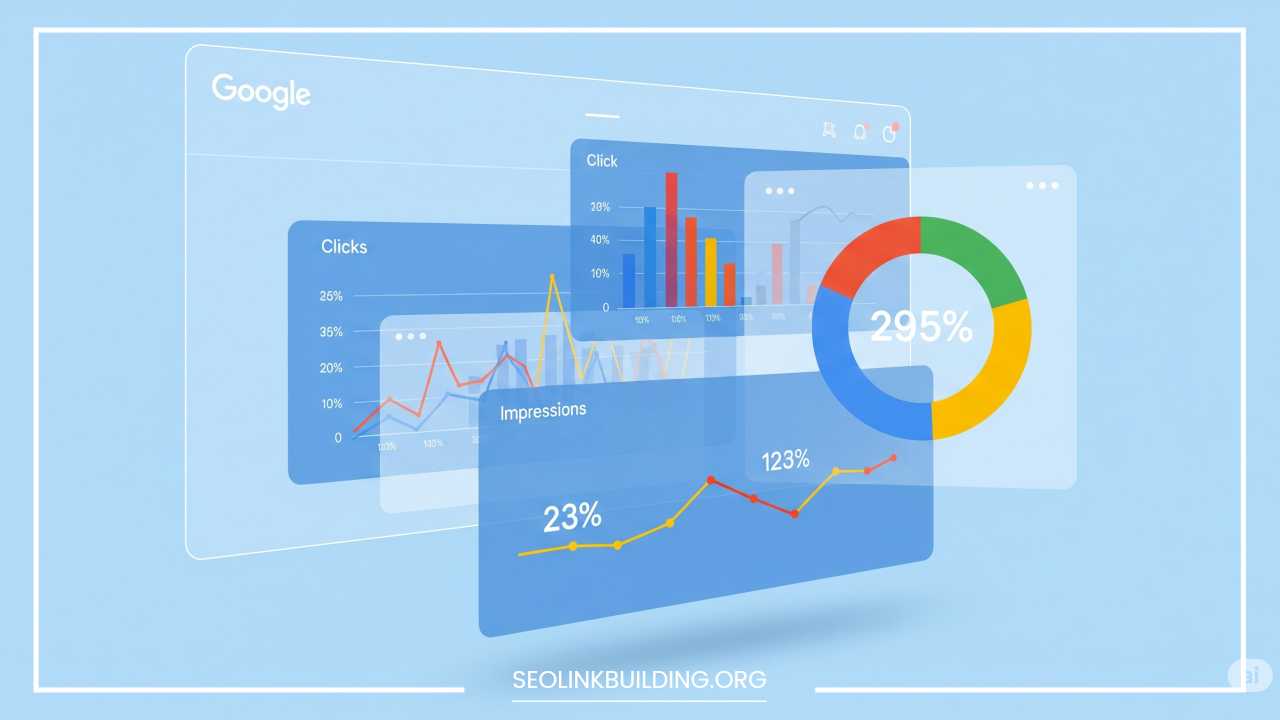
Key Metrics to Track:
- CTR (Click-Through Rate): Indicates ad relevance and appeal. Aim for a high CTR.
- CPC (Cost-Per-Click): How much you’re paying for each click. Monitor this to ensure cost-efficiency.
- Conversion Rate: The percentage of clicks that result in a desired conversion. The ultimate measure of campaign success.
- Quality Score: Directly impacts your ad position and CPC. Strive for a high Quality Score (7 or above).
- Cost/Conversion: The total cost divided by the number of conversions. Crucial for understanding profitability.
- Impressions: How many times your ad was shown.
- Impression Share: The percentage of times your ad was shown compared to the total eligible impressions.
How to Use Google Ads Reports and Google Analytics:
- Google Ads Interface: Provides detailed reports on keywords, ad groups, ads, demographics, and more. Dive deep into these reports to identify trends and areas for improvement.
- Search Terms Report: Absolutely essential! It shows you the actual search queries that triggered your ads. Use this to discover new keyword ideas and identify negative keywords.
- Google Analytics: Provides deeper insights into user behavior on your website after they click your ad. Track bounce rate, time on page, pages visited, and conversion paths. Link your Google Ads and Google Analytics accounts for a holistic view.
Ongoing Optimization Tactics:
- Adjusting Bids: Increase bids on high-performing keywords/ad groups, decrease bids on underperforming ones.
- Updating Keywords: Add new relevant keywords, pause or remove underperforming keywords, expand your negative keyword list.
- Refining Ad Copy: Continuously A/B test your ad headlines, descriptions, and CTAs to improve CTR and relevance.
- Landing Page Improvements: Based on conversion data, make ongoing improvements to your landing pages to enhance user experience and conversion rates.
- Geographic and Device Adjustments: If certain locations or devices perform better, adjust bids accordingly.
- Schedule Optimization: Analyze conversion data by time of day or day of week and adjust ad scheduling to show ads when your audience is most active.
Advanced Tips and Strategies
Once you’ve mastered the basics, explore these advanced strategies to take your Google Ads campaigns to the next level.
- Remarketing Campaigns: Target users who have previously visited your website but didn’t convert. Show them tailored ads to bring them back and encourage completion of a desired action. This is highly effective as these users already have some familiarity with your brand.
- Audience Targeting Options: Go beyond keywords to target specific user segments.
- Custom Intent Audiences: Create audiences based on specific keywords, URLs, or apps that define people who are in the market for what you offer.
- In-Market Audiences: Target users who Google has identified as actively researching or intending to buy specific products or services.
- Affinity Audiences: Reach users based on their long-term interests and passions (e.g., “avid travelers,” “cooking enthusiasts”).
- Geo-targeting and Device Targeting:
- Geo-targeting: Precisely target specific geographic locations (countries, states, cities, even zip codes) where your ideal customers are located.
- Device Targeting: Adjust bids based on the device type (desktop, mobile, tablet) to optimize for performance on each.
- Leveraging AI Features and Automation in Google Ads: Google is continuously enhancing its AI and automation capabilities. Embrace features like Performance Max, Smart Bidding, and Responsive Search Ads (which automatically combine different headlines and descriptions to create the best ad) to streamline your efforts and improve performance. Allow Google’s machine learning to optimize for you, especially as you gather more conversion data.
Common Mistakes to Avoid
Even experienced advertisers can fall into common pitfalls. Being aware of these can save you significant time and money.
- Poor Keyword Targeting: Using overly broad keywords or not using negative keywords can lead to irrelevant clicks and wasted budget. Always strive for highly relevant keywords.
- Sending Traffic to Irrelevant Pages: Your ad promises “blue widgets,” but the landing page is a generic homepage. This creates a disconnect, frustrates users, and reduces conversion rates. Ensure ad-to-landing page relevance.
- Ignoring Mobile Users: With mobile traffic dominating, a non-mobile-friendly website or poor mobile ad experience will lead to lost opportunities. Prioritize mobile optimization for both ads and landing pages.
- Failing to Test and Optimize: “Set it and forget it” is a recipe for failure in Google Ads. Continuously A/B test ad copy, landing pages, and bidding strategies. Monitor performance regularly and make data-driven adjustments.
- Not Using Conversion Tracking: If you don’t track conversions, you can’t accurately measure ROI or optimize for actual business outcomes. This is a fundamental mistake.
- Ignoring Quality Score: A low Quality Score increases your CPC and limits your ad position. Regularly work to improve your Quality Score by ensuring keyword relevance, compelling ad copy, and optimized landing pages.
- Overlooking Negative Keywords: Failing to consistently review your search terms report and add negative keywords will lead to spending money on clicks from irrelevant searches.
Final Thoughts and Next Steps
Google Ads is an incredibly powerful platform for driving targeted traffic and achieving your online business goals. By understanding the basics, setting clear objectives, meticulously researching keywords, crafting compelling ads, optimizing your landing pages, and diligently monitoring your performance, you can unlock its full potential.
Remember, success with Google Ads isn’t about setting up a campaign once and walking away. It’s an ongoing process of testing, learning, and optimizing. Start small, experiment with different strategies, and let data guide your decisions. The digital landscape is dynamic, and staying informed and adaptable is key to long-term success.
Your next steps:
- Set up your Google Ads account if you haven’t already.
- Define your clear campaign goals. What do you want to achieve?
- Conduct thorough keyword research using Google Keyword Planner.
- Start with a small, test campaign to get a feel for the platform and gather initial data.
- Prioritize conversion tracking from day one.
- Continuously monitor your campaigns and make data-driven adjustments.
For further learning and support, explore Google’s official Google Ads Help Center and their comprehensive learning resources. Many online courses and communities also offer valuable insights and practical advice for mastering Google Ads. The journey to increased traffic and business growth through Google Ads is within your reach.