Internal Link SEO Best Practices & Common Mistakes

Internal Link SEO Best Practices & Common Mistakes: The Definitive Guide
In the complex and ever-evolving landscape of Search Engine Optimization, it is remarkably easy to become obsessed with external factors—backlinks from high-authority domains, social signals, and technical server configurations. However, one of the most powerful SEO levers is entirely under your direct control and often sits right under your nose: your internal linking structure.
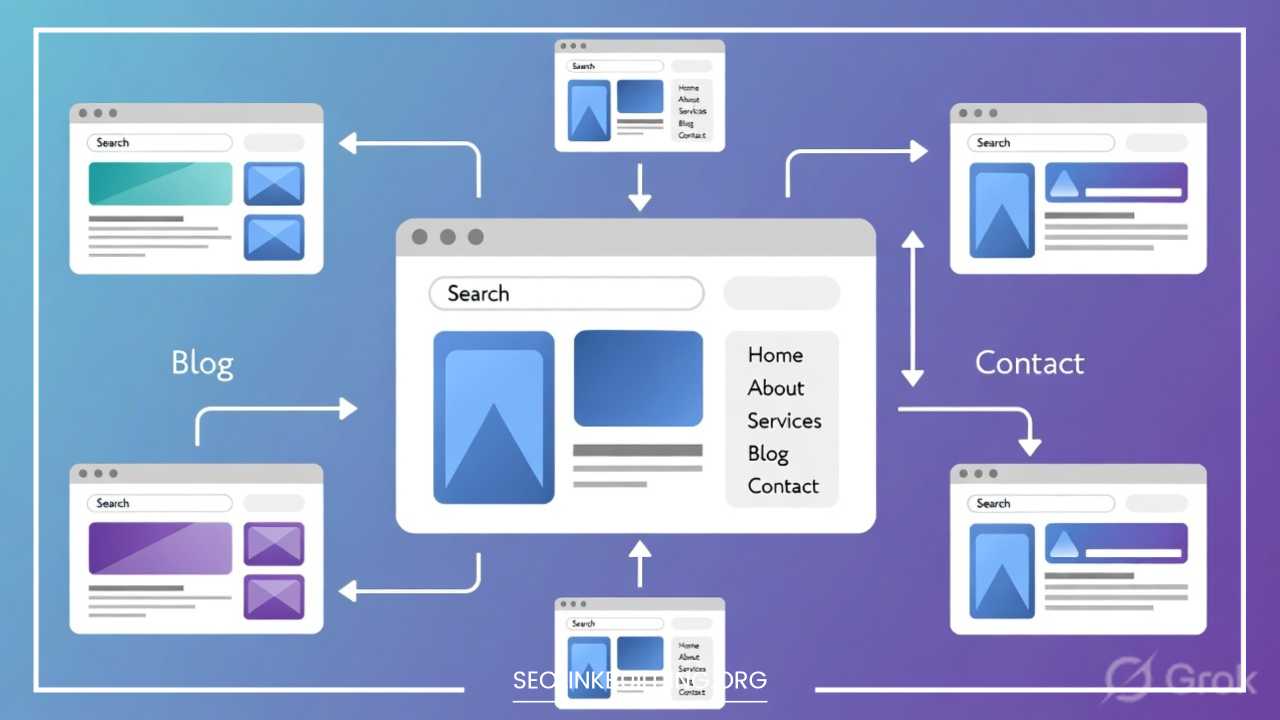
Internal linking is the process of connecting one page on your domain to another page on the same domain. While it sounds deceptively simple, the strategic application of these links acts as the skeletal system of your entire website. It supports the weight of your content, defines the relationships between different topics, and provides a clear roadmap for both human users and search engine crawlers.
When executed with precision, internal linking can transform a collection of isolated, “lonely” pages into a cohesive, high-authority network. Search engines like Google use these links to discover new content, understand the context of your information, and determine which parts of your site are the most important. This comprehensive guide provides an exhaustive deep dive into internal link SEO, covering fundamental definitions, strategic frameworks, and the common pitfalls that could be silently sabotaging your rankings.
What Are Internal Links?
Definition of Internal Links
At its most fundamental level, an internal link is a hyperlink that allow a user or a search engine bot to navigate from the page they are currently viewing to another page on the same website. From a technical standpoint, an internal link is an HTML element where the source domain and the target domain are identical. For instance, if you are reading an article on example.com/blog-post-a and you click a highlighted string of text that takes you to example.com/services, you have just utilized an internal link.
Internal Links vs. External Links
It is vital for any digital marketer or site owner to distinguish between internal and external links, as they serve fundamentally different purposes in the SEO ecosystem:
-
Internal Links: These point to pages on the same domain. Their primary purpose is site navigation, establishing information hierarchy, and the strategic distribution of “link equity” (ranking power) within your own digital borders.
-
External Links (Outbound): These point from your site to a different domain. They are used to cite sources, provide additional value to the reader, or point toward third-party tools. While they don’t help your “authority” in the same way, they help Google understand your site’s neighborhood.
-
Backlinks (Inbound): These are links from other websites pointing to yours. These are a major ranking factor but are generally outside of your direct interface control. Internal links are the tools you use to manage the power that these external backlinks bring to your site.
Examples of Internal Links
Internal links manifest in several specific ways across a standard website, each serving a unique function:
-
Navigation Menus: The main menu at the top of your site (the header) contains internal links to your most important high-level pages.
-
Contextual Links: These are links embedded naturally within the body text of an article. They are widely considered the most valuable type for SEO.
-
Related Posts Sections: Found at the end of a blog post, these suggest further reading based on the current topic.
-
Footer Links: Permanent links at the bottom of every page, often containing links to “Contact Us,” “Privacy Policy,” or “Terms of Service.”
-
Breadcrumbs: A trail of links usually found at the top of a page that shows the user exactly where they are in the site hierarchy (e.g., Home > Resources > SEO Guide).
Why Internal Linking Is Important for SEO
Understanding the “why” behind internal linking helps you prioritize it during your content creation process rather than treating it as an afterthought.
Helps Search Engines Crawl Your Website
Search engine spiders (like Googlebot) operate by starting at a known page and following links—both internal and external—to find new ones. If a page on your site has no internal links pointing to it, the crawler may never discover it, meaning it will never be indexed or show up in search results. A robust internal link web ensures that every corner of your site is accessible and regularly crawled.
Distributes Link Equity
Link equity, often referred to as “link juice,” is the search engine’s perception of a page’s authority based on the links it receives. When a high-authority page—such as your homepage or a viral blog post that has earned many external backlinks—links to a newer or less prominent page, it passes a portion of its authority to that page. This “trickle-down” effect helps lower-level pages rank higher than they would on their own merits.
Improves Website Structure
A logical internal linking structure establishes a clear hierarchy. By linking more frequently to your “Pillar Pages” or “Money Pages,” you signal to search engines that these are your most important assets. This prevents your site from looking like a flat, disorganized pile of content and instead presents it as a structured library of information.
Enhances User Experience (UX)
SEO isn’t just about bots; it’s about the people using your site. Internal links help users find the information they need without having to go back to a search engine. If a user is reading about “SEO Basics” and sees a link to “Keyword Research Tutorial,” they are highly likely to click it. This keeps users on your site longer, reducing bounce rates and increasing the chances of a conversion.
Boosts Rankings of Important Pages
By using descriptive anchor text in your internal links, you provide search engines with direct context about the destination page. If you link to a page multiple times using the anchor text “digital marketing strategy,” Google begins to associate that destination page with that specific keyword, helping it rank for that term.
Types of Internal Links
Not all links are created equal. Different types of links carry different weights and serve different strategic functions within your site’s architecture.
Navigational Links
These are the most common and visible links. They live in your header and are designed to help users find the main sections of your site. While essential for usability, they are “sitewide” links, meaning they appear on every single page. Because they are so common, search engines often give these slightly less “contextual” weight than unique links found within specific body text, though they are still vital for establishing your site’s primary hierarchy.
Contextual Links
Contextual links are the “gold standard” of internal linking for SEO. These are placed within a paragraph of text. Because the link is surrounded by relevant sentences and related keywords, it tells search engines exactly what the relationship is between the two pages. For example, in a paragraph about “Healthy Morning Routines,” a link to an article on “The Benefits of Green Tea” is highly relevant and carries significant topical authority.
Footer Links
Footer links are often used for administrative pages or secondary navigation. While they help with crawlability and provide a “safety net” for users who scroll to the bottom of a page, they are rarely the primary drivers of ranking improvements for competitive keywords. Use them for “About Us,” “Legal,” and “Sitemaps.”
Sidebar Links
Common in blogs and news sites, sidebar links often highlight “Popular Posts,” “Recent Articles,” or “Trending Topics.” These are excellent for driving user engagement and ensuring that your newest content is indexed quickly by giving it immediate visibility across the entire blog section.
Internal Link SEO Best Practices
To maximize the impact of your internal linking efforts, you must follow a set of disciplined, industry-standard best practices.
Use Descriptive and Relevant Anchor Text
The text you choose for your link (anchor text) is a massive signal to Google. Avoid using generic phrases like “click here,” “read more,” or “this article.” Instead, use anchor text that reflects the target keyword of the page you are linking to. If you are linking to a page about “Organic Gardening Techniques,” your anchor text should be “organic gardening techniques” or “tips for organic gardens.” However, vary your anchor text slightly to keep it looking natural.
Link to Important Pages More Frequently
Identify your “power pages”—the ones that generate the most revenue, leads, or represent your core business. These pages should have the highest number of internal links pointing to them from across your site. If your homepage is a hub, your most important service pages should be just one click away.
Use Topic Clusters and Content Hubs
This is a modern SEO strategy that involves creating a “Pillar Page” (a high-level, comprehensive overview of a broad topic) and several “Cluster Pages” (smaller, in-depth articles on specific sub-topics). All cluster pages should link back to the pillar page, and the pillar page should link to each cluster page. This creates a powerful signal of topical authority.
Maintain a Logical Site Structure
A good rule of thumb is the “Three-Click Rule.” Any page on your site should be reachable within three clicks from the homepage. If a page requires seven or eight clicks to find, it is considered “deep” in the architecture. Deep pages are crawled less frequently and are often perceived as less important by search engines.
Add Contextual Links Inside Content
Don’t just rely on automated “Related Reading” widgets at the end of a post. Manually integrate links into your writing where they make sense. If you mention a concept you’ve written about previously, link to it. This provides immediate value to the reader while they are actively engaged with the topic.
Update Older Content With New Internal Links
Internal linking is an ongoing process. When you publish a new article, you shouldn’t just link to older articles. You should also go back to 3-5 of your older, high-performing articles and add a link to the new post. This gives the new content an immediate boost in “link juice” and helps it get indexed faster.
Avoid Excessive Internal Linking
While internal links are beneficial, more is not always better. If a 600-word blog post contains 60 internal links, it will look like spam to both users and search engines. Furthermore, there is a concept called “Link Juice Dilution.” Each additional link on a page reduces the amount of authority sent to the others. Aim for a natural, helpful number of links—usually 3 to 5 for a standard blog post.
Use Breadcrumb Navigation
Breadcrumbs are excellent for both SEO and UX. They provide a clear, linear path back to the homepage and help search engines understand the categorization of your content. They are also often displayed in Google’s search snippets, which can improve your click-through rate.
Internal Linking Strategies
To truly succeed, you need more than just individual links; you need a high-level strategy that dictates how your entire site is organized.
The Pillar Page Strategy
A pillar page serves as the foundation for a large topic. For example, if you run a fitness website, your Pillar Page might be “The Ultimate Guide to Strength Training.” This page covers everything briefly. You then link out to specific, detailed articles like “How to Deadlift,” “Squat Technique for Beginners,” and “Upper Body Workouts for Men.” This signals to Google that you are a comprehensive authority on the entire broad subject of strength training.
Content Clusters
Content clusters are the “spokes” to the pillar page’s “hub.” By interlinking all the “spokes” with each other, you create a tight web of relevancy. If a user enters your site through one specific sub-topic (the “How to Deadlift” article), the internal links naturally guide them to the rest of the cluster, increasing your site’s overall session duration and perceived value.
Link Hierarchy and Siloing
Think of your site as a pyramid. The Homepage is at the apex. Below that are your Category Pages. Below those are your individual Posts and Products. Authority should flow down from the top (the homepage) and back up from the bottom (the specific posts). “Siloing” involves keeping links within their respective categories to strengthen the topical relevance of that specific section of the site.
Common Internal Linking Mistakes
Even experienced SEO professionals fall into these traps. Avoiding these common mistakes can give you a significant competitive advantage.
Adding Too Many Links on a Single Page
When a page is cluttered with links, Google may stop following them after a certain point, or worse, view the page as a “link farm.” It also creates a “choice paralysis” for the user, where they don’t know which link is actually the most relevant to their needs.
Using Generic or Non-Descriptive Anchor Text
Using “Learn More” or “Click Here” as your anchor text is a massive wasted opportunity. You are missing out on a chance to tell Google exactly what the target page is about. Always try to include a keyword-rich, descriptive phrase that flows naturally in the sentence.
Ignoring Orphan Pages
An orphan page is a page on your website that has zero internal links pointing to it. It exists in a vacuum. Even if the page content is world-class, it will struggle to rank because search engines have no way to determine its importance relative to the rest of your site. Regular audits are necessary to find and link to these “lost” pages.
Linking Only to New Content
Many site owners fall into the habit of only linking from new posts to old ones. This is a one-way street. Linking from an established, high-ranking old post to a brand-new post is one of the fastest ways to get the new post indexed and ranked.
Broken Internal Links (404 Errors)
A broken link is a dead end. It frustrates users and sends a signal to search engines that your site is poorly maintained or “rotting.” This can lead to a gradual but steady decline in your overall site authority. Always redirect or update links when you change a URL.
Using “NoFollow” for Internal Links
The rel="nofollow" attribute tells search engines not to pass authority to the linked page. Historically, some people used this for “PageRank Sculpting,” but today, it is considered a mistake for internal links. You want your authority to flow freely through your domain. Only use “nofollow” for untrusted user-generated content or paid advertisements.
Burying Important Pages Too Deep
If your most important product page is hidden behind four layers of categories and requires five clicks to reach, it won’t receive the “link juice” it needs to compete in search results. Bring your “money pages” as close to the root of the site as possible.
How to Audit Internal Links
A regular audit ensures your strategy is actually being implemented and that no technical issues are holding you back.
1. Crawl Your Website
Use a professional tool like Screaming Frog SEO Spider, Ahrefs, or Semrush to crawl your entire site. This will generate a comprehensive list of every URL and every link connecting them.
2. Identify Orphan Pages
In your crawl report, look for pages with an “Inlink” count of zero. These are your orphan pages. You must find relevant articles to link from to bring these pages back into your site’s ecosystem.
3. Fix Broken Links and Redirects
Sort your crawl results by status code. Any 404 errors must be fixed immediately. Additionally, look for “301 Redirect” chains. While a redirect works, it’s always better for SEO and page speed to link directly to the final destination URL.
4. Improve Anchor Text Distribution
Review the anchor text you are using for your most important pages. If you see a high percentage of non-descriptive text, take the time to go into your CMS and update those links to be more descriptive.
5. Check Link Depth
Analyze how many clicks it takes to reach your most important pages. If the “Crawl Depth” is higher than 3, look for ways to link to those pages from the homepage or main navigation menus.
Tools That Can Help:
-
Google Search Console: Navigate to the “Links” report to see which pages Google thinks are your most internally-linked.
-
Ahrefs/Semrush: These tools provide “Site Audit” features that automatically flag broken links and orphan pages.
-
Screaming Frog: The gold standard for a technical “under the hood” look at your link structure.
Internal Linking Examples
Blog Articles Linking to Related Guides
If you write a blog post about “How to Bake a Cake,” you should internally link to your “Complete Guide to Kitchen Tools” and your “Best Chocolate Frosting Recipe.” This keeps the user in your “ecosystem.”
Ecommerce Category Page Strategy
A “Men’s Shoes” category page should link to specific sub-categories like “Running Shoes,” “Dress Shoes,” and “Winter Boots.” Each product page, in turn, should link back to the “Men’s Shoes” category.
Pillar Pages for Service Businesses
A law firm’s pillar page on “Personal Injury Law” should have dedicated sections for “Car Accidents,” “Medical Malpractice,” and “Workplace Injuries,” with each section linking to a 2,000-word deep-dive on that specific legal niche.
Final Thoughts
Internal linking is not a one-time task to be checked off a list; it is a fundamental, ongoing part of a healthy SEO strategy. It is one of the few areas where you have 100% control over the signals you send to search engines. By treating your internal links as a strategic map, you ensure that your website’s value is clearly understood by bots and easily accessible to humans.
A well-executed strategy—built on descriptive anchor text, a logical hierarchy, and a focus on topical clusters—will distribute authority across your site and lift your rankings as a whole. Conversely, ignoring your internal structure leads to “leakage” of authority and a frustrated user base.
Make internal link auditing a regular part of your quarterly SEO maintenance. As your site grows and you add more content, your “web” of links should expand and strengthen, constantly reinforcing your most important pages and guiding your visitors toward the answers they seek.