How to Write an Article on LinkedIn

How to Write an Article on LinkedIn: A Step-by-Step Guide
In the modern professional landscape, your digital presence is your resume, your portfolio, and your reputation all rolled into one. While LinkedIn began as a simple site for digital CVs, it has evolved into a global powerhouse of professional content and knowledge sharing. Among its various features, the ability to publish long-form articles stands out as one of the most effective ways to establish yourself as a thought leader in your industry.
Writing an article on LinkedIn is more than just sharing a status update; it is an opportunity to dive deep into topics that matter to you and your network. It allows you to showcase the nuances of your expertise in a way that a 3,000-character post simply cannot. Whether you are an executive looking to share company culture insights, a freelancer aiming to attract new clients, or a job seeker wanting to demonstrate deep domain knowledge, long-form content is your best tool for professional storytelling.
In this comprehensive guide, we will explore every facet of creating high-quality LinkedIn articles. We will move from the initial planning stages through the mechanics of writing and formatting, and finally into the strategic promotion and analysis of your work. By the end of this guide, you will have a repeatable framework for producing content that resonates with your audience, boosts your visibility, and drives meaningful professional engagement.
Understanding LinkedIn Articles vs. Posts
Before you begin typing, it is essential to understand the distinction between a LinkedIn post and a LinkedIn article. While they may seem similar in the feed, they serve very different purposes within the platform’s ecosystem and have different technical capabilities.
LinkedIn Posts: The Quick Update
LinkedIn posts are short-form updates, currently limited to 3,000 characters. They are designed for quick engagement, sharing news, or asking a brief question. Posts appear directly in your connections’ feeds and tend to have a shorter lifespan—usually 24 to 48 hours. They are the “social” part of social media—fast-paced, immediate, and often centered around current events or quick thoughts.
LinkedIn Articles: The Authority Builder
LinkedIn articles are the platform’s equivalent of a blog post or a white paper. They have no strict character limit, allowing up to 100,000 characters, though the sweet spot for professional engagement is often between 800 and 2,000 words. Unlike posts, articles are indexed by search engines like Google. This is a critical distinction: while a post might disappear from a user’s feed by tomorrow, an article you write today can be found via a Google search by a recruiter or a potential client three years from now.
When to Use Articles Over Posts
You should choose an article over a post when your topic requires depth. If you are explaining a complex market trend, sharing a ten-step guide, or reflecting on a decade of career lessons, an article provides the professional canvas you need. Successful LinkedIn articles often act as “pillar content”—foundational pieces of writing that you can reference and link back to in your shorter daily posts. If you find yourself writing a “post” that is so long you have to edit it down to fit the character limit, that is a clear sign that you should be writing an article instead.
Planning Your Article
Great writing begins long before you open the LinkedIn editor. Success on this platform is a result of strategic planning rather than spontaneous inspiration. To ensure your article is well-received, you must first build a solid foundation.
Identifying Your Audience
To whom are you speaking? A common mistake is trying to write for everyone on LinkedIn. However, content that appeals to everyone often resonates with no one. Define your “ideal reader.” Are you writing for C-suite executives who value high-level strategy and ROI? Or are you writing for entry-level professionals in your field who need practical, tactical advice? Understanding who you are talking to will dictate your tone, your vocabulary, and the types of examples you choose to include.
Choosing a Relevant and Trending Topic
Once your audience is defined, you must choose a topic that intersects with your expertise and their interests. Look at what is currently trending in your industry. Browse LinkedIn News, participate in group discussions, or see what questions people are asking in the comments of popular posts. A relevant topic solves a problem, answers a persistent question, or offers a unique perspective on a widely discussed event.
Defining the Goal of Your Article
Every article should have a clear objective. Before you write a single word, ask yourself: What do I want the reader to do or feel after reading this?
-
Educate: Provide a tutorial, explain a complex concept, or share a “how-to” guide.
-
Inspire: Share a personal story of overcoming professional adversity or a vision for the future of your industry.
-
Promote: Softly market a new product, service, or company initiative by highlighting the problem it solves.
-
Share Experience: Provide a “behind-the-scenes” look at a major project, including the failures and lessons learned.
Research and Credibility
Conduct thorough research to back up your claims. Even if you are a recognized expert, citing statistics, recent studies, or quotes from other thought leaders adds a layer of professionalism and credibility. Professionals value data-driven insights. Gathering these resources beforehand ensures that your writing flow is not interrupted by the need to search for facts. Create a small folder of links, PDF reports, and images before you start the drafting process.
Crafting a Compelling Headline
Your headline is the single most important factor in determining whether someone clicks on your article or scrolls past it. In a feed crowded with content, your title must act as a magnet. If your headline fails, the rest of your 2,600-word article will never be seen.
The Importance of Headlines
Think of your headline as a promise. It tells the reader exactly what they will get in exchange for their most valuable asset: their time. A vague headline like “My Thoughts on Marketing” is unlikely to garner clicks. A specific headline like “5 Marketing Strategies That Doubled Our Lead Volume in Six Months” promises a specific, high-value outcome.
Tips for Writing Attention-Grabbing Headlines
Strong headlines on LinkedIn often follow proven psychological triggers.
-
Use Numbers: Numbers provide a sense of structure. “7 Lessons from a Decade in Sales” sounds more manageable than “Lessons I Learned in Sales.”
-
“How-To” Phrases: These are the gold standard for educational content. They signal immediate utility.
-
Ask a Question: A provocative question can pique curiosity. “Is Your Remote Work Policy Killing Productivity?” forces the reader to stop and consider their own situation.
-
Use “Power Words”: Words like Essential, Proven, Critical, Transformative, or Framework add weight to your title.
Headline Formulas to Try
-
The Listicle: [Number] [Adjective] [Noun] for [Target Audience] (e.g., “10 Essential Tools for Modern Graphic Designers”)
-
The Solution: How to [Achieve Result] Without [Common Pain Point] (e.g., “How to Scale Your Startup Without Losing Company Culture”)
-
The Expert Insight: What [Industry Event] Taught Me About [Core Topic] (e.g., “What the Recent Tech Layoffs Taught Me About Career Resilience”)
Writing the Introduction
The introduction is where you fulfill the promise of your headline. You have roughly two to three sentences to “hook” the reader before they decide whether to continue reading or click away. In the digital age, attention is the scarcest resource.
The Hook
Start with a hook that demands attention. This could be a surprising statistic, a bold and perhaps controversial statement, or a deeply relatable professional pain point.
For example, if you are writing about management, you might start with: “According to recent data, 75% of employees quit their jobs because of their direct supervisors, not the company itself.” This immediately identifies a high-stakes problem that both managers and employees care about.
Highlight the Opportunity or Problem
Once you have the reader’s attention, clearly state the problem you are going to solve or the opportunity you are going to explore. This builds “tension” that the rest of the article will resolve. You want the reader to think, “I need to know the answer to this.”
The Preview
Finally, provide a brief roadmap of what the article will cover. This manages expectations and lets the reader know they are in the right place. A good introduction moves quickly from the “why” (the urgency of the topic) to the “what” (the value you are about to provide). Keep it concise; the introduction should be a gateway, not a barrier, to your main body of work.
Structuring the Body
The body of your article is where the real value lies, but the way you present that value is just as important as the information itself. Digital readers tend to “scan” content rather than read every word, especially on mobile devices. Your structure must cater to this behavior.
Using Subheadings
Break your content into logical sections using descriptive subheadings. Each subheading should give the reader an idea of what that section contains. This allows a busy professional to jump directly to the part of the article that is most relevant to them.
Bullet Points and Numbered Lists
Whenever you are listing items, steps, or features, use bullet points or numbered lists. This creates “white space” on the page, which makes the article feel less intimidating and much easier to digest. Lists allow for quick mental “wins” as the reader moves through your content.
Short Paragraphs for Readability
Aim for paragraphs that are no longer than three to four sentences. Large “walls of text” are the number one reason readers abandon articles. On a mobile phone, a five-sentence paragraph can take up the entire screen, making it look dense and difficult. Short paragraphs create a sense of momentum.
Mixing Text with Narrative and Data
Don’t just state facts or give advice in a vacuum. Mix your text with:
-
Personal Stories: Share a time you failed and what it taught you.
-
Case Studies: Briefly describe how a specific strategy worked for a client or company.
-
Analogies: Use metaphors to explain complex technical concepts.
SEO-Friendly Writing on LinkedIn
LinkedIn articles have incredible SEO potential. To take advantage of this:
-
Keywords: Identify two or three primary keywords (e.g., “Project Management Tips”) and include them in your title and subheadings.
-
Internal Links: Link to your other LinkedIn articles or your website to keep readers in your ecosystem.
-
External Links: Link to reputable sources to boost the credibility of your piece.
-
Hashtags: At the very end of your article, include three to five relevant hashtags to help the LinkedIn algorithm categorize your content.
Adding Visuals and Media
A purely text-based article is rarely as engaging as one that incorporates visual elements. LinkedIn’s article editor is a rich-media platform that allows you to embed various types of content to enhance your message.
The Importance of the Cover Image
The cover image is the first visual a reader sees in their feed. It should be high-resolution, professional, and relevant to the topic. Avoid generic, overly-staged stock photos. Instead, use tools like Canva to create a custom graphic that includes the title of your article. This makes your content look like a professional publication rather than a casual post.
Infographics, Charts, and Screenshots
If you are discussing data, show it. A simple chart can communicate a trend much faster than a paragraph of text. If you are writing a tutorial for a software product, use screenshots with annotations to guide the reader. Infographics are particularly effective because they are highly “pinnable” and shareable, often leading to more engagement on other platforms like Pinterest or X (Twitter).
Using Video and Presentations
You can embed YouTube or Vimeo videos directly into your LinkedIn article. This is a fantastic way to offer a “multi-modal” experience for your readers. Some people prefer to read, while others prefer to watch. Similarly, you can embed SlideShare presentations. If you have already created a deck for a keynote or a meeting, repurposing it within a LinkedIn article is a great way to maximize the value of your existing work.
Writing a Strong Conclusion
Your conclusion is the final impression you leave on your audience. It should not be an afterthought or a simple “thanks for reading.” Instead, it should tie everything together and move the reader toward action.
Summarize Key Takeaways
Briefly recap the most important points you made in the article. This reinforces the learning and ensures that even the “scanners” walk away with the core message. Use a bulleted list for this if it helps with clarity.
The Call-to-Action (CTA)
Every article should end with a clear instruction. What should the reader do now that they have this information?
-
Invite Comments: “What is the biggest challenge you face with [Topic]? Let me know in the comments.”
-
Share the Knowledge: “If you found this guide helpful, please share it with your team.”
-
Drive Traffic: “For more resources on this topic, visit my website at [Link].”
-
Build Connection: “Follow me for more insights on [Industry/Topic].”
By ending with a question or a request, you encourage interaction. On LinkedIn, the number of comments an article receives is a major driver of how many “non-connections” will see it.
Editing and Proofreading
In a professional setting, typos and grammatical errors are more than just small mistakes; they are “trust eroders.” If your article is full of errors, readers may question the validity of your expertise.
Tools for Editing
Use digital assistants like Grammarly or Hemingway Editor to catch basic spelling and grammar issues. Hemingway is particularly useful for LinkedIn because it highlights “hard-to-read” sentences, helping you keep your writing clear and concise.
The “Read Aloud” Test
This is the most effective way to catch awkward phrasing. If you find yourself tripping over a sentence while reading it aloud, your reader will likely trip over it too. Reading aloud also helps you check the “rhythm” of your writing, ensuring it doesn’t sound too clinical or repetitive.
Getting Feedback
If you are writing a particularly high-stakes article—perhaps one that represents your company’s official stance—have a colleague or a professional editor look at it. They can spot logical gaps or unintended tones that you might have missed because you are too close to the material.
Publishing on LinkedIn
The technical process of publishing is simple, but doing it correctly ensures your formatting remains intact and your reach is maximized.
Using the Publishing Interface
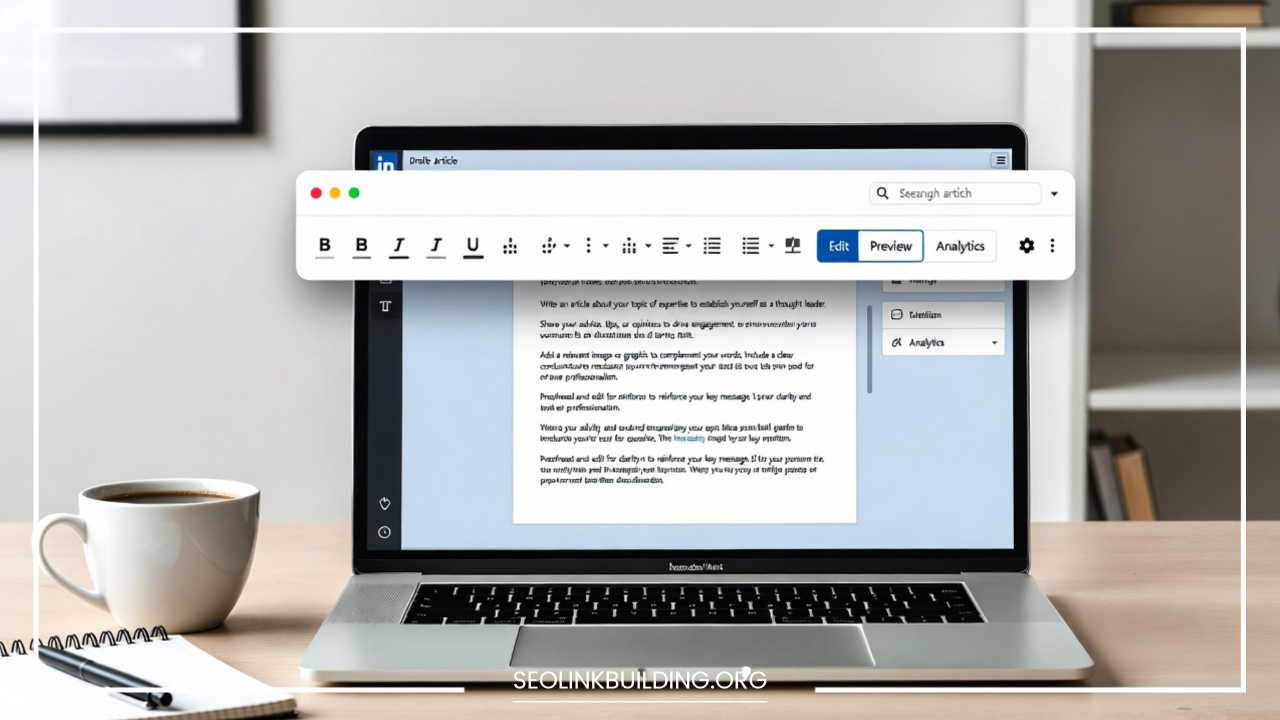
To begin, click “Write article” from your LinkedIn home page. This opens a dedicated, clean writing interface. It is often better to write your draft in a tool like Google Docs or Microsoft Word first to avoid losing work due to a browser crash, then copy and paste it into LinkedIn when you are ready.
Formatting Check
When you paste your text, LinkedIn generally does a good job of keeping your bolding and italics, but it may mess up your spacing or list formatting. Go through the article one last time in the LinkedIn editor to ensure everything looks correct. Ensure your subheadings are properly formatted using the built-in “Heading” styles (H1, H2), as this is important for SEO.
Preview and Tags
Use the “Preview” button to see how the article will look on both desktop and mobile. Check that all your links are clickable and lead to the right places. Before you hit “Publish,” you can add tags or categories depending on the current LinkedIn interface settings to help with discoverability.
Promoting Your Article
“Build it and they will come” does not apply to content creation. Once you hit publish, your job is only half done. You must now act as your own PR agent to ensure your hard work gets the eyeballs it deserves.
The Initial Share
When you publish an article, LinkedIn gives you the option to share it as a post to your feed. Do not just share the link without context. Write a separate, compelling post that explains why you wrote the article and what the reader will gain from it. Use a few relevant hashtags here as well.
Engaging with Your Network
Tag people who were an inspiration for the article or whose work you cited (as long as it is relevant and not spammy). If you have a group of “work besties” or a professional mastermind group, send them the link and ask for their honest thoughts.
Repurposing Content
One 2,600-word article can be the source of weeks of content.
-
Take one subheading and turn it into a short-form post.
-
Take a quote from your article and put it over a background image for a visual post.
-
Turn a list from the article into a LinkedIn Carousel (PDF).
-
Use the article as a script for a short video.
Multi-Platform Promotion
Share your LinkedIn article link in your email signature, in your company newsletter, and on other social media platforms like X or Facebook. If you are active in professional Slack or Discord communities, share the article there if it helps answer a question someone has asked.
Measuring Success
To improve as a writer, you must move beyond “vanity metrics” like likes and look at the actual data provided by LinkedIn Analytics.
Understanding the Dashboard
LinkedIn provides specific analytics for articles, including:
-
Views: How many people actually clicked on and loaded the article.
-
Engagement Rate: The ratio of likes, comments, and shares to the total number of views.
-
Reader Demographics: This is the most valuable data. LinkedIn will tell you the job titles, companies, and locations of the people who read your article.
Adjusting Your Strategy
If your demographics show that you are reaching entry-level employees but your goal was to reach CEOs, you need to adjust your tone and topic. If you have many views but zero comments, your CTA might not be strong enough. Use this data to iterate. Successful content creators are constantly experimenting based on what the numbers tell them.
Final Tips
The journey to becoming a recognized authority on LinkedIn begins with a single paragraph. It is natural to feel a bit of “imposter syndrome” when you first start publishing. You might wonder, “Who am I to write about this?” or “What if no one likes it?”
The truth is that your unique perspective—the combination of your specific experiences, failures, and successes—is exactly what people are looking for. LinkedIn is not looking for perfect, clinical prose; it is looking for authentic, professional insight.
Start small. Commit to writing one article per month. As you develop your voice and see the positive impact your words can have on others’ careers, the process will become easier and more rewarding. Long-form writing is a superpower in the digital age. It demonstrates patience, expertise, and a willingness to help others—all qualities that are highly valued in any professional field.
Now that you have the roadmap, the only thing left to do is take the first step. Open your LinkedIn profile, click that “Write article” button, and start sharing your expertise with the world. Your network is waiting to hear from you.