How to Promote Your Business on Google

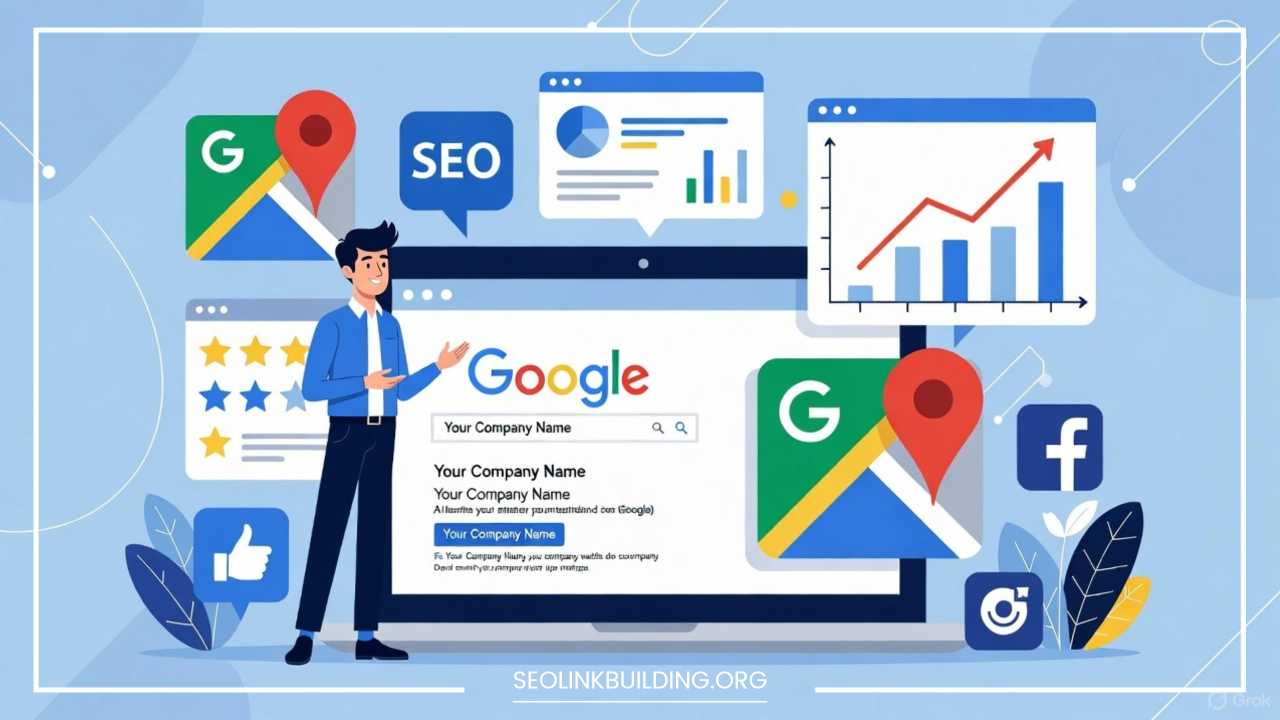
How to Promote Your Business on Google | Expert Tips
In the modern business landscape, the adage “if you build it, they will come” has been replaced by “if you build it and Google knows about it, they will come.” Today, your business’s success is inextricably linked to its online visibility, and there is no platform more critical to that visibility than Google. With billions of searches conducted daily, Google is the world’s primary gateway for consumers looking for products, services, and information.
For a business, being absent from Google’s search results is akin to operating in a remote, unmarked building. Promotion on this platform is not merely a suggestion; it is a fundamental requirement for growth, survival, and competition. Google offers a multi-faceted approach to promotion, encompassing everything from organic search visibility to highly targeted paid advertising and robust local discovery.
This comprehensive guide will demystify the Google promotion ecosystem, providing a detailed, step-by-step framework to maximize your business’s reach. We will cover the essential strategies of Search Engine Optimization (SEO), the power of a fully optimized Google My Business (GMB) profile, the mechanics of successful Google Ads campaigns, and advanced techniques for monitoring and continuous improvement. By the end, you will have a complete blueprint for making Google your most powerful marketing channel.
Understanding Google’s Ecosystem
Before diving into the mechanics of promotion, it’s vital to understand the three primary pillars of visibility within Google’s massive digital domain. These three components work together to determine how users find your business online.
Google Search vs. Google Ads vs. Google My Business (GMB)
-
Google Search (Organic): This refers to the free, unpaid listings that appear on the Search Engine Results Page (SERP). These rankings are determined by Google’s complex algorithms based on the quality, relevance, and authority of your website content. Optimizing for this is known as Search Engine Optimization (SEO).
-
Google Ads (Paid): This is Google’s advertising platform, where businesses pay to have their promotions appear prominently at the top, bottom, or sides of the SERP, or across Google’s network of partner sites. This includes Search Ads, Display Ads, Shopping Ads, and Video Ads.
-
Google My Business (GMB): This free tool is essential for businesses with a physical location or those that serve a local area. It powers the Local Pack (the map and three business listings that often appear for local searches) and your business’s Knowledge Panel on the right side of the SERP.
How Users Find Businesses Online
User behavior on Google can be categorized into three main search intents, all of which require a different promotional strategy:
-
Informational Intent: Users are looking to learn something (e.g., “what is a mortgage calculator”). This is primarily targeted through SEO and content marketing.
-
Navigational Intent: Users are trying to reach a specific website (e.g., “Starbucks official website”). This relies on Brand recognition and robust SEO.
-
Transactional Intent: Users are ready to buy or engage with a service (e.g., “best personal injury lawyer near me” or “buy running shoes online”). This is targeted heavily by Google Ads and Local SEO/GMB.
The synergy of SEO, local search (GMB), and paid search (Google Ads) is what creates a dominant promotional presence on Google.
Optimizing for Google Search (SEO)
Search Engine Optimization (SEO) is the practice of improving your website to increase its visibility for relevant searches. It is the engine of sustainable, long-term, and cost-effective promotion.
Keyword Research: The Foundation
Before writing a single word, you must know what words your potential customers are actually typing into the search bar. Keyword research is the process of discovering these terms.
-
Find Your Seed Keywords: Start with 5-10 core terms that describe your business (e.g., “artisanal coffee,” “plumbing services,” “digital marketing consultant”).
-
Expand and Group: Use tools (like Google Keyword Planner or other third-party tools) to find related keywords, long-tail variations (longer, more specific phrases like “best low-acid coffee beans for espresso”), and questions people ask.
-
Analyze Search Intent: Group your keywords based on the user’s intent (informational, transactional, etc.) to match them with the correct page on your website. Prioritize keywords with a healthy balance of search volume and low competition.
On-Page SEO: Structuring Your Content
On-page SEO involves optimizing the content and structure of individual pages to clearly signal their topic and relevance to Google’s algorithm.
-
Title Tags and Meta Descriptions: The Title Tag is the most critical on-page element—it is the blue, clickable link on the SERP. It must contain your primary keyword, ideally near the beginning, and be compelling. The Meta Description is the snippet of text below the title; while it doesn’t directly influence ranking, a well-written description drives a higher Click-Through Rate (CTR), which Google notes as a positive ranking signal. Both should be concise and under their respective character limits.
-
Header Tags (H1, H2, H3): Your page should have only one H1 tag, which should be the primary title and contain the main keyword. Use H2 tags for main section headings and H3 tags for sub-points within those sections. This creates a clear hierarchy for both users and search engines.
-
Optimizing Images and Videos: Search engines cannot “see” images, so you must use the Alt Text attribute to describe the image content. Include a relevant keyword in the Alt Text and use descriptive file names (e.g., red-running-shoes.jpg). This helps your images rank in Google Images and adds context to your page.
-
URL Structure: URLs should be clean, simple, and contain the target keyword. Avoid long, cryptic URLs with random numbers and characters (e.g., yourwebsite.com/services/best-plumbing-repair is better than yourwebsite.com/p=23487?catid=12).
Technical SEO Basics: Ensuring Accessibility
Technical SEO focuses on improving the backend structure of your website to help search engine crawlers discover, index, and render your pages efficiently.
-
Site Speed: Google strongly favors fast-loading websites. Use tools like Google’s PageSpeed Insights to identify and fix bottlenecks such as unoptimized images, excessive code, or slow server response times. Pages should load in under 3 seconds.
-
Mobile-Friendliness: Given that most Google searches now occur on mobile devices, Google uses mobile-first indexing. Your site must be fully responsive, ensuring all content, images, and buttons display and function perfectly on any screen size.
-
Secure Connection (HTTPS): A secure site using an SSL certificate is mandatory. Browsers will often flag non-HTTPS sites as “Not Secure,” which is a significant deterrent for users and a minor negative ranking signal from Google.
Content Strategy: Satisfying Search Intent
Content is the vehicle for your SEO strategy. Your goal is to create content that perfectly addresses the user’s search intent.
-
Blog Posts, Guides, and Case Studies: These are essential for targeting informational keywords. High-quality, in-depth articles establish you as an authority in your field. A comprehensive 10x content piece—content that is ten times better than anything else ranking for the same keyword—can be a powerful traffic driver.
-
FAQs Targeting Search Intent: Incorporate a section of Frequently Asked Questions (FAQs) into your content. This directly answers user queries and is prime material for winning Featured Snippets (Position Zero) on the SERP.
Google My Business (GMB) Optimization
For any business that serves local customers, optimizing your Google My Business (GMB) profile is non-negotiable. It is the primary tool for dominating local search results and the crucial link between your business and Google Maps.
Claiming and Verifying Your Listing
The first step is to claim your business profile via the GMB platform and complete the verification process, typically done via a postcard with a verification code mailed to your physical address. An unverified profile will not fully appear in search results.
Completing Your Profile: The 100% Rule
A complete GMB profile is a signal of legitimacy and professionalism to both Google and potential customers.
-
Business Hours, Address, and Phone: Ensure this information is 100% accurate and consistent with what is on your website. This is the NAP data (Name, Address, Phone) crucial for local SEO.
-
Categories, Attributes, and Services: Select the most accurate Primary Category (e.g., “Italian Restaurant,” not just “Restaurant”) and add relevant secondary categories. Use Attributes (e.g., “Free Wi-Fi,” “Wheelchair accessible”) to provide important customer information. List all the specific Services you offer.
-
Description and Photos: Write a compelling business description using keywords, and upload high-quality, professional photos of your storefront, products, team, and interior. Businesses with photos receive significantly more clicks and driving directions requests.
Encouraging and Managing Reviews
Google Reviews are the single most influential factor for local search ranking and customer trust.
-
Encourage Reviews: Proactively ask happy customers for reviews. Use a direct link to your GMB review form in email signatures, receipts, or on-site signage.
-
Respond to ALL Reviews: Respond quickly and professionally to every single review, both positive and negative. Thank customers for positive feedback. For negative reviews, offer a sincere apology and a path to resolution, demonstrating excellent customer service to future prospects.
Posting Updates and Offers
GMB is not static; it’s a dynamic feed. Use the Posts feature to share real-time updates:
-
Offers and Promotions: Post about current sales, discounts, or special events.
-
New Products/Services: Announce new additions to your business.
-
COVID-19 Updates/Operational Changes: Keep customers informed about hours or service changes.
-
Events: Promote upcoming local events.
GMB Posts appear prominently in your Knowledge Panel, driving immediate engagement.
Google Ads / Paid Promotion
While SEO builds long-term organic authority, Google Ads provides instant, targeted visibility, allowing you to pay to jump to the top of the search results for high-intent, transactional keywords.
Types of Google Ads
Google offers a variety of ad formats to reach customers at different stages of the buying journey:
-
Search Ads: Text-based ads that appear on the SERP. These are ideal for targeting users with high buying intent (e.g., “emergency plumber service”).
-
Display Ads: Image-based banner ads that appear across the Google Display Network—millions of websites, apps, and video content. These are excellent for brand awareness and retargeting (showing ads to people who have already visited your site).
-
Shopping Ads (Product Listing Ads – PLAs): For e-commerce businesses, these ads appear at the top of the SERP and include a product image, price, and store name. They are highly effective due to their visual and transparent nature.
-
Local Services Ads (LSAs): Available for specific service industries (e.g., locksmiths, electricians). These feature a “Google Guaranteed” badge and often appear even above Search Ads, generating high-quality leads.
Setting Up an Effective Ad Campaign
A successful Google Ads campaign requires strategic planning and meticulous execution.
-
Structure: Organize your account into Campaigns (based on a high-level goal, e.g., “Summer Sale”), Ad Groups (based on specific, tightly related themes/keywords, e.g., “running shoes”), and Keywords/Ads (the actual search terms and text ads).
-
Keyword Match Types: Use broad match for discovery, phrase match for more controlled targeting, and exact match for high-conversion keywords. Crucially, use a Negative Keyword List to prevent your ads from showing for irrelevant searches (e.g., blocking “free” or “used” if you sell new products).
-
Quality Score: Google assigns a Quality Score (QS) to your keywords, which affects your cost-per-click (CPC) and ad rank. A high QS is achieved by ensuring your ad copy, keyword, and landing page are all highly relevant to each other.
Targeting, Bidding Strategies, and Ad Copy Tips
-
Targeting: Define your audience by location (geo-targeting is crucial for local businesses), demographics (age, gender), and audiences (interests, previous site visitors via remarketing lists).
-
Bidding Strategies: Start with Manual CPC to control costs, then transition to automated strategies like Maximize Conversions or Target CPA (Cost Per Acquisition) once you have sufficient conversion data.
-
Ad Copy:
-
Include your main keywords in the headlines.
-
Highlight your Unique Selling Proposition (USP) (e.g., “24/7 Service,” “Free Shipping,” “Lowest Price Guaranteed”).
-
Include a strong Call-to-Action (CTA) (e.g., “Shop Now,” “Call Today,” “Get a Free Quote”).
-
Use Ad Extensions (Sitelinks, Callouts, Structured Snippets) to add more information and increase ad visibility.
-
Measuring ROI with Google Analytics and Conversion Tracking
Paid promotion is useless without measurement. You must set up Conversion Tracking in Google Ads to monitor specific, valuable actions (e.g., “Lead Form Submission,” “Purchase Completed,” “Phone Call”). Link your Google Ads account to Google Analytics to understand the full user journey and calculate the true Return on Investment (ROI).
Leveraging YouTube & Google Video
As the world’s second-largest search engine and owned by Google, YouTube is a powerful promotional channel, particularly for demonstrating products, providing tutorials, and building brand personality.
Using YouTube for Promotion
-
Demonstration and Instruction: Create videos that show your product in use, offer “how-to” tutorials related to your service, or answer common customer questions. Educational and entertaining content drives subscriptions and shares.
-
Behind-the-Scenes and Culture: Use video to showcase your company culture, team, or manufacturing process to build trust and connection.
SEO for YouTube Videos
Video success relies on robust YouTube SEO so your videos appear in both YouTube search and Google SERPs.
-
Keyword-Rich Titles and Descriptions: Use your target keywords in the video title and the first 1-2 lines of the video description. The description should be long and comprehensive, providing additional context and links.
-
Tags and Categories: Use relevant tags to help YouTube classify your content. Select the most accurate video category.
-
Thumbnails: A compelling, high-quality custom thumbnail is critical for improving your CTR in search results.
Embedding Videos on Your Site to Boost SEO
Once a video is published on YouTube, embed it onto a relevant page on your website (e.g., a product page or a blog post). This achieves three things:
-
Improves User Experience: Videos keep users on your page longer, decreasing the bounce rate and increasing Dwell Time—strong positive ranking signals.
-
Increased Content Depth: It adds valuable, multi-media content to a page, helping it rank for complex or informational keywords.
-
Cross-Promotion: It drives traffic to both your YouTube channel and your website.
Local SEO Strategies
Local SEO is the specialized focus on ranking in Google’s search results for queries with a geographic component (e.g., “dentist in Chicago”). Success in local search is defined by the Local Pack and the Local Finder (the page of local listings on Google Maps).
Importance of Appearing in Local Search Results
Most mobile searches have local intent, and people performing these searches are often ready to purchase. Appearing in the top three results of the Local Pack is critical for driving immediate phone calls, in-store visits, and website traffic.
NAP Consistency Across Directories
NAP Consistency (Name, Address, Phone Number) is the bedrock of local SEO. Google cross-references your information across the web to verify its accuracy.
-
Auditing Citations: Conduct a local citation audit to ensure your business name, address, and phone number are identical on every listing (e.g., Facebook, Yelp, Yellow Pages, industry-specific directories). Inconsistencies erode Google’s trust in your data.
-
Formatting Matters: Ensure you use the exact same formatting, including abbreviations (e.g., use “St.” or “Street” consistently).
Local Link Building
While traditional link building focuses on links from authority websites, local link building targets links from websites relevant to your specific community or region.
-
Local Sponsorships: Sponsor local events, charities, or sports teams for a link from their website.
-
Local Media Mentions: Get mentioned in local news articles, blogs, or chamber of commerce websites.
-
Partnerships: Exchange links with non-competing, related local businesses (e.g., a pet store linking to a local groomer).
Encouraging Local Reviews
As mentioned in the GMB section, reviews are paramount. The quantity, quality, and velocity (how often you get new reviews) are all key ranking factors for local searches. Focus on getting reviews on Google first, but also monitor and encourage them on relevant third-party sites like Yelp, industry-specific directories, or Facebook.
Monitoring, Analytics, and Optimization
Promotion on Google is not a one-time project; it’s an ongoing process of data analysis and iteration. You need to know what’s working and what’s not to continuously improve your performance and ROI.
Using Google Analytics and Google Search Console
These two free tools are indispensable for tracking and diagnosing your online performance:
-
Google Analytics (GA): Tracks user behavior on your website. Use it to monitor metrics like traffic volume, bounce rate, conversion rates, and revenue. It tells you who came to your site, where they came from (Organic, Paid, Social), and what they did.
-
Google Search Console (GSC): Tracks your website’s performance in Google Search. It tells you which keywords your site is ranking for, which pages have indexing issues, which sites are linking to you, and flags any manual penalties or security issues.
Tracking Keyword Rankings and Traffic
Use GSC to identify your top-performing keywords and focus your optimization efforts on those pages. Look for keywords where you are currently on page 2 (positions 11-20); these are often the easiest to push to page 1 with targeted content and link improvements.
A/B Testing Ads and Website Elements
-
Ad Copy Testing: Always run at least 2-3 variations of your Google Search Ads (using Responsive Search Ads is ideal) to test different headlines and descriptions. Focus on improving your CTR and Conversion Rate.
-
Website Testing: Use tools to A/B test key elements of your landing pages, such as CTAs, headline wording, or the placement of lead forms. A small increase in conversion rate can dramatically boost your campaign ROI.
Continuous Optimization
Promotion on Google is an iterative loop: Plan $\rightarrow$ Execute $\rightarrow$ Measure $\rightarrow$ Optimize $\rightarrow$ Repeat. Commit to regularly reviewing your analytics, refreshing old content, adding new GMB posts, and refining your ad targeting to maintain peak performance.
Advanced Strategies
Once the foundational pillars of SEO, GMB, and Google Ads are in place, you can employ more sophisticated techniques to gain a competitive edge.
Schema Markup and Rich Snippets
Schema Markup is specialized code you add to your website to help search engines better understand the content (e.g., identifying a page as a “Recipe,” “Product,” “Review,” or “FAQ”). Correctly implemented schema can enable your listings to appear as Rich Snippets—enhanced search results that include things like star ratings, product availability, or images. These snippets significantly increase your visibility and CTR.
Google Maps Marketing
Beyond the GMB listing, actively promote your business on Google Maps. This includes:
-
Uploading geo-tagged photos directly to Maps.
-
Creating highly detailed interior and exterior photos (potentially using Google Street View Trusted Photographers).
-
Ensuring your GMB profile has accurate service areas.
Leveraging Google Trends for Content Ideas
Use Google Trends to spot emerging search topics and seasonal fluctuations in demand. Creating content around a rising trend before your competitors can position you as an early authority, driving significant short-term and long-term traffic.
Retargeting Ads
Retargeting (or remarketing) is the process of showing Display or Video Ads to users who have previously visited your website but did not convert. Since these users are already familiar with your brand, retargeting campaigns typically have a much higher conversion rate than campaigns targeting cold audiences. They are a highly efficient use of ad spend.
Final Thoughts
Promoting your business on Google is the single most powerful strategy for achieving sustainable online growth. The process can seem daunting, but success comes down to a few core principles: Consistency, Quality, and Data-Driven Action.
Your immediate focus should be on building a strong, accessible website (Technical SEO), making your business instantly recognizable to local customers with a perfect GMB profile, and strategically using paid ads for immediate sales while your organic SEO builds momentum.
Google rewards genuine effort and value. Create the best content, provide the best user experience, and communicate clearly what you offer. This is not a sprint; it is a marathon. Commit to the long-term effort of continuous monitoring and optimization, and Google will, in turn, reward your business with the visibility and customers it needs to thrive. Take action today to claim your place at the top of the world’s most critical platform.