Every website has a collection of pages, yet many site owners treat each page as an isolated island. When pages do not reference one another, visitors reach the end of an article and leave, while search engine crawlers struggle to map how content fits together. Internal linking solves both problems by connecting pages within the same website using hyperlinks.
A well-planned approach to internal linking helps search engines discover and index your pages, distributes ranking authority across your site, and guides readers toward helpful next steps. Whether you are launching a new blog or reorganizing an established site with hundreds of URLs, intentional connections turn scattered content into a cohesive resource. In this guide, you will learn how internal links work, why they matter for search visibility, how to build a topic-driven link structure, and how to audit your links over time without adding unnecessary clutter.
What Is Internal Linking?
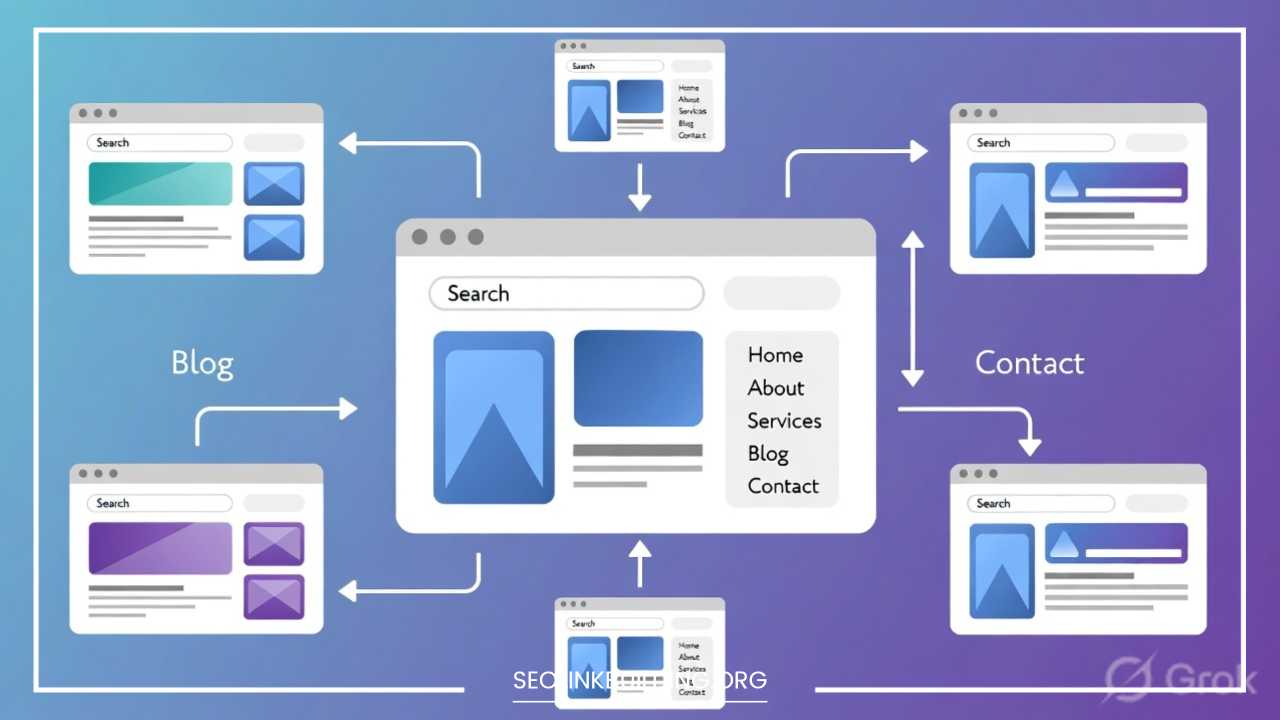
Internal linking is the practice of placing hyperlinks on one page of a website that point to another page on the exact same domain. Unlike external links, which send visitors to a different website, internal links keep users inside your own site ecosystem. Every internal link has a source page where the link appears and a target page where the link leads.
Search engines view internal links as pathways that reveal how pages relate to one another. When one guide links to another, search crawlers see a topical connection between those two URLs. Visitors experience internal links in a much more practical way: they click a link to read a definition, check a related tutorial, or move from a broad overview to a specific step-by-step guide.
To see the difference between internal and external links clearly, compare how each behaves on a typical website.
Feature
Internal Links
External Links
Destination domain
Same website domain
Different website domain
Primary purpose
Site navigation, content discovery, authority flow
Citing sources, referencing external tools or studies
Control over placement
Full control by site owner
Limited to your own outbound links; inbound links are earned
User journey impact
Keeps visitors exploring your site
Sends visitors away to another site
You encounter internal links every day across different parts of a site. In a blog post about keyword research, a writer might link to an article on search intent or on-page optimization. In a top navigation bar, links send visitors to core sections such as Services, Blog, or Pricing. In a website footer, links often point to foundational pages like About, Contact, or Privacy Policy. Even a “Related Articles” block at the bottom of a post relies on internal links to keep readers engaged.
When visitors move smoothly from a general article to a specialized guide, they spend more time reading relevant material and find answers faster. That smooth movement is the foundation of good site usability and search readiness.
Why Is Internal Linking Important for SEO?
Search engines rely on links to explore the web, and internal links give them a clear roadmap of your own site. When crawlers visit a page, they follow the links on that page to find new URLs. If an important article has zero internal links pointing to it, crawlers may take much longer to find it—or miss it altogether if it is not surfaced elsewhere.
Once crawlers find your pages, internal links support crawling efficiency and indexing. By connecting newer articles to established, regularly crawled pages, you help search engines discover fresh content faster. Pages that receive multiple relevant internal links are generally crawled more frequently than buried pages with only a single incoming link.
Internal links also pass link equity—often referred to as PageRank—from one page to another within your site. When a page earns strong backlinks from reputable external sites or attracts steady organic traffic, it carries authority that can be shared with related internal pages. Linking thoughtfully from high-authority pages to key target pages helps lift those target pages in search results, provided the connection is genuinely relevant.
Beyond link equity, internal links establish topical relationships between your content. Suppose you publish an in-depth guide on keyword research and link it to separate guides on long-tail keywords, search volume analysis, and content briefs. Those links signal to search engines that these pages belong to the same subject area and reinforce one another’s relevance for related queries.
At the same time, internal links shape how search engines understand your overall website structure. A shallow, logical hierarchy where key pages sit a few clicks away from the home page is easier to crawl and interpret than a tangled web of disconnected URLs. Clear pathways show which pages act as broad hubs and which ones cover narrow subtopics.
User navigation and engagement benefit right alongside search visibility. A reader finishing an introductory post on keyword research often wants to know how to pick the right keywords or optimize a draft next. Giving them direct, relevant links at the exact moment a question arises lowers bounce rates and increases pages per session.
Finally, internal links let you direct visitors toward your most important pages. Whether your priority is a flagship guide, a product comparison page, or a lead-generation resource, strategic internal links place those destinations in front of engaged readers who already trust your content.
Different Types of Internal Links
Not all internal links serve the same function. Understanding the main types of internal links helps you decide where a link belongs and what role it plays for visitors and search engines.
Navigational links: These sit in your main header menu or primary site navigation. They are most useful for top-level categories and core sections that visitors need from almost any page, such as Guides, Solutions, or About. Keep main navigation focused so menus do not overwhelm readers.
Contextual links: These appear naturally inside body paragraphs where one topic references another. For example, inside a keyword research article, linking the phrase “on-page optimization” to a dedicated on-page SEO guide is a contextual link. They are usually the highest-value internal links for topical relevance and reader engagement.
Footer links: These appear at the bottom of every page. They work well for utility pages, legal policies, contact details, and broad category hubs. Avoid stuffing dozens of secondary blog URLs into the footer just to chase extra links.
Sidebar links: These sit alongside main content or inside “Related Posts” boxes. They are helpful for surfacing popular guides or recent articles on the same topic, though mobile layouts often push sidebars below the main text.
Breadcrumb links: These show a visitor’s location within your site hierarchy, such as Home > SEO > Keyword Research > Long-Tail Keywords. Breadcrumbs are especially useful on e-commerce stores and large content libraries because they clarify parent-child relationships and let users jump up a level easily.
Image links: These use an image as a clickable link to another page on your site, such as a product photo linking to a product page or a banner linking to a course overview. Always include clear alt text so accessibility tools and search engines understand what the linked image represents.
Using each type for its natural strength keeps your layout clean and prevents every link from competing for the same attention.
How to Create an Effective Internal Linking Strategy
Building an effective internal linking strategy requires planning before you start inserting links at random. A structured approach ensures every link supports both user intent and site organization.
Start by identifying your most important website pages. List the URLs that drive core business goals, attract steady traffic, or serve as foundational guides. These priority pages deserve stronger internal link support than minor or outdated posts.
Next, organize your content into relevant topics. Group existing and planned pages by subject matter—for example, separating keyword research, technical SEO, and content optimization into distinct topical buckets rather than mixing unrelated subjects together.
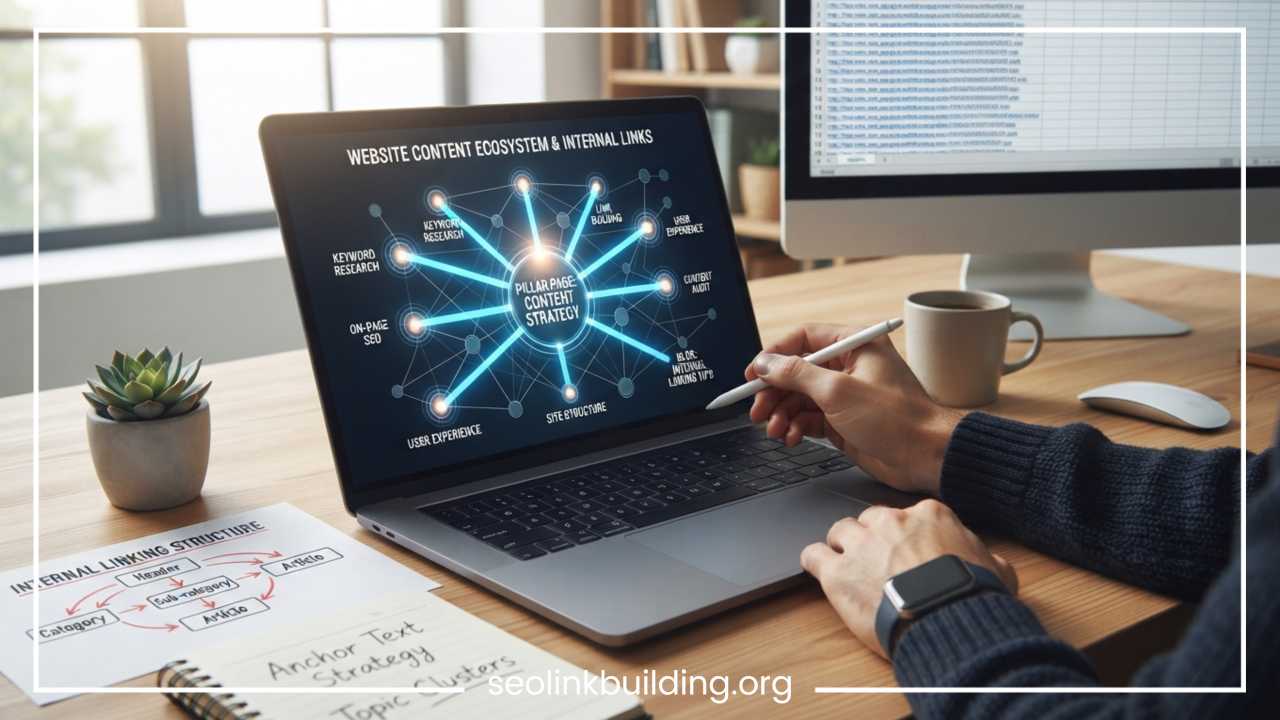
Once topics are grouped, create topic clusters around pillar pages. A pillar page covers a broad core subject thoroughly, while supporting cluster articles explore specific subtopics in detail. Each cluster article should link back to the pillar page, and the pillar page should link out to the relevant cluster articles. For instance, a pillar page on keyword research can link to detailed posts on SEO tools, keyword selection, and content optimization, while each of those supporting posts links back to the keyword research pillar and to closely related sibling articles.
Role in Topic Cluster
Example Page Focus
Internal Linking Action
Pillar Page
Complete guide to keyword research
Links to supporting cluster articles and key subtopic guides
Supporting Cluster Page
How to choose keywords for a new page
Links back to the keyword research pillar and links to content optimization
Supporting Cluster Page
Best SEO tools for keyword analysis
Links back to the keyword research pillar and links to keyword selection
Sibling / Extension Page
Optimizing articles around target keywords
Links back to keyword selection and the main keyword research guide
After mapping clusters, find related pages that can link to each other. Look across your site for articles that share overlapping concepts, prerequisites, or follow-up steps. Two guides do not need to be in the exact same folder to benefit from a link if one naturally extends the other.
Then, add contextual links where they make sense. Place links inside sentences where a reader would genuinely benefit from extra detail or a practical walkthrough. If a paragraph introduces keyword difficulty or search intent and you have a full guide on that concept, link there smoothly without derailing the main point.
Pay close attention to using descriptive and relevant anchor text. The clickable words should tell the reader and search engine what the destination page covers. Clear phrasing sets accurate expectations before someone clicks.
You must also make sure important pages receive sufficient internal links. Check whether priority guides and revenue-driving pages are linked from relevant high-traffic or authoritative pages, rather than sitting isolated near the bottom of your site architecture.
Finally, review and update your internal linking structure regularly. Websites grow and shift over time. Schedule periodic reviews to connect newly published articles into older clusters, retire links to removed pages, and refine links as topics evolve.
How to Choose the Right Anchor Text
Anchor text is the visible, clickable text of a hyperlink. In standard HTML, it sits between the opening and closing anchor tags. Both human readers and search engines read anchor text to judge what awaits on the other side of the link before clicking.
Because anchor text summarizes the target page in a few words, it gives search engines helpful context about the subject of the linked URL and gives readers a clear preview of whether the link will answer their next question.
Always aim to use descriptive and relevant anchor text. If you are linking to a guide on selecting target keywords, phrasing the link around keyword selection is far clearer than vague wording. Readers know immediately what they will get.
At the same time, include natural variations instead of repeating identical phrases unnecessarily. If ten different articles link to the same guide using the exact same word-for-word phrase, it can feel repetitive and unnatural. Varying how you introduce a link in normal prose keeps writing readable while still pointing to the right page.
Make a habit of avoiding generic anchor text such as “click here” or “read more” when a descriptive alternative works better. Those phrases say nothing about the destination page. Instead of writing “To learn how to pick terms, click here,” write “Follow our guide to keyword selection to filter high-potential terms.”
Equally important is to avoid keyword stuffing in anchor text. Cramming awkward, repetitive target phrases into every link makes sentences clunky and hurts readability. Write naturally for a person reading the paragraph.
It helps to understand the main styles of anchor text you will see across a website:
Exact-match anchor text: Uses the exact keyword or phrase the target page focuses on, such as linking to a keyword research guide using the words “keyword research.”
Partial-match anchor text: Includes a variation or part of the target topic inside a broader phrase, such as “practical tips for keyword research” or “how keyword research shapes topic ideas.”
Branded anchor text: Uses a brand name or named resource, such as naming a specific tool, guide series, or publication.
Generic anchor text: Uses non-descriptive prompts like “here,” “this post,” or “learn more,” which offer little topical context on their own.
Relying mostly on clear, natural descriptive and partial-match phrasing—supported by sensible branded or contextual wording—keeps your links helpful and readable.
Internal Linking Best Practices
Knowing how to plan links is only half the work; consistent execution day to day keeps your site clean and effective.
Always link to relevant pages rather than adding links randomly. A link should match the context of the sentence and the needs of the reader at that moment. Forcing a link into an unrelated paragraph only confuses visitors.
Prioritize links that provide value to readers. Ask whether clicking the link helps someone solve a problem, understand a term, or complete a task. If a link interrupts the flow without adding clarity, leave it out.
Where relevant, link from high-authority pages to important pages. If an older article attracts strong backlinks or steady organic search traffic, adding a contextual link from that page to a related priority guide can help direct attention and link equity toward the target page.
Continue to use descriptive anchor text across every new post and update. Make sure the linked phrase matches the actual focus of the destination URL rather than promising something the linked page barely covers.
Keep important pages accessible through internal links. Key pages should not be buried deep in obscure archives or unreachable from main navigation and relevant topic hubs. Aim for a clean structure where important content is easy to reach in just a few clicks.
Avoid excessive internal links on a single page. Packing a short article with dozens of links dilutes attention and makes it harder for readers to tell which links actually matter. Every link should earn its place.
Make sure you use crawlable HTML links. Standard links allow search engine bots to follow them reliably, whereas hidden elements, unclickable text, or scripts that block navigation can prevent crawlers from discovering connected pages.
Maintain a logical website hierarchy. Organize categories and subtopics so parent pages, hub pages, and detailed guides follow a clear, intuitive order that mirrors how users explore your site.
Always check for broken internal links before and after publishing updates. A link pointing to a non-existent page creates a dead end for visitors and wastes crawl effort.
Finally, update links when publishing new content. Do not treat a new article as a one-way street. Link from the new post to relevant existing pages, and go back to older relevant posts to link into the new guide where it fits naturally.
Common Internal Linking Mistakes to Avoid
Even experienced site owners slip into habits that weaken internal linking over time. Spotting these pitfalls early saves hours of cleanup later.
Leaving important pages without internal links is one of the easiest oversights when launching new content. A newly published guide or service page may sit live for weeks with no links pointing to it from anywhere else on the site.
A closely related issue is creating orphan pages—pages that have no internal links pointing to them at all. Without incoming internal links, search crawlers have a harder time finding those pages through normal site traversal, and visitors browsing your site will never stumble onto them naturally.
Using irrelevant anchor text sends mixed signals. If a link says “compare SEO tools” but leads to a broad overview of content formatting, readers feel misled and search engines see a mismatch between the anchor context and the destination page.
Adding too many links to a single page overwhelms readers and spreads link focus thinly across too many destinations. When every other phrase is underlined, links lose impact and paragraphs become tiring to scan.
Linking to redirected or broken URLs adds friction. While occasional redirects happen during site maintenance, routinely linking directly to old URLs that redirect—or worse, return a 404 error—slows down navigation and creates messy link chains.
Using the same anchor text unnaturally across dozens of links can make your link profile look forced and repetitive. Let your phrasing adapt naturally to each sentence instead of pasting identical link text everywhere.
Linking to duplicate or low-value pages unnecessarily wastes attention and can point visitors toward thin, outdated, or redundant URLs instead of your strongest, most helpful resources.
Relying only on navigation menus leaves major value on the table. Global menus stay the same across pages, whereas contextual links inside body copy adapt to the specific topic a reader is exploring right then.
Ignoring older blog posts when publishing new content causes valuable evergreen pages to miss out on fresh connections. Older articles often already rank or attract steady traffic, making them ideal places to introduce newer, closely related guides.
How to Find Internal Linking Opportunities
You do not need guesswork to spot where internal links belong. A mix of site search habits, content reviews, and analytics tools makes finding opportunities straightforward.
Start by searching your website for relevant keywords and topics. Use your site search bar or a targeted search operator to find every page that mentions a specific concept, tool, or subtopic. If you just wrote a guide on keyword selection, search your site for “keyword” or “keywords” to see every existing article where that idea comes up.
Next, review existing blog posts and landing pages with fresh eyes. Read through top-performing or foundational articles and look for places where a concept is mentioned briefly without a full explanation. Those spots often make natural homes for links to deeper guides.
Be sure to identify pages with strong backlinks or organic traffic. Pages that already pull in external links or steady search visitors are valuable assets. Checking where you can add relevant internal links from these pages—and ensuring they link to supporting pages—helps maximize the value of your strongest content.
Look specifically to find pages that mention topics covered in other articles. For example, if a post on content optimization mentions keyword research or SEO tools, that sentence is a prime candidate to link to your dedicated guides on those subjects.
Also look for pages that need more internal links. Compare your priority guides and newer articles against the rest of your site. If a key resource only has one or two incoming internal links while other posts have many, look for relevant places to add more.
You can use Google Search Console to understand page performance. Review performance reports to see which queries bring visitors to specific pages and which URLs are getting impressions or clicks. Pairing query data with your content map helps you connect related pages around themes users actively search for.
Finally, use SEO crawling tools to identify orphan pages, broken links, and internal linking gaps. Crawlers simulate how search engines move through your site and highlight pages with very few incoming links, broken internal targets, or structural disconnects that are hard to spot manually.
Internal Linking Tools That Can Help
Manual judgment always comes first when deciding whether a link helps a reader, but the right tools speed up discovery, auditing, and maintenance across larger sites.
Google Search Console: Useful for monitoring how Google indexes your pages, viewing search performance by query and URL, and spotting indexing or coverage issues that affect how your pages are discovered.
Screaming Frog SEO Spider: Useful for crawling a website to inspect internal link counts, find broken internal links, spot redirect chains, and uncover orphan pages or pages buried deep in the site structure.
Ahrefs: Useful for analyzing internal link distribution, identifying pages with few internal links, reviewing backlink strength across your site, and spotting internal linking opportunities based on keyword rankings and content overlap.
Semrush: Useful for running site audits that flag internal linking issues, broken links, crawlability problems, and opportunities to strengthen link flow between related pages.
WordPress plugins: Useful for suggesting relevant internal links while you write, organizing related posts, or managing link workflows inside the editor without having to memorize every URL on your site.
Remember that tools assist with analysis, but links should still be selected based on relevance and usefulness. An automated suggestion is only a starting point—always check the surrounding paragraph and destination page to confirm the link genuinely helps the reader.
How to Audit and Maintain Your Internal Links
Internal linking is not a one-time task; it is an ongoing habit that keeps pace with new content, site redesigns, and shifting priorities.
Crawl the website periodically so you have an accurate snapshot of how your links actually behave rather than relying on memory. Regular crawls catch structural drift early, especially on active sites publishing new content every week.
Identify and fix broken internal links promptly. When a page is deleted or moved without proper handling, update links pointing to the old URL or point them to the closest relevant live page so readers do not hit dead ends.
Find and resolve orphan pages by connecting isolated URLs to relevant topic hubs, cluster pages, or categories where they belong naturally. If a page truly has no place or value on the site, decide whether to improve it, merge it, or remove it rather than leaving it abandoned.
Review redirected internal URLs during routine audits. Updating internal links so they point directly to the final active destination URL—rather than through chains of redirects—keeps link paths clean and direct.
Check whether important pages receive enough internal links relative to their value on the site. If a flagship guide or core offering is under-linked, add relevant contextual links from related articles and hub pages.
Update outdated links when content changes. If you consolidate two older articles, rewrite a guide around a new process, or replace an outdated resource with a newer comprehensive one, revisit pages that linked to the old version and update the targets where appropriate.
Review anchor text and link relevance periodically to make sure links still match what the destination page covers and read naturally within updated paragraphs.
Finally, monitor changes after publishing new content. Track how newly linked pages are indexed and how visitors move between connected articles after you add fresh internal links and update older posts.
Final Thoughts
Internal linking is one of the most practical, controllable levers you have for organizing a website. By connecting related pages thoughtfully, you help search engines discover and understand your content, share authority across relevant URLs, and guide visitors smoothly from one helpful resource to the next.
The strongest internal links are always relevant, descriptive, and genuinely useful to the reader—never forced or stuffed with repetitive phrasing. Start by reviewing your core pages and topic clusters, fix broken or missing connections, and weave better internal links into your workflow one update at a time.
Frequently Asked Questions
How do internal links help SEO and page rankings?
Internal links help search engines discover new pages on your website, understand how different topics relate to one another, and pass ranking authority from stronger pages to relevant target pages. When you connect high-traffic or well-linked articles to important guides using clear, relevant context, search crawlers can reach those pages more efficiently and evaluate their topical relevance within your site structure.
What is the difference between internal links and external links?
Internal links connect pages within the same website domain, while external links point from your website to a different domain or outbound to your site from another website. Internal links focus on site navigation, content discovery, and distributing authority across your own pages, whereas external links cite outside sources, reference third-party tools, or represent backlinks earned from other sites.
How many internal links should a page have?
There is no fixed universal limit on internal links, so focus on usefulness and relevance rather than chasing a specific number. Every internal link on a page should help a reader take a logical next step or understand a related concept without cluttering the paragraph or distracting from the main topic. As a practical rule, keep links focused and natural so readers can easily spot the ones that matter most.
What are orphan pages and how do you fix them?
Orphan pages are live URLs on a website that have no internal links pointing to them from any other page on the site. Because crawlers and visitors cannot reach them through normal internal link paths, they are harder to discover and often underperform. You fix orphan pages by adding contextual links from relevant topic hubs, category pages, or related articles—or by updating, merging, or removing the page if it adds no value.
How do you write good anchor text for internal links?
Good anchor text clearly describes what the linked page is about in natural, readable language that fits the surrounding sentence. Instead of vague labels like “click here” or “read more,” use descriptive phrases that set accurate expectations for both readers and search engines while varying your wording naturally across different links. Avoid stuffing repetitive keywords into anchor text just to manipulate rankings.
How do topic clusters and pillar pages work for internal linking?
A pillar page covers a broad core topic thoroughly, while cluster pages dive into specific subtopics or related questions in detail. In a topic cluster model, supporting cluster pages link back to the main pillar page to reinforce its central role, the pillar page links out to the cluster articles to organize subtopics, and closely related cluster pages link to one another where relevant.
How often should you audit internal links on a website?
Review and audit your internal links periodically—such as once a quarter or right after major content pushes, site migrations, or URL changes. Regular checks help you catch broken internal links, clean up redirect chains, rescue orphan pages, and connect newly published articles to older high-value posts before link decay builds up.
Can you over-optimize internal links and hurt SEO?
Yes, internal linking can backfire when links are added without relevance, stuffed with repetitive exact-match keywords, or packed onto a page in overwhelming numbers. Over-optimizing makes content harder for people to read and dilutes attention across too many links, so always prioritize reader value, natural phrasing, and clear topical connections.