Technical SEO Audit Checklist

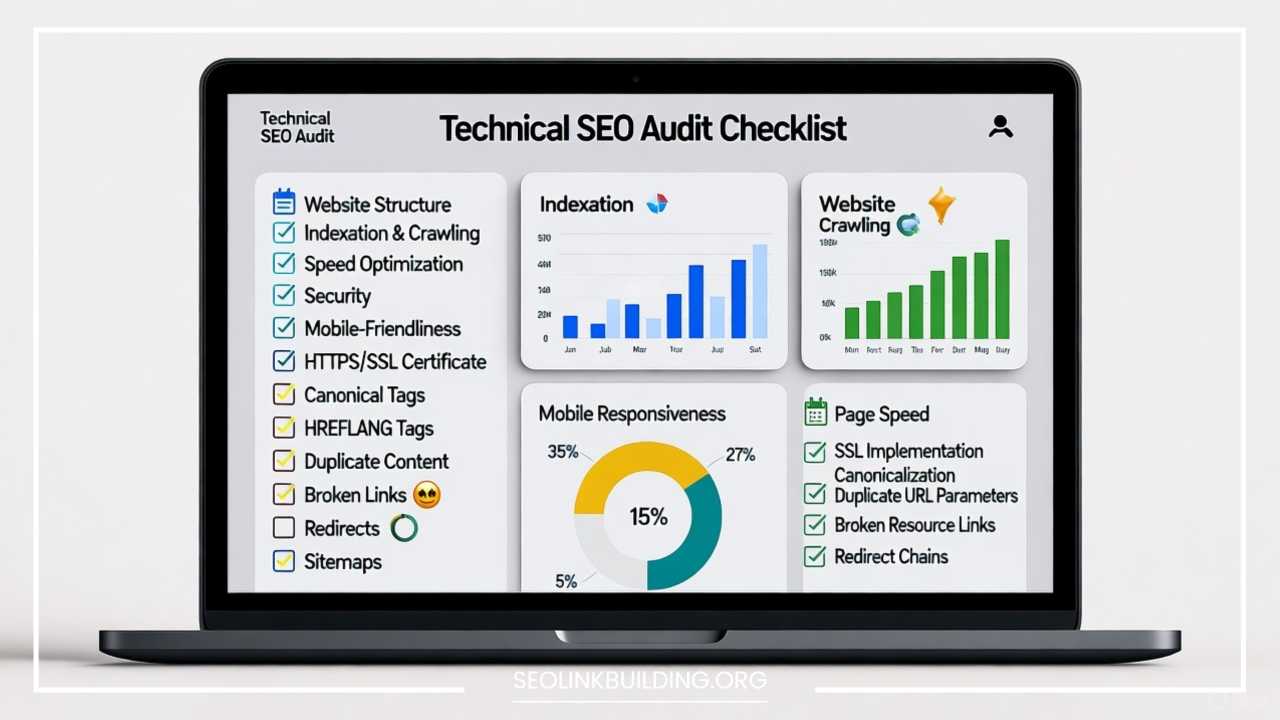
Technical SEO Audit Checklist: The Blueprint for Website Authority
A website is only as strong as its foundation. While high-quality content and strategic link building are crucial for search engine optimization (SEO) success, they can only take you so far if the underlying technical structure of your site is flawed. A Technical SEO Audit is the process of evaluating a website’s technical elements to ensure they meet the standards of modern search engines like Google, Bing, and others.
This exhaustive checklist serves as your blueprint for identifying and resolving the technical barriers that prevent search engines from efficiently crawling, indexing, and ranking your content. By systematically addressing the points below, you will improve your site’s health, enhance user experience, and establish the necessary technical authority to compete in the search results.
Crawlability & Indexability
The first and most critical step in a technical SEO audit is confirming that search engines can actually access and understand your website’s pages. If a page can’t be crawled, it can’t be indexed, and if it can’t be indexed, it certainly won’t rank.
Robots.txt File
The robots.txt file is a plain text file at the root of your domain that dictates which parts of the site a search engine robot (User-agent) should or should not crawl.
- Check for correct placement: It must be at
domain.com/robots.txt. - Verify syntax: Ensure the file uses correct directives (
User-agent:,Disallow:,Allow:,Sitemap:). Incorrect syntax can lead to accidental blocking of the entire site. - Audit Disallow rules: The most common mistake is inadvertently disallowing important sections like CSS, JavaScript, or key content pages. Google needs to crawl resources (CSS/JS) to understand the page’s layout and determine mobile-friendliness.
- Include the Sitemap directive: The file should reference the location of your XML Sitemap for easy discovery.
XML Sitemap
An XML Sitemap is a list of all URLs on your site that you want search engines to crawl and index. It acts as a comprehensive roadmap for search engines.
- Presence and Submission: Ensure the Sitemap exists, is up-to-date, and has been submitted to Google Search Console (GSC) and Bing Webmaster Tools.
- Correct URLs: The Sitemap must only contain canonical URLs that return a
200 OKstatus code. It should not contain redirected pages, pages blocked byrobots.txt, or pages with anoindextag. - Size and Format: Sitemaps must contain no more than 50,000 URLs and be no larger than 50MB (uncompressed). If your site is larger, you need to use a Sitemap Index file.
- Last Modified Date: For large, frequently updated sites, ensure the
<lastmod>tag is accurate to help search engines prioritize recrawling.
Crawl Errors
Crawl errors occur when a search engine attempts to reach a page but fails. Identifying and fixing these errors is crucial for optimizing crawl budget (the number of pages a search engine will crawl on your site within a given period).
- Check GSC Coverage Report: Focus on “Error” and “Valid with warnings” sections. Look for 404 (Not Found) errors and 403 (Forbidden) errors.
- Address 404s: For broken links from external sites or old, non-existent pages, implement a 301 redirect to the most relevant live page. If the page is truly gone and has no replacement, let it return a 404 (or 410 for “gone permanently”).
- Analyze Log Files: For advanced audits, checking server log files shows exactly how search engine bots are interacting with the site, revealing wasted crawl budget on low-priority or non-existent pages.
Noindex/Nofollow Tags
These directives are placed in the page’s <head> section or HTTP header to control indexing and link equity flow.
- Noindex Audit: Ensure high-value, rankable content pages do not have a
noindextag. Conversely, low-value pages (e.g., thank-you pages, internal search results, admin pages) should usenoindexto conserve crawl budget and prevent thin content issues. - Nofollow Check: Review links, especially those in the header, footer, or sidebars. Ensure valuable internal links are not
nofollowed. Usenofollowfor low-quality external links or paid links (or the more specificsponsoredandugcattributes).
Site Architecture & URL Structure
A logical and flat site architecture helps users and search engine bots navigate the site effortlessly, ensuring link equity (or PageRank) flows effectively from high-authority pages (like the homepage) to deeper content pages.
URL Structure
A good URL structure is clean, predictable, and informative.
- Readability: URLs should be user-friendly, short, and contain the target keyword when possible. Avoid excessive parameters, session IDs, and capital letters.
- Consistency: Use hyphens (
-) to separate words, not underscores (_), and maintain all-lowercase convention. - Shallow Depth: Aim for a “flat” architecture where important pages are only a few clicks (3-4) from the homepage, such as
domain.com/category/product-name.
Internal Linking
Internal links distribute authority, signal the importance of pages, and keep users and crawlers moving through the site.
- Contextual Links: Audit blog posts and key articles to ensure they link out using relevant anchor text to related pages within the site.
- Link Depth: Use tools to identify orphan pages (pages with no internal links) and pages that are too many clicks from the homepage (deep pages), and then integrate them into the link structure.
- Navigational Links: The primary navigation, sidebars, and footer should link to the most important top-level pages.
Breadcrumbs
Breadcrumbs are secondary navigation elements that show the user’s location on a website, typically above the main content.
- Implementation: Ensure breadcrumbs are present on all pages below the homepage, following a logical hierarchy (e.g., Home > Category > Subcategory > Page Name).
- Schema Markup: BreadcrumbList Schema should be applied to breadcrumbs to make them eligible for enhanced display in the search results (Rich Results).
Canonical Tags
The canonical tag (<link rel="canonical" href="...">) is vital for managing duplicate content by telling search engines which version of a page is the preferred one to index.
- Self-Referencing: Every page should have a canonical tag, even if it’s the only version. This tag should point to itself (self-referencing canonical).
- Variation Handling: On e-commerce sites, use canonicals to point product variations (e.g., color, size) back to the main product page, or to handle URL parameters (e.g., tracking codes) by pointing back to the clean URL.
- Cross-Domain Canonicalization: Use canonical tags to manage content syndication or multiple language versions (in conjunction with
hreflang).
Page Speed & Performance
Page speed is no longer a luxury; it’s a critical ranking factor and a foundational element of user experience. Slower pages lead to higher bounce rates and lower conversions.
Core Web Vitals (CWV)
CWV are a set of metrics Google uses to quantify the user experience on a page. The audit must focus on improving these three metrics:
- Largest Contentful Paint (LCP): Measures loading performance. Should occur within 2.5 seconds of when the page first starts loading. Fix: Reduce server response time, optimize images and resources.
- Cumulative Layout Shift (CLS): Measures visual stability. Should be less than 0.1. Fix: Reserve space for images/ads, and avoid injecting content above existing content unless user-initiated.
- First Input Delay (FID) / Interaction to Next Paint (INP): Measures interactivity. FID should be less than 100 milliseconds (msec). INP is being adopted to replace FID and measures latency of all interactions. Fix: Reduce the impact of third-party code and minimize main-thread work (often from JavaScript).
Page Load Time
Use tools like Google PageSpeed Insights, GTmetrix, or WebPageTest to assess performance. The goal is a fast and consistent load experience across all devices.
- Server Response Time (TTFB): Time To First Byte should be fast, ideally under 200ms. Slow TTFB often indicates server issues, slow database queries, or inefficient backend code.
- Render Blocking Resources: Identify and eliminate or defer CSS and JavaScript that prevent the page from rendering quickly.
Image Optimization
Images are typically the largest contributor to page bloat.
- Compression and Resizing: Ensure images are compressed without noticeable quality loss and are sized appropriately for the screen on which they are displayed.
- Next-Gen Formats: Convert images to modern formats like WebP which offer superior compression.
- Lazy Loading: Implement native lazy loading for images below the fold to prioritize the visible content.
Minification and Code Delivery
- Minification: Remove unnecessary characters (whitespace, comments) from HTML, CSS, and JavaScript files to reduce file size.
- Code Caching: Utilize browser caching to store static files locally on the user’s device, speeding up repeat visits.
Caching & CDN
- Browser Caching: Configure HTTP headers to tell browsers how long to store resources.
- Content Delivery Network (CDN): Implement a CDN to store copies of your website’s static files on servers around the world, reducing latency and accelerating delivery to users based on their geographic location.
Mobile-Friendliness & Responsive Design
With Google’s mobile-first indexing, the mobile version of your website is the primary one used for ranking. A seamless mobile experience is paramount.
Mobile-First Indexing
- Check GSC Status: Verify that your site is being indexed using mobile-first indexing in Google Search Console.
- Testing: Use the Google Mobile-Friendly Test tool for a quick assessment.
Responsive Design Best Practices
- Viewport Tag: Ensure the
<meta name="viewport" content="width=device-width, initial-scale=1">tag is present in the<head>section to properly scale the content for different screen sizes. - Touch Targets: Ensure interactive elements (buttons, links) are large enough and spaced far enough apart to be easily tapped with a finger.
- Text Legibility: Text should be readable without zooming on a mobile device.
HTTPS & Security
Security is a fundamental requirement for trust and is an official ranking signal.
SSL Certificate Installation
- Presence: Verify that an SSL certificate is installed and valid, displaying the padlock icon in the browser.
- Redirects: All non-secure HTTP URLs must permanently 301 redirect to the secure HTTPS version.
- HTTPS Protocol: Ensure all internal links, images, and canonical tags point to the HTTPS version.
Mixed Content Issues
Mixed content occurs when an HTTPS page loads some resources (images, scripts, CSS) insecurely over HTTP. This triggers a security warning in the browser and should be fixed by updating all resource URLs to use HTTPS.
Importance of Security
Beyond the SEO benefits, a secure site protects user data and builds trust, which directly impacts time on site and conversions.
Structured Data & Schema Markup
Structured data (Schema Markup) is code that you add to your site to help search engines better understand the content and context of your pages, making them eligible for Rich Results (snippets, carousels, etc.).
What Schema Is
Schema is a standardized vocabulary of tags (microdata, RDFa, or JSON-LD) that you can add to your HTML. JSON-LD is the preferred format by Google.
Common Types
Audit the usage of essential and relevant Schema types:
- Organization/LocalBusiness: For brand or location authority.
- Article: For news and blog content.
- Product & Review: Essential for e-commerce to display ratings and prices in SERPs.
- FAQ & HowTo: For displaying expandable answers directly in the search results.
- VideoObject: For video content embedded on the page.
Testing Schema
- Use the Google Rich Results Test to ensure your implemented Schema is correct, error-free, and eligible for a Rich Result display.
- Check the Enhancements section in GSC to monitor the performance and errors of your structured data.
On-Page SEO Elements (Technical Aspect)
While often categorized under content SEO, the technical implementation and structure of on-page elements are critical to a comprehensive audit.
Title Tags
The title tag is the most important on-page SEO element, serving as the main headline in the SERPs.
- Length: Ensure titles are between 50–60 characters to avoid truncation in the SERPs.
- Uniqueness: Every page must have a unique title tag; duplicate titles signal poor organization to search engines.
- Keyword Optimization: The primary keyword should ideally be placed toward the beginning of the title.
Meta Descriptions
The meta description is not a direct ranking factor, but it is a critical factor for Click-Through Rate (CTR), as it is the snippet of text displayed under the title.
- Length: Keep them concise, typically around 150–160 characters.
- Compelling Copy: They should be unique, summarize the page content, and include a compelling call-to-action.
Header Tags (H1, H2, H3)
Header tags (H1 to H6) create a hierarchical structure for the content, making it scannable for both users and search engines.
- H1 Rule: Each page should have only one H1 tag. This H1 should be the main topic of the page and often mirrors the title tag.
- Structural Hierarchy: Use H2s for main section headings and H3s for sub-sections under the H2. Do not use header tags purely for styling.
Image Alt Text
Alt text (or alt attribute) describes an image for visually impaired users and provides context for search engines when the image can’t be loaded or interpreted.
- Descriptive: The alt text should accurately describe the content of the image.
- Keyword Usage: Include a relevant target keyword naturally where appropriate, but avoid keyword stuffing.
Duplicate Content & Canonicalization
Duplicate content is content that appears in more than one location on the internet. It can confuse search engines, dilute ranking power, and lead to wasted crawl budget.
Identifying Duplicate Content Issues
- Parameter URLs: Many e-commerce or filter pages create unique URLs with the same content (e.g.,
product.com/shirt?color=redandproduct.com/shirt?color=blue). - Trailing Slashes/Case Sensitivity: Different versions of URLs (e.g.,
domain.com/page/vs.domain.com/pageorDOMAIN.com/page) can be seen as duplicates. - Non-WWW vs. WWW: Ensure only one version (e.g.,
www.domain.comordomain.com) is used and the other redirects.
Implementing Canonical Tags Correctly
As detailed in the architecture section, canonical tags are the primary solution. They should point to the one preferred version of the URL, consolidating link equity.
Avoiding Thin Content Penalties
Review pages that have very little unique, value-adding content (e.g., automatically generated pages). Either bulk up the content or use noindex and nofollow to keep them out of the search index.
Analytics & Monitoring
An audit is a snapshot in time. Ongoing monitoring through analytics and SEO tools is essential to maintain site health.
Google Search Console (GSC)
GSC is the direct line of communication from Google about your site’s performance.
- Tracking Crawl Errors: Regularly check the Coverage report for indexing issues and the Crawl Stats report for crawl budget usage.
- Performance Monitoring: Analyze the Performance report for changes in impressions, clicks, CTR, and average position.
- Security & Manual Actions: Verify the absence of any security issues or manual penalties.
Google Analytics (GA4)
GA4 tracks user behavior after they click through from search results.
- Behavior Analysis: Monitor key metrics like bounce rate, engagement rate, time on page, and conversions to correlate technical improvements with better user experience.
- Site Speed Report: Use the built-in speed reports to monitor changes in page load times over a period.
SEO Audit Tools
Use dedicated tools to automate and scale the audit process:
- Screaming Frog: A desktop-based crawler essential for finding broken links, redirect chains, missing titles/H1s, duplicate content, and more.
- Ahrefs/SEMrush: Cloud-based tools that provide site audit features, competitive analysis, and keyword tracking.
- Sitebulb: A powerful crawler with advanced data visualization and reporting.
Common Technical SEO Issues & How to Fix Them
Even a well-maintained site can harbor recurring technical issues that must be caught during the audit.
Broken Links (404 Errors)
Broken internal links are a major technical issue, frustrating users and wasting crawl budget.
- Identify: Use a crawler (like Screaming Frog) or GSC to find all internal and external 404 errors.
- Fix: Internal 404s must be fixed by updating the link source to the correct live URL. External 404s (links to a non-existent external page) should be either removed or updated.
Redirect Chains and Loops
A redirect chain occurs when one URL redirects to another, which redirects to a third, and so on. A redirect loop is a chain that redirects back to an earlier URL in the sequence. These significantly slow down page speed and can cause search engines to drop the request.
- Fix: Consolidate redirects into a single, direct 301 redirect from the original URL to the final destination URL.
Orphan Pages
Pages that are indexed but have no internal links pointing to them are “orphans.” Search engines can’t easily find them, and they receive no link equity from the rest of the site.
- Fix: Create relevant, contextual internal links from authoritative pages to the orphan pages. If the page is low-value, it may be better to noindex it.
Pagination and Infinite Scroll
For category or archive pages, managing a large number of pages requires specific technical directives.
- Pagination: Google no longer supports the
rel="prev/next"tags. The standard best practice is to ensure all pages in the series can be reached by a crawler (either via internal links or a “View All” page with a canonical tag to itself). - Infinite Scroll: If you use infinite scroll, ensure you are still using paginated URLs (
?page=2,?page=3) to allow search engines to fully crawl all content, as they have difficulty rendering endless scroll.
Final Thoughts
A Technical SEO Audit is arguably the most impactful process you can perform for a website. It is the necessary housekeeping that ensures all your other marketing efforts—content creation, link building, and paid advertising—are not undermined by a faulty technical foundation. By meticulously working through this checklist, you move beyond merely solving problems; you are optimizing your website for maximum crawl efficiency, index authority, and superior user experience.
Remember that the web is a fluid, ever-changing environment. Websites are constantly updated, and search engine algorithms evolve. Therefore, a technical SEO audit is not a one-time project but an ongoing, periodic necessity. Schedule a comprehensive audit at least once or twice a year, and use tools like Google Search Console as your daily or weekly monitoring dashboard to catch issues before they escalate.
A technically sound website is a competitive advantage. It ensures Google can seamlessly access your best work and reward it with the visibility it deserves. The success of your SEO strategy hinges on the strength of this underlying technical infrastructure.